Screen Mirroring - Streaming is made and published by
Margaret Lafontaine.
AppBrain is an independent app data site and isn't affiliated with Margaret Lafontaine.
The app name, icon, screenshots and description belong to Margaret Lafontaine and are shown as
published on the App Store.
About Screen Mirroring - Streaming
Screen Mirroring - Streaming is an utilities app developed by Margaret Lafontaine.
User Ratings
Screen Mirroring - Streaming is rated 3.93 out of 5 stars. The rating is based on 15 ratings.
App Information
Screen Mirroring - Streaming is freely available from the App Store. The app size is 49.95 MB. The latest version available is 1.4. The last update was on July 16, 2024.
Technical Requirements
The app has a content rating of Medium Maturity. The app has been available on the App Store since May 2024.
Description by Margaret Lafontaine(from the App Store)
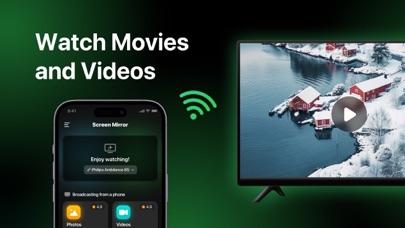
Screen Mirroring is a robust application that allows you to instantly display your device's content on other screens without wires or complicated setup. With Screen Mirroring, you can quickly and conveniently share your screen with any devices that support Wi-Fi transmission mechanisms, including Smart TVs, computers, projectors and other mobile devices. Also in our application you can diagnose your internet speed and view some of the things you have done on your internet.
Key features:
• Fast Transfer: Screen Mirroring ensures that your screen is instantly displayed on other devices without any lag.
• Simple Interface: Intuitive and easy-to-use interface makes Screen Mirroring accessible to all users, even without technical skills.
• Convenient connection: Just select the device you want to connect to and start screen sharing in just a few clicks.
• High Quality Image: Screen Mirroring supports high resolution transmission, providing a clear and crisp image.
• Multi-Party Support: Connect to various TVs including Smart TVs, computers (with AirPlay support) projectors and mobile devices.
• Unlimited possibilities: View photos, videos, presentations, games and more on large screens with Screen Mirroring.
• Diagnose internet connection: Check the upload and download speeds of your internet connection and view detailed data about your internet connection.
Why use Screen Mirroring:
• To view videos and photos from your device on a large screen. • To give presentations or demonstrations wirelessly. • To play games on the big screen using your mobile device as a controller.
Screen Mirroring is your trusted tool to quickly and easily transfer your screen to other devices. Share your content with the world in just a few clicks!
Terms of Use & Privacy Policy - https://shine-dimple-2c1.notion.site/Screen-Mirroring-Streaming-Support-903a91cd90294ed69ce6970bff0d30f6
Each subscription will automatically renew 3 days before the expiration date for
the same time period. Subscriptions can be cancelled at any time before the renewal.