

Screen Recorder ®
Screen Recorder ® is made and published by Poster App LLP. AppBrain is an independent app data site and isn't affiliated with Poster App LLP. The app name, icon, screenshots and description belong to Poster App LLP and are shown as published on the App Store.
AppBrain's verdict
EstablishedLoved by users- Rating on App Store
- 4.62
- 2,908 ratings
- Last updated
- October 10, 2026
- Size
- 304.5 MB
Users love it: 4.6 stars from 2,908 ratings.
User feedback
Ratings and reviews on the App StoreComments on Screen Recorder ® for iOS
We don't have enough comments to show example comments. Please check back later.
Store listing
By Poster App LLP, from the App Store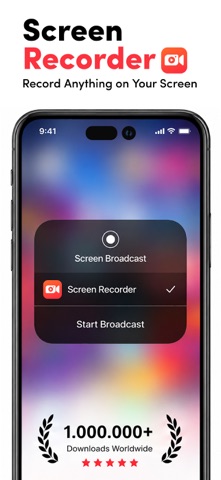



Description by Poster App LLP Written by the developer, not by AppBrain. Click to read.
The best screen recorder app for:
-Video tutorials
-How-to videos
-Demo videos
-Training videos
-YouTube videos
-Instructional videos
Advantages of using screen recorder app
-Livestream your screen to different social media platforms like YouTube, Facebook, or more.
-Record live shows, gameplay, video chats, etc.
-Record screen with audio commentary
-Add video reactions
-Create high-quality HD video clips
Key Features
Screen Recording
-Just one tap to record video calls, video games, online videos, tutorials, video demos, and even live shows smoothly, clearly.
-Record popular games, live shows, video chats with friends and family, capture video chatting, and share recorded video with ease.
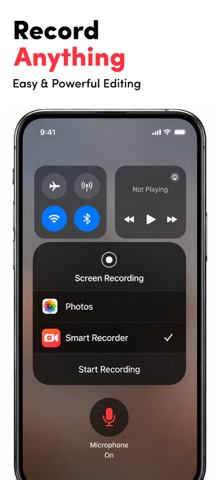
-Capture the screen using the notification bar or a floating window.
-Recording can be started and stopped easily via the notification bar or in a floating window.
-External audio can also be recorded. This makes it extremely simple to produce tutorials, promotional videos, comment on your game and gameplay, and record videos.
Video Editing
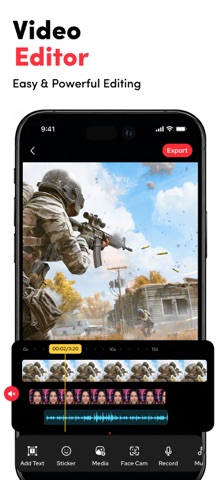
-Easily trim, combine, and add music to your recorded videos.
-Add music, select from a large library of music.
-Add text, custom video subtitles.
-Add frames and stickers, also enable adding local pictures and custom watermark to your clips.
-Change speed, change video speed of various parts.
-Filters, which can be used to add a range of filter effects to your video.
-Crop video, which can be cropped to whatever ratio you desire.
-Merge several movies and pick from a number of transition effects.
Reaction Commentary
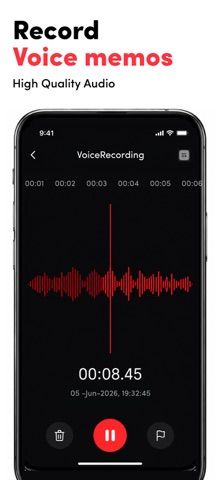
-Voice recording, which can be used to create a commentary video.
-While viewing videos, record video commentary in real-time.
-Simple controls for video editing.
-Record numerous snippets over your video and adjust each one separately.
Reaction Camera
-Convert video formats to GIF - Supports Facecam, allowing you to create response videos using the Facecam function.
-Respond immediately on Instagram and Facebook.
-Include intros and outros, as well as emojis and text, as well as other advanced in-app editing tools!
-You can really see how your friends react to what you share with them!
-React to web pages as well as photographs!
Screen Recorder offers auto-renewing subscription options:
● You can subscribe for unlimited access to all features and content offered for purchases within ##Screen Recorder##
● Subscriptions are billed monthly & Yearly on the subscription plan
● Payment will be charged to iTunes Account at confirmation of purchase
● Subscription automatically renews unless auto-renew is turned off at least 24-hours before the end of the current period
● Account will be charged for renewal within 24-hours prior to the end of the current period, and identify the cost of the renewal
● Subscriptions may be managed by the user and auto-renewal may be turned off by going to the user's Account Settings after purchase
● Any unused portion of a free trial period, if offered, will be forfeited when the user purchases a subscription to that publication, where applicable
-No cancellation of the current subscription is allowed during the active subscription period.
-Any unused portion of a free trial period will be forfeited if you purchase a subscription to that.
Privacy Policy: https://screenrecord.posterapplab.com/screenrecoder/privacy-policy
Terms - https://screenrecord.posterapplab.com/screenrecoder/terms-and-conditions
Safety and technology
Found in the app by AppBrain- Price
- Free
- App size
- 304.5 MB
- Content rating
- Everyone
Technologies used by Screen Recorder ®
Releases
Updates seen on the App Store- Version
- 1.140
- Launched
- October 2021
No changelog data
Alternatives
Similar apps and more from Poster App LLP




Rankings
App Store top chartsApp Store Rankings for Screen Recorder ®
About the app and developer
About Screen Recorder ®
Screen Recorder ® is an utilities app developed by Poster App LLP.
User Ratings
Screen Recorder ® is rated 4.62 out of 5 stars. The rating is based on 2.9 thousand ratings.
App Information
Screen Recorder ® is freely available from the App Store. The app size is 304.53 MB. The latest version available is 1.140. The last update was on October 10, 2026.
Technical Requirements
The app has a content rating of Everyone. The app has been available on the App Store since October 2021.
Developer information for Poster App LLP
Address:
Frequently asked questions about Screen Recorder ®
Is Screen Recorder ® free?
Yes. Screen Recorder ® is free on the App Store.
Is Screen Recorder ® still available?
Yes. Screen Recorder ® is on the App Store, and the last update we saw was on October 10, 2026.
How large is Screen Recorder ®?
Screen Recorder ® is 304.53 MB.
Is Screen Recorder ® suitable for children?
App Store rates the content of Screen Recorder ® as suitable for everyone.
How do people rate Screen Recorder ®?
Screen Recorder ® scores 4.62 out of 5 stars, from 2,908 ratings on the App Store.
Who made Screen Recorder ®?
Screen Recorder ® was developed by Poster App LLP. It is listed in the utilities category on the App Store.
What are the best alternatives to Screen Recorder ®?
People looking at Screen Recorder ® also look at these utilities apps: Live Recorder: Record Screen, ApowerREC: Record Screen, Screen Recorder - FaceCam HD, Screen Recorder ‑ Record Video, Screen Recorder.