

Screenshot Editor Capture Tool
Screenshot Editor Capture Tool is made and published by Oliver Martinez. AppBrain is an independent app data site and isn't affiliated with Oliver Martinez. The app name, icon, screenshots and description belong to Oliver Martinez and are shown as published on the App Store.
AppBrain's verdict
- Rating on App Store
- 4.23
- 86 ratings
- Last updated
- May 5, 2026
It doesn't have enough ratings yet to judge what users think.
Rankings
App Store top chartsApp Store Rankings for Screenshot Editor Capture Tool
Competitors
Similar apps and more from Oliver MartinezAlternatives to Screenshot Editor Capture Tool


 Automatic Screenshot Stitcher



More from Oliver Martinez


Also available on Google Play

Releases
Updates seen on the App Store- Version
- 1.4.9
- Launched
- September 2022
No changelog data
User feedback
Ratings and reviews on the App StoreComments on Screenshot Editor Capture Tool for iOS
We don't have enough comments to show example comments. Please check back later.
Technology
Found in the app by AppBrain- Price
- Free
- App size
- 82.2 MB
- Content rating
- Everyone
Technologies used by Screenshot Editor Capture Tool
About the app and developer
About Screenshot Editor Capture Tool
Screenshot Editor Capture Tool is a photo & video app developed by Oliver Martinez.
What is the rating of Screenshot Editor Capture Tool?
Screenshot Editor Capture Tool is rated 4.23 out of 5 stars, based on 86 ratings.
Is Screenshot Editor Capture Tool free?
Screenshot Editor Capture Tool is free. The app size is 82.24 MB. The latest version available is 1.4.9. The last update was on May 5, 2026.
What are the requirements for Screenshot Editor Capture Tool?
The app has a content rating of Everyone. The app has been available on the App Store since September 2022.
Developer information for Oliver Martinez
Address:
Frequently asked questions about Screenshot Editor Capture Tool
Is Screenshot Editor Capture Tool free?
Yes. Screenshot Editor Capture Tool is free on the App Store.
Is Screenshot Editor Capture Tool still available?
Yes. Screenshot Editor Capture Tool is on the App Store, and the last update we saw was on May 5, 2026.
How large is Screenshot Editor Capture Tool?
Screenshot Editor Capture Tool is 82.24 MB.
Is Screenshot Editor Capture Tool suitable for children?
App Store rates the content of Screenshot Editor Capture Tool as suitable for everyone.
How do people rate Screenshot Editor Capture Tool?
Screenshot Editor Capture Tool scores 4.23 out of 5 stars, from 86 ratings on the App Store.
Who made Screenshot Editor Capture Tool?
Screenshot Editor Capture Tool was developed by Oliver Martinez. It is listed in the photo & video category on the App Store.
What are the best alternatives to Screenshot Editor Capture Tool?
People looking at Screenshot Editor Capture Tool also look at these photo & video apps: CopyClip: Clipboard Manger, Hi Sticky: Sticky Notes, Automatic Screenshot Stitcher, Droplr: Screenshot & Recorder, NexBot AI Writer Assistant.
Store listing
By Oliver Martinez, from the App Store
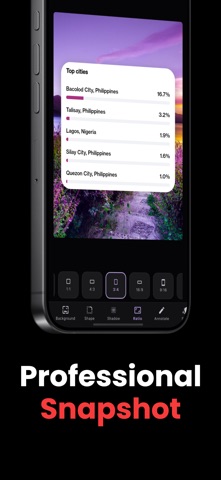


Description by Oliver Martinez Written by the developer, not by AppBrain. Click to read.
Are your screenshots looking a bit dull? NexSnap is the ultimate screenshot design tool that instantly transforms your raw images into stunning, share-ready masterpieces. Whether you're a content creator, developer, marketer, or simply love sharing on social media, NexSnap helps you stand out and get more engagement.
Stop spending hours in complex design software. With NexSnap, you get beautiful, polished results in just a few taps!
◆ TOP BENEFITS
• Save Time: Get professional-looking mockups in seconds so you can focus on creating, not editing.
• Boost Engagement: Eye-catching, colorful screenshots stop the scroll and grab more attention on Twitter/X, Instagram, LinkedIn, and blogs.
• Elevate Your Brand: Clean, consistent, and beautiful visuals make your work and presentations look premium.
◆ POWERFUL FEATURES
Stunning Backgrounds
Choose from gorgeous vibrant gradients, beautiful wallpapers, or solid colors to perfectly frame your screenshot.
1-Click Style Presets
Instantly apply professional mockup styles like Clean, Stacked, or wrap your image in a sleek Browser (Dark/Light) window for that authentic web look.
Complete Customization
Take full control over your design:
• Adjust padding and insets to frame your image perfectly.
• Round the corners of your screenshot for a modern, sleek feel.
• Add depth with customizable 3D shadows (adjust blur and intensity).
• Customize border thickness and colors.
Smart Annotation Tools
Communicate clearly by adding context directly to your image! Use text, arrows, highlight boxes, and step markers to guide your audience exactly where to look.
AI-Powered Enhancements (Pro)
Let NexSnap's smart AI processing analyze and automatically enhance your screenshots for the absolute best results.
Perfect Proportions
Quickly crop or snap to predefined aspect ratios perfect for any platform (Instagram posts, Twitter, Stories, Presentations).
Seamless Exporting
Export your high-resolution images instantly to your photo library or share them directly to your favorite apps.
◆ WHO IS IT FOR?
• Social Media Managers & Influencers creating scroll-stopping posts.
• Indie Hackers & Developers showcasing app features and UI designs.
• Writers & Bloggers adding beautiful imagery to their articles.
• Professionals upgrading their slide decks and presentations.
Upgrade to Pro for Unlimited Creative Freedom!
Unlock all premium styles, exclusive background gradients, unlimited exports, and remove the watermark to take your screenshots to the next level.
Download NexSnap today and start creating screenshots that people actually want to look at!
Learn more: https://nexsnap.app
Privacy Policy: https://nexsnap.app/privacy
Terms of Use: https://nexsnap.app/terms