

Screenshot is made and published by 华 庄. AppBrain is an independent app data site and isn't affiliated with 华 庄. The app name, icon, screenshots and description belong to 华 庄 and are shown as published on the App Store.
AppBrain's verdict
EstablishedPoorly rated- Rating on App Store
- 2.69
- 114 ratings
- Last updated
- April 9, 2026
Users are critical: 2.7 stars from 114 ratings.
Rankings
App Store top chartsApp Store Rankings for Screenshot
Competitors
Similar apps and more from 华 庄Alternatives to Screenshot


More from 华 庄


Releases
Updates seen on the App Store- Version
- 3.0
- Launched
- December 2011
No changelog data
User feedback
Ratings and reviews on the App StoreComments on Screenshot for iOS
We don't have enough comments to show example comments. Please check back later.
Technology
Found in the app by AppBrain- Price
- Free
- App size
- 2.83 MB
- Content rating
- High
Technologies used by Screenshot
About the app and developer
About Screenshot
Screenshot is an utilities app developed by 华 庄.
What is the rating of Screenshot?
Screenshot is rated 2.69 out of 5 stars, based on 110 ratings.
Is Screenshot free?
Screenshot is free. The app size is 2.83 MB. The latest version available is 3.0. The last update was on April 9, 2026.
What are the requirements for Screenshot?
The app has a content rating of High Maturity. The app has been available on the App Store since December 2011.
Developer information for 华 庄
Address:
Store listing
By 华 庄, from the App Store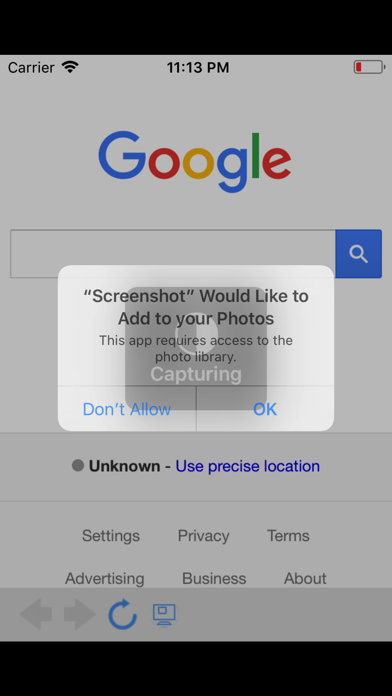
Description by 华 庄 Written by the developer, not by AppBrain. Click to read.
Unlike basic screenshot tools, SmartShot understands the structure of web pages. It detects HTML blocks automatically, so you can tap to select exactly the content you want - no more cropping and trimming.
SMART BLOCK CAPTURE
- Tap any element on a web page to select it instantly
- Automatically snaps to the nearest HTML block boundary
- Select multiple blocks and capture them all at once
- Use Expand to select parent containers, or Siblings to grab all items in a group
- Rescan after page changes to detect new content
FULL PAGE CAPTURE
- Generate a complete long screenshot of any web page
- Multi-segment stitching with real-time progress display
- Export full pages as high-quality PDF with automatic pagination
- Works with dynamic content and lazy-loaded images
IMAGE SPLITTING
- 9-Grid mode: Split into 2x2, 3x3, 4x4, and more layouts
- Crop to square option for social media posting
- Horizontal Slice mode: Cut long screenshots into equal segments
- Choose from 2 to 10 slices for easy sharing
- Automatically detects long images and suggests the best mode
- Save all pieces to Photos in order with one tap
TEXT EXTRACTION
- Extract readable text directly from web pages
- Smart content detection finds the main article body
- Outputs clean Markdown with headings, lists, and quotes preserved
- Export as .txt or .md files
- Copy, share, or save extracted text instantly
MULTIPLE EXPORT OPTIONS
- Save screenshots to Photos
- Export as PNG, JPEG, or PDF
- PDF export with automatic A4 page splitting for long captures
- Share directly to any app via the share sheet
SHARE EXTENSION
- Send any URL from Safari or other apps directly to SmartShot
- One tap to open and capture - no need to copy and paste URLs
BUILT-IN BROWSER
- Full-featured web browser with navigation controls
- Smart URL bar with search support
- Loading progress indicator
- Back, forward, and reload controls
ADDITIONAL FEATURES
- Screenshot history with thumbnails and metadata
- Customizable settings for wait time and image quality
- Supports iPhone and iPad
- Clean, intuitive interface designed for efficiency
.