

ScreenTime+ | Focus App Block
ScreenTime+ | Focus App Block is made and published by riedel.wtf apps S.L. AppBrain is an independent app data site and isn't affiliated with riedel.wtf apps S.L. The app name, icon, screenshots and description belong to riedel.wtf apps S.L. and are shown as published on the App Store.
AppBrain's verdict
- Rating on App Store
- 4.45
- 20 ratings
- Last updated
- November 13, 2022
It doesn't have enough ratings yet to judge what users think.
Rankings
App Store top chartsApp Store Rankings for ScreenTime+ | Focus App Block
Competitors
Similar apps and more from riedel.wtf apps S.L.Alternatives to ScreenTime+ | Focus App Block


More from riedel.wtf apps S.L.








Releases
Updates seen on the App Store- Version
- 1.1
- Launched
- September 2022
No changelog data
User feedback
Ratings and reviews on the App StoreComments on ScreenTime+ | Focus App Block for iOS
We don't have enough comments to show example comments. Please check back later.
Technology
Found in the app by AppBrain- Price
- Free
- App size
- 27.0 MB
- Content rating
- Everyone
Technologies used by ScreenTime+ | Focus App Block
About the app and developer
About ScreenTime+ | Focus App Block
ScreenTime+ | Focus App Block is a productivity app developed by riedel.wtf apps S.L.
User Ratings
ScreenTime+ | Focus App Block is rated 4.45 out of 5 stars. The rating is based on 20 ratings.
App Information
ScreenTime+ | Focus App Block is freely available from the App Store. The app size is 27.03 MB. The latest version available is 1.1. The last update was on November 13, 2022.
Technical Requirements
The app has a content rating of Everyone. The app has been available on the App Store since September 2022.
Developer information for riedel.wtf apps S.L.
Address:
Store listing
By riedel.wtf apps S.L., from the App Store



Description by riedel.wtf apps S.L. Written by the developer, not by AppBrain. Click to read.
With ScreenTime+ you get back control over your phone.
* Block access to apps entirely
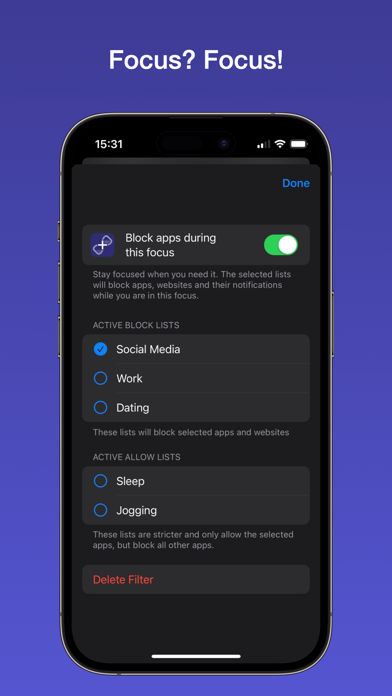
* Block apps based on your current iOS focus
* Block all apps, but a small subset of necessary ones
* With digital detox, you can lock down your phone for a limited time
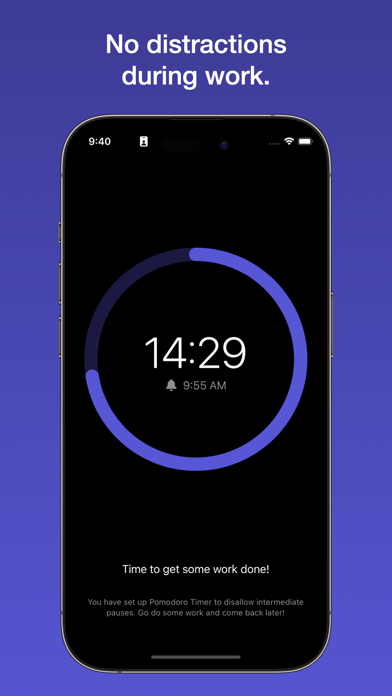
* Pomdoro Timer blocks all apps and only allows access during breaks
* View your daily screen time
* See what takes your attention the most
* If you need access to an app? You can allow to pause the restriction.
* Powerful Shortcuts can be used to automate app blocking, digital detox, and pomodoro timer.
Available Subscription Options:
ScreenTime+ Pro (annual / lifetime unlock)
Terms (EULA): https://www.apple.com/legal/internet-services/itunes/dev/stdeula/
Privacy Policy: https://riedel.wtf/privacy