Scroll - Auto Scroll Browser came out 70 days ago. It doesn't have enough ratings yet to judge what users think.
Scroll - Auto Scroll Browser is made and published by
Kosuke Yamanaka.
AppBrain is an independent app data site and isn't affiliated with Kosuke Yamanaka.
The app name, icon, screenshots and description belong to Kosuke Yamanaka and are shown as
published on the App Store.
About Scroll - Auto Scroll Browser
Scroll - Auto Scroll Browser is an utilities app developed by Kosuke Yamanaka.
What is the rating of Scroll - Auto Scroll Browser?
Scroll - Auto Scroll Browser is rated 5.00 out of 5 stars, based on 4 ratings.
Is Scroll - Auto Scroll Browser free?
Scroll - Auto Scroll Browser is free. The app size is 23.26 MB. The latest version available is 1.3.1. The last update was on October 4, 2026.
What are the requirements for Scroll - Auto Scroll Browser?
The app has a content rating of High Maturity. The app has been available on the App Store since August 2026.
Description by Kosuke Yamanaka(from the App Store)
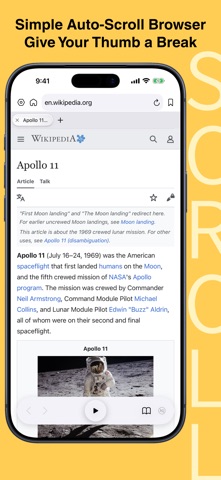
Scroll is a browser for iPhone and iPad designed to make long web pages easier to read — without constant swiping.
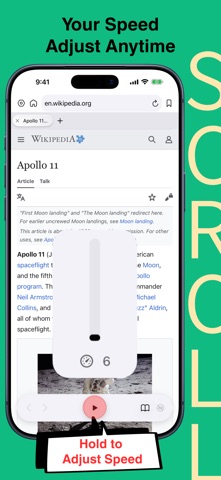
■AUTO-SCROLL AT YOUR PACE Start or pause automatic scrolling with the central play button. Press and hold the button to view and adjust the scrolling speed without leaving the page.
■SIMPLE TAB MANAGEMENT Open, switch between, and close tabs from the tab bar. Open links in a new Scroll tab to keep your current page open.
■ESSENTIAL BROWSING TOOLS Enter a website address or search the web directly from the address bar. Move backward and forward, return to your home page, and organize frequently visited websites with bookmarks and folders. Import bookmarks exported from Safari all at once or choose individual items. Duplicate detection lets you add only bookmarks that are not already in Scroll or repeated in the import file.
■SAVE IMAGES, BROWSE ANYTIME Save images from a webpage all at once to Scroll’s built-in library. Browse them later—even offline—and use auto-scroll while viewing saved images.
■CONTENT CONTROLS Use supported content controls to hide distracting page elements and stay focused on what you want to read.
Terms of Service: https://www.apple.com/legal/internet-services/itunes/dev/stdeula/
CREDITS Some screenshots and previews display third-party web content for demonstration purposes only.
Pepper&Carrot: Based on the webcomic Pepper&Carrot by David Revoy. https://www.peppercarrot.com Licensed under Creative Commons Attribution 4.0 International (CC BY 4.0). https://creativecommons.org/licenses/by/4.0/
Wikipedia: Article text from “Apollo 11” and “Coffee” by Wikipedia contributors. https://en.wikipedia.org/wiki/Apollo_11 https://en.wikipedia.org/wiki/Coffee Wikipedia text is available under Creative Commons Attribution-ShareAlike 4.0 International (CC BY-SA 4.0). https://creativecommons.org/licenses/by-sa/4.0/
Each subscription will automatically renew 3 days before the expiration date for
the same time period. Subscriptions can be cancelled at any time before the renewal.