

SD Import is made and published by 海龙 李. AppBrain is an independent app data site and isn't affiliated with 海龙 李. The app name, icon, screenshots and description belong to 海龙 李 and are shown as published on the App Store.
AppBrain's verdict
- Rating on App Store
- 3.67
- 3 ratings
- Last updated
- August 30, 2026
- Size
- 6.09 MB
It doesn't have enough ratings yet to judge what users think.
User feedback
Ratings and reviews on the App StoreComments on SD Import for iOS
We don't have enough comments to show example comments. Please check back later.
Store listing
By 海龙 李, from the App Store


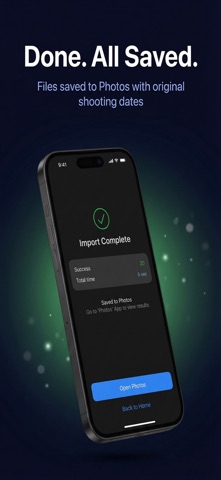

Description by 海龙 李 Written by the developer, not by AppBrain. Click to read.
Why SD Import?
• Real-time import progress — see exactly how fast files are transferring, byte by byte
• One-tap card cleanup — delete successfully imported files from your SD card right after importing, freeing space while you're still shooting (Pro)
• Deletion with two safeguards — only files verified as fully read and confirmed saved to Photos are removed; failed imports are never deleted, and every deletion needs your confirmation
• RAW format support — ARW, CR2, CR3, RAF, NEF and more
• Smart scanning — automatically finds photos and videos, hides junk files
• Date grouping — browse media organized by shooting date
• EXIF preserved — original shooting dates kept intact in your Photos library
• Storage check — warns you before import if space is running low
How it works:
1. Connect your SD card reader to iPhone
2. Select the SD card directory
3. Pick your photos and videos
4. Tap Import — done!
5. Need space? Clear the imported files off the card in one tap
About the delete feature
Every file is verified as fully read and successfully saved to your Photos library before it is deleted. Files that failed to import, or that you didn't select, are never touched. Deletion always requires an explicit tap plus a confirmation — nothing is ever deleted automatically.
Pro upgrade unlocks unlimited imports and SD card cleanup with a one-time purchase. No subscription, yours forever.
Supports Sony, Canon, Fujifilm, Nikon, DJI and other major camera brands.
Safety and technology
Found in the app by AppBrain- Price
- Free
- App size
- 6.09 MB
- Content rating
- Everyone
Technologies used by SD Import
Releases
Updates seen on the App Store- Version
- 1.3.4
- Launched
- April 2026
No changelog data
Alternatives
Similar apps and more from 海龙 李More from 海龙 李


Rankings
App Store top chartsApp Store Rankings for SD Import
About the app and developer
About SD Import
SD Import is an utilities app developed by 海龙 李.
What is the rating of SD Import?
SD Import is rated 3.67 out of 5 stars, based on 3 ratings.
Is SD Import free?
SD Import is free. The app size is 6.09 MB. The latest version available is 1.3.4. The last update was on August 30, 2026.
What are the requirements for SD Import?
The app has a content rating of Everyone. The app has been available on the App Store since April 2026.
Developer information for 海龙 李
Address: