SDCull is an overall app developed by One Rad Studio LLC.
How many times has SDCull been downloaded?
What is the rating of SDCull?
SDCull is rated 5.00 out of 5 stars, based on 4 ratings.
Is SDCull free?
SDCull is free to download. The APK download size is 3.17 MB. The latest version available is 1.6.1. The last update was on July 19, 2026.
What are the requirements for SDCull?
The app has a content rating of Everyone. The app has been available on Google Play February 2026.
Description
Clean up an SD card full of photos, quick!
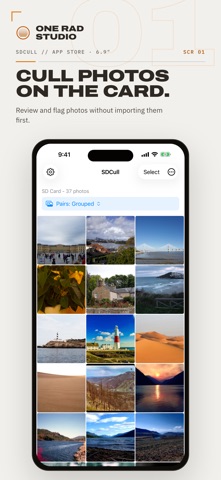
I built SDCull because I wanted to take advantage of the amazing displays on my iPad and iPhone when culling on the go, but I prefer to do my editing at home on a desktop. SDCull lets photographers sort a shoot right off the card — flag the rejects, pick out the keepers, and send each set exactly where you want it, all without importing a thing.
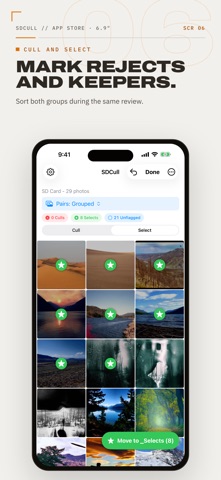
Two workflows, one pass through your shoot: - Cull: Flag the "rejects" and move them to a _Culls folder — a safety net you can review one last time, then delete to reclaim space. - Select: Flag your keepers and move them straight to a destination of your choice — a subfolder on the card, or another drive or folder on your device. Selects are never deleted; they're the shots you're keeping.
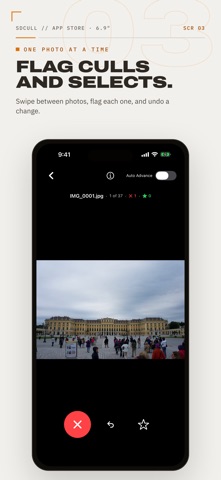
Designed with efficiency in mind: 1. Connect: Plug in your SD card reader, or open any folder on your device. 2. Review & Flag: Swipe through one photo at a time, or tap Select to flag in bulk. A Cull / Select switch lets you choose what each tap does. 3. Move & Clear: Move all flagged photos to their destination in one tap. Review your culls one last time, then delete to reclaim storage immediately.
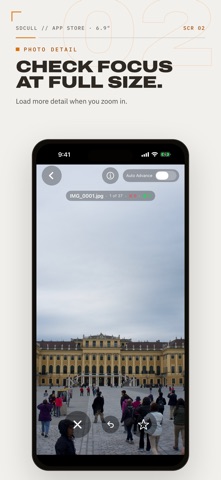
Key Features: - Two workflows: Cull the rejects and gather the keepers in the same pass. - Flexible select destinations: Send keepers to a subfolder on the card, or out to another drive or folder on your device. - Direct SD Card Access: Works directly with SD cards and external drives through the Files app. No import required. - RAW Support: Native support for ARW, CR2, NEF, DNG, RAF, and more, alongside standard JPG/HEIC. - Safe by design: Files are copied and verified at the destination before the original is removed, so a photo is never lost mid-move. Culls wait in a _Culls folder before anything is deleted, and moves preserve your subfolder structure so same-named files never collide. - Undo and session memory: Step back through flag changes with undo (Cmd+Z on a keyboard), and pick up right where you left off — flags survive closing the app. - Built for judging photos: Zoom in for a sharpness check with extra detail loaded on demand, and flip open the info overlay for capture time, camera, lens and exposure settings. - Sort and filter your way: Order by filename or date (EXIF capture time or last-modified — your choice), filter by file type, or focus the grid on just your culls, selects, or unflagged shots.
I use this after every one of my shoots, and I hope you will too!
Each subscription will automatically renew 3 days before the expiration date for
the same time period. Subscriptions can be cancelled at any time before the renewal.