

SDM Agent is made and published by ISB Corporation. AppBrain is an independent app data site and isn't affiliated with ISB Corporation. The app name, icon, screenshots and description belong to ISB Corporation and are shown as published on the App Store.
AppBrain's verdict
- Last updated
- September 9, 2024
Rankings
App Store top chartsApp Store Rankings for SDM Agent
Competitors
Similar apps and more from ISB CorporationAlternatives to SDM Agent



More from ISB Corporation

Releases
Updates seen on the App Store- Version
- 3.0.0
- Launched
- December 2013
No changelog data
User feedback
Ratings and reviews on the App StoreComments on SDM Agent for iOS
We don't have enough comments to show example comments. Please check back later.
Technology
Found in the app by AppBrain- Price
- Free
- App size
- 10.0 MB
- Content rating
- Everyone
Technologies used by SDM Agent
About the app and developer
About SDM Agent
SDM Agent is a business app developed by ISB Corporation.
What is the rating of SDM Agent?
SDM Agent has no ratings yet.
Is SDM Agent free?
SDM Agent is free. The app size is 10.02 MB. The latest version available is 3.0.0. The last update was on September 9, 2024.
What are the requirements for SDM Agent?
The app has a content rating of Everyone. The app has been available on the App Store since December 2013.
Developer information for ISB Corporation
Address:
Store listing
By ISB Corporation, from the App Store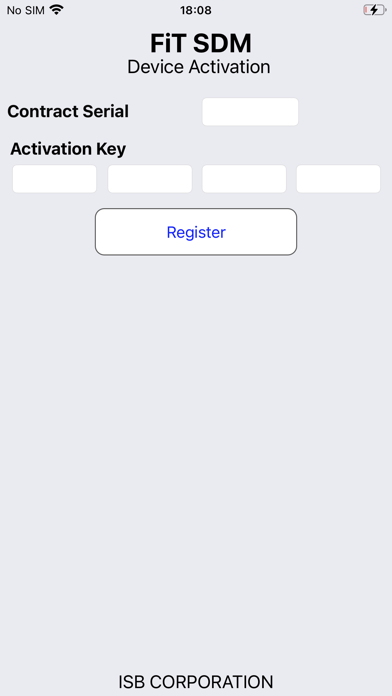


Description by ISB Corporation Written by the developer, not by AppBrain. Click to read.
The Administrator of the company can distribute the documents via FiT SDM Console Application which is windows based client application.
Following functions are support by SDM Agent app:
- Documents distribution (Office doc, PDF, Images and Video Files) [all readonly]
- Distributed Browser URL, shortcut URL, Scroll Text and contacts List
- All the documents are Encrypted by FiT SDM Encryption
- SDM Browser with control of cache-data, password History.
- All to install MDM Profile if custom MDM Vendor Service Certificate available.
- Location Service if User Accept and when app is active.
- Background Service for update Date and Time to FiT SDM Server.
Procedure for Activate:
1. Subscription is required.
2. FiT SDM Console Application install in windows PC
3. Each Device need to register with cloud service to enable FiT Cloud Services.
4. The Admin member can send the email for the SDM Agent Activation details.
5. Connect your device with Wi-Fi when download the documents
Location Service:
1. Its optional
2. User can cancel when agent activate or any time.
3. Note that when location Service is active, it will your batter consume more.