

Secure Authenticator: OTP, MFA
Secure Authenticator: OTP, MFA is made and published by Preston Rice. AppBrain is an independent app data site and isn't affiliated with Preston Rice. The app name, icon, screenshots and description belong to Preston Rice and are shown as published on the App Store.
AppBrain's verdict
- Rating on App Store
- 4.63
- 8 ratings
- Last updated
- January 17, 2025
It doesn't have enough ratings yet to judge what users think.
Rankings
App Store top chartsApp Store Rankings for Secure Authenticator: OTP, MFA
Competitors
Similar apps and more from Preston RiceAlternatives to Secure Authenticator: OTP, MFA





More from Preston Rice


Releases
Updates seen on the App Store- Version
- 1.0.1
- Launched
- January 2025
No changelog data
User feedback
Ratings and reviews on the App StoreComments on Secure Authenticator: OTP, MFA for iOS
We don't have enough comments to show example comments. Please check back later.
Technology
Found in the app by AppBrain- Price
- Free
- App size
- 92.0 MB
- Content rating
- High
Technologies used by Secure Authenticator: OTP, MFA
About the app and developer
About Secure Authenticator: OTP, MFA
Secure Authenticator: OTP, MFA is a productivity app developed by Preston Rice.
User Ratings
Secure Authenticator: OTP, MFA is rated 4.63 out of 5 stars. The rating is based on 8 ratings.
App Information
Secure Authenticator: OTP, MFA is freely available from the App Store. The app size is 92.04 MB. The latest version available is 1.0.1. The last update was on January 17, 2025.
Technical Requirements
The app has a content rating of High Maturity. The app has been available on the App Store since January 2025.
Developer information for Preston Rice
Address:
Frequently asked questions about Secure Authenticator: OTP, MFA
Is Secure Authenticator: OTP, MFA free?
Yes. Secure Authenticator: OTP, MFA is free on the App Store.
Is Secure Authenticator: OTP, MFA still available?
Yes. Secure Authenticator: OTP, MFA is on the App Store, and the last update we saw was on January 17, 2025.
How large is Secure Authenticator: OTP, MFA?
Secure Authenticator: OTP, MFA is 92.04 MB.
Is Secure Authenticator: OTP, MFA suitable for children?
App Store gives Secure Authenticator: OTP, MFA a high maturity rating. It is meant for adults.
How do people rate Secure Authenticator: OTP, MFA?
Secure Authenticator: OTP, MFA scores 4.63 out of 5 stars, from 8 ratings on the App Store.
Who made Secure Authenticator: OTP, MFA?
Secure Authenticator: OTP, MFA was developed by Preston Rice. It is listed in the productivity category on the App Store.
What are the best alternatives to Secure Authenticator: OTP, MFA?
People looking at Secure Authenticator: OTP, MFA also look at these productivity apps: Hidden Camera Spy Bug Detector, Video Converter - GIF Playback, Remote LED & Light Controller, Hidden Camera Spy Detector App, Form for G Forms, Create Docs.
Store listing
By Preston Rice, from the App Store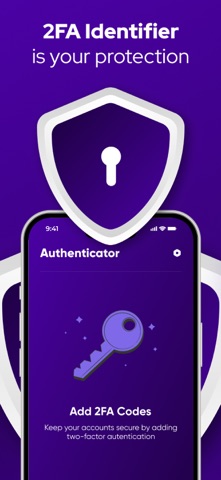


Description by Preston Rice Written by the developer, not by AppBrain. Click to read.
Key Features:
Free Features:
Generate 2FA tokens to secure your accounts.
Easy-to-use interface for managing authentication tokens.
Paid Features (Available with Auto-Renewable Subscription):
Backup & Sync: Create secure, encrypted backups and automatically sync tokens across devices.
Password Protection: Securely store and manage your account passwords, protected by a single master password known only to you.
Subscription Information:
Payment is charged to your iTunes account upon purchase confirmation.
Subscriptions automatically renew unless auto-renewal is turned off at least 24 hours before the end of the current period.
Renewal charges are applied within 24 hours prior to the end of the current period, with costs depending on the chosen plan.
Manage your subscriptions and disable auto-renewal through your Account Settings after purchase.
Privacy Policy: https://docs.google.com/document/d/1OPybhDMBeDmOMDBVSCvyr_HM75kwzeHxIx28RHjTHEE/edit?usp=sharing
Terms of Use: https://docs.google.com/document/d/1dEyRCMh8sbfK70p0i6-i4upVJytLfeqzlhVbfwgUdX4/edit?usp=sharing