

SecureCamera: Finder is made and published by 轶晨 张. AppBrain is an independent app data site and isn't affiliated with 轶晨 张. The app name, icon, screenshots and description belong to 轶晨 张 and are shown as published on the App Store.
AppBrain's verdict
- Rating on App Store
- 4.78
- 23 ratings
- Last updated
- February 9, 2026
- Size
- 87.3 MB
It doesn't have enough ratings yet to judge what users think.
User feedback
Ratings and reviews on the App StoreComments on SecureCamera: Finder for iOS
We don't have enough comments to show example comments. Please check back later.
Store listing
By 轶晨 张, from the App Store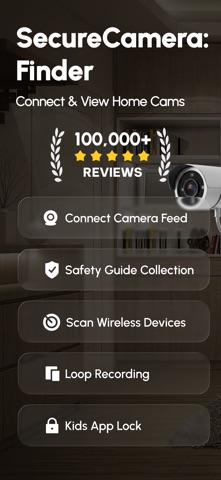
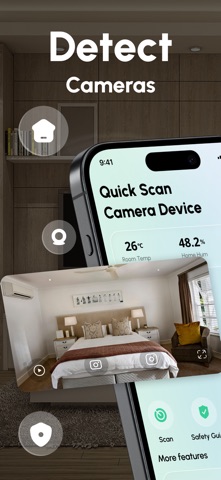

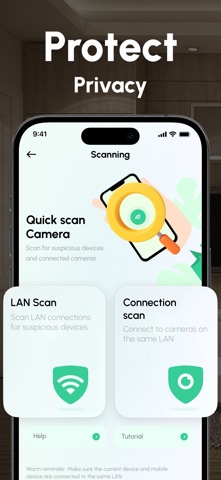


Description by 轶晨 张 Written by the developer, not by AppBrain. Click to read.
◉ Quick Scan
• One-tap LAN & Bluetooth scan lists unfamiliar devices
• Connection Scan pairs cams that share your Wi-Fi
• Friendly progress bar & retry tips (accuracy depends on network)
◉ Live Viewer
• Add RTSP / ONVIF / HTTP streams in seconds
• HD playback, pinch-to-zoom, snapshot & local recording
• Room-based gallery keeps clips and photos tidy
◉ Smart-Home Tools
• Temperature & humidity widgets per room
• App-lock & hide-app options for extra privacy
• “Safety Guide” cards teach best practices in bedrooms, hotels & locker rooms
◉ Privacy First
• Works entirely on device—video never leaves your LAN
• No account, no ads after optional ‘Ad Removal’ IAP
• GDPR & CCPA compliant; we log zero personal analytics
SecureCamera: Finder improves detection probability but can’t guarantee 100 % accuracy. Always respect local laws when scanning or recording.
Perfect for families, travellers, landlords, and anyone building a DIY smart-home security system.
• After the purchase is confirmed, your iTunes Account will be charged (after any free trial period, if applicable).
• The subscription will renew automatically unless you turn off auto-renewal at least 24 hours before the end of the current period.
• Your account will be charged for the renewal within 24 hours prior to the end of the current subscription period.
• You can manage your subscriptions and turn off auto-renewal in your Account Settings.
Privacy Policy: https://www.liying20219.link/pp/6747799238/
Terms: https://www.liying20219.link/pp/6747799238/
Safety and technology
Found in the app by AppBrain- Price
- Free
- App size
- 87.3 MB
- Content rating
- Everyone
Technologies used by SecureCamera: Finder
Releases
Updates seen on the App Store- Version
- 1.5
- Launched
- July 2025
No changelog data
Alternatives
Similar apps and more from 轶晨 张Alternatives to SecureCamera: Finder


 Spy Camera Scanner - SpyGuard


Rankings
App Store top chartsApp Store Rankings for SecureCamera: Finder
About the app and developer
About SecureCamera: Finder
SecureCamera: Finder is an utilities app developed by 轶晨 张.
User Ratings
SecureCamera: Finder is rated 4.78 out of 5 stars. The rating is based on 23 ratings.
App Information
SecureCamera: Finder is freely available from the App Store. The app size is 87.33 MB. The latest version available is 1.5. The last update was on February 9, 2026.
Technical Requirements
The app has a content rating of Everyone. The app has been available on the App Store since July 2025.
Developer information for 轶晨 张
Address: