

Seedtime: Garden Planner App
Seedtime: Garden Planner App is made and published by Seedtime. AppBrain is an independent app data site and isn't affiliated with Seedtime. The app name, icon, screenshots and description belong to Seedtime and are shown as published on the App Store.
AppBrain's verdict
Loved by users- Rating on App Store
- 4.65
- 448 ratings
- Last updated
- October 21, 2026
Users love it: 4.7 stars from 448 ratings.
Rankings
App Store top chartsApp Store Rankings for Seedtime: Garden Planner App
Competitors
Similar apps and more from SeedtimeAlternatives to Seedtime: Garden Planner App






Also available on Google Play

Releases
Updates seen on the App Store- Version
- 1.27.0
- Launched
- June 2024
No changelog data
User feedback
Ratings and reviews on the App StoreComments on Seedtime: Garden Planner App for iOS
We don't have enough comments to show example comments. Please check back later.
Technology
Found in the app by AppBrain- Price
- Free
- App size
- 70.3 MB
- Content rating
- High
Technologies used by Seedtime: Garden Planner App
About the app and developer
About Seedtime: Garden Planner App
Seedtime: Garden Planner App is a lifestyle app developed by Seedtime.
User Ratings
Seedtime: Garden Planner App is rated 4.65 out of 5 stars. The rating is based on 450 ratings.
App Information
Seedtime: Garden Planner App is freely available from the App Store. The app size is 70.30 MB. The latest version available is 1.27.0. The last update was on October 21, 2026.
Technical Requirements
The app has a content rating of High Maturity. The app has been available on the App Store since June 2024.
Developer information for Seedtime
Address:
Frequently asked questions about Seedtime: Garden Planner App
Is Seedtime: Garden Planner App free?
Yes. Seedtime: Garden Planner App is free on the App Store.
Is Seedtime: Garden Planner App still available?
Yes. Seedtime: Garden Planner App is on the App Store, and the last update we saw was on October 21, 2026.
How large is Seedtime: Garden Planner App?
Seedtime: Garden Planner App is 70.30 MB.
Is Seedtime: Garden Planner App suitable for children?
App Store gives Seedtime: Garden Planner App a high maturity rating. It is meant for adults.
How do people rate Seedtime: Garden Planner App?
Seedtime: Garden Planner App scores 4.65 out of 5 stars, from 448 ratings on the App Store.
Who made Seedtime: Garden Planner App?
Seedtime: Garden Planner App was developed by Seedtime. It is listed in the lifestyle category on the App Store.
What are the best alternatives to Seedtime: Garden Planner App?
People looking at Seedtime: Garden Planner App also look at these lifestyle apps: Garden Planner+, Planter: Garden Planner, SOW - A Planting Companion, Flockstar, Gardenate.
Store listing
By Seedtime, from the App Store



Description by Seedtime Written by the developer, not by AppBrain. Click to read.
CALENDAR
Add crops to your gardening calendar to easily visualize when to seed, transplant, harvest and more - all based on your local area. With your Seedtime Calendar you’ll be able to:
- Add and edit crops in your growing calendar with just a few taps
- Choose between spring or fall plantings and add succession plantings to plan a continual harvest all year round
- Adjust your plantings on the fly with simple drag and drop editing
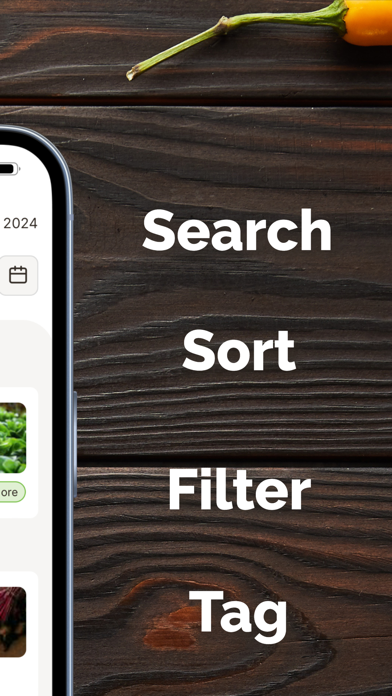
- Sort, filter, and view your calendar in different ways to maximize your productivity
TASKS
Tasks will auto-compile from your Seedtime Calendar plan with a daily or weekly checklist so you never fall behind again. Just plan your garden out in the web-app and then use the mobile app to stay on track through the gardening season. With the task list you’ll be able to:
- View your daily or weekly task list
- Mark tasks as complete as you do them in the garden (syncs with the calendar)
- Edit task dates if you need to adjust them
- View “what to do” and “how to do it” information for tasks
- Quick links over to the Seedtime Classroom to watch short masterclass videos for tasks
JOURNAL
Your task list is awesome - but it doesn’t stop there. Use the Seedtime Journal to keep track of your notes or observations in the garden. With the journal you’ll be able to:
- Add pictures to your journal entries to track your garden progress over time
- Tag entries with related tasks
- Link your notes to specific plantings
- Search all of your notes for anything you’ve written about
- Filter all your entries by crop plantings, tags, or dates
CLASSROOM
You’ll also have access to our entire masterclass video lesson series walking you through each step and phase of the garden to grow an abundance of fresh food right in your backyard. With the classroom you’ll be able to:
- View short masterclass video lessons with step-by-step instructions
- Discover how to do various tasks in your garden
- Learn how to get to desired end results in your garden like how to keep your garden weed free without spending hours on your knees pulling weeds, how to deal with pests and diseases in a natural and organic way, how to extend your season into the winter without breaking your pocketbook, and more…
ASK SPROUT
With the Seedtime Sprout Bot, you can ask any of your gardening or Seedtime questions and get answers on the fly. Or push your questions to our team to connect directly with us.
- Ask about which crops to companion plant together
- Get answers about pest or disease problems
- Ask about how to trellis your plants or care for them
- And more… (really ask just about anything!)
STORE
Quick and easy access to hundreds of non-GMO seeds, natural fertilizers, and other garden supplies to quickly and easily get what you need to grow your best garden ever.
And believe it or not, this is just the beginning!
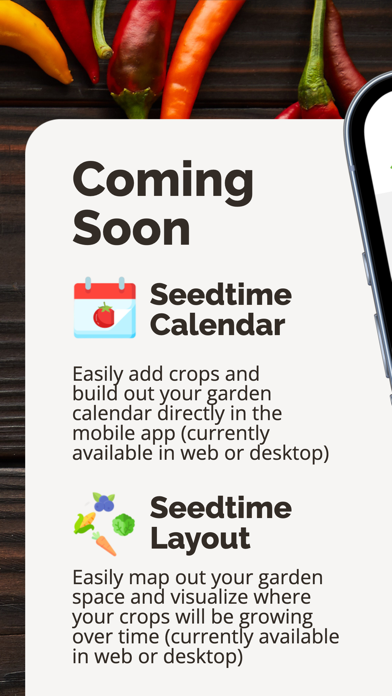
Coming soon you’ll be able to plan your garden layout directly in the mobile app as well - making it the easiest place to make changes on the fly in your garden. Until then, you can use the web-app to layout your garden, and more. Then you can use this companion app to easily stay on track with your garden plan while out in the field.
Enjoy! And let’s grow your best garden ever this year!
Terms of Use (EULA):
https://www.apple.com/legal/internet-services/itunes/dev/stdeula/