

Serviceware Resources
Serviceware Resources is made and published by Serviceware Benelux B.V. AppBrain is an independent app data site and isn't affiliated with Serviceware Benelux B.V. The app name, icon, screenshots and description belong to Serviceware Benelux B.V. and are shown as published on the App Store.
AppBrain's verdict
- Last updated
- September 15, 2026
Rankings
App Store top chartsApp Store Rankings for Serviceware Resources
Competitors
Similar apps and more from Serviceware Benelux B.V.Alternatives to Serviceware Resources


Releases
Updates seen on the App Store- Version
- 8.5.4
- Launched
- March 2022
No changelog data
User feedback
Ratings and reviews on the App StoreComments on Serviceware Resources for iOS
We don't have enough comments to show example comments. Please check back later.
Technology
Found in the app by AppBrain- Price
- Free
- App size
- 121.0 MB
- Content rating
- Everyone
Technologies used by Serviceware Resources
About the app and developer
About Serviceware Resources
Serviceware Resources is a business app developed by Serviceware Benelux B.V.
What is the rating of Serviceware Resources?
Serviceware Resources has no ratings yet.
Is Serviceware Resources free?
Serviceware Resources is free. The app size is 121.03 MB. The latest version available is 8.5.4. The last update was on September 15, 2026.
What are the requirements for Serviceware Resources?
The app has a content rating of Everyone. The app has been available on the App Store since March 2022.
Developer information for Serviceware Benelux B.V.
Address:
Store listing
By Serviceware Benelux B.V., from the App Store


Description by Serviceware Benelux B.V. Written by the developer, not by AppBrain. Click to read.
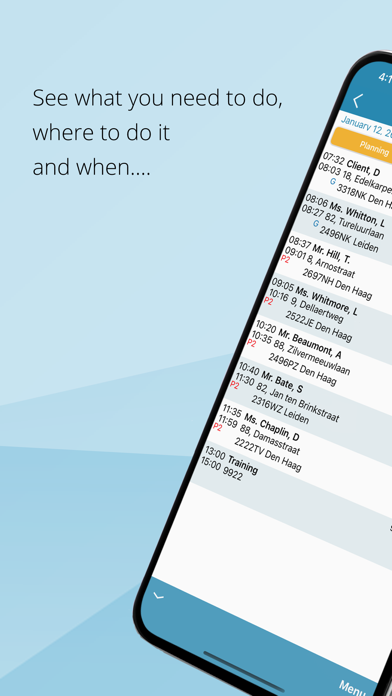
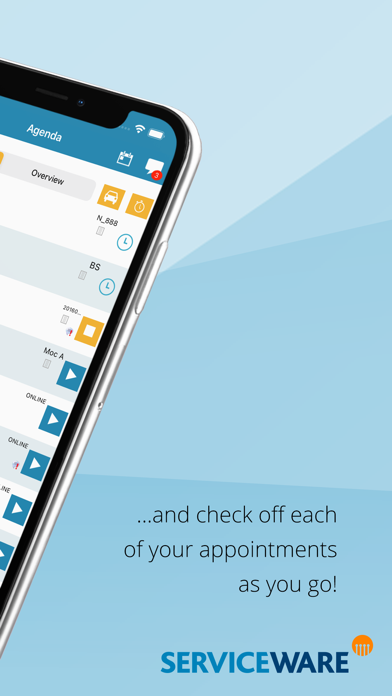
From the module 'My Agenda' you can consult today's schedule (or any other date) and read more information per planned item. You can also easily register the start and end of each entry by clicking on the start or stop button. Depending on the installation of Serviceware Resources at your organization, a mobile form (dynamic form) may also be linked to the registration. If necessary, you can transfer appointments to colleagues. The 'My Agenda' module is also available off-line, so you can keep on working at all times!
You can also add appointments yourself via the app.
In the module 'My Schedule’ you can see which shifts are planned for you.
From the module 'My Clients' you can look up the clients for which you are authorized, plan an appointment or immediately start a registration.
An overview of all your registrations, including totals, can be found in the 'My Registrations' module. You can submit your hours per day for approval.
From the 'My Expenses' module you can declare and submit any expenses incurred or have your travel kilometers calculated automatically based on your registrations.
The menu on the top left of the home screen gives you access to the ‘Locations’ module where you can find all the information about the locations of your organization.
Using the strip balloon at the top right of the screen leads you to the communication module. Here the messages from your planner, manager, colleagues or the system are grouped and displayed. You can easily get in touch with colleagues via the telephone book.
Serviceware Resources is used at medical laboratories, thrombosis services and diagnostic centers, amongst many others. Serviceware Resources is mainly used within healthcare but also at many organizations outside the care with an extensive field service.
New versions of the Resources app are regularly released, so make sure you always use the latest version of the app. Please note: the options of the app depend on the Resources configuration at your organization!
How to start using the Resources app?
1. Download and install the Serviceware Resources app on your iPhone.
2. Do you already have a Resources account? Provide the company code of your organization and log on to the app with your Serviceware Resources account details.
3. Then follow the steps to set up two-factor authentication.
4. Do you not have a Resources account yet? Request your login details from the Serviceware Resources administrator of your organization. Then follow steps 2 and 3.
Feedback? Yes please!
We hope you enjoy the Resources app. We look forward to receiving your review. Do you want to share something directly with us? Please contact us via contact@serviceware-benelux.com