

Set Genie – Setlist Helper
Set Genie – Setlist Helper is made and published by Andrew Moroz. AppBrain is an independent app data site and isn't affiliated with Andrew Moroz. The app name, icon, screenshots and description belong to Andrew Moroz and are shown as published on the App Store.
AppBrain's verdict
Established- Rating on App Store
- 4.11
- 9 ratings
- Last updated
- December 27, 2023
It doesn't have enough ratings yet to judge what users think.
Rankings
App Store top chartsApp Store Rankings for Set Genie – Setlist Helper
Competitors
Similar apps and more from Andrew MorozAlternatives to Set Genie – Setlist Helper




More from Andrew Moroz


Releases
Updates seen on the App Store- Version
- 1.7.07
- Launched
- April 2020
No changelog data
User feedback
Ratings and reviews on the App StoreComments on Set Genie – Setlist Helper for iOS
We don't have enough comments to show example comments. Please check back later.
Technology
Found in the app by AppBrain- Price
- Free
- App size
- 26.0 MB
- Content rating
- Everyone
Technologies used by Set Genie – Setlist Helper
About the app and developer
About Set Genie – Setlist Helper
Set Genie – Setlist Helper is a music app developed by Andrew Moroz.
What is the rating of Set Genie – Setlist Helper?
Set Genie – Setlist Helper is rated 4.11 out of 5 stars, based on 9 ratings.
Is Set Genie – Setlist Helper free?
Set Genie – Setlist Helper is free. The app size is 26.00 MB. The latest version available is 1.7.07. The last update was on December 27, 2023.
What are the requirements for Set Genie – Setlist Helper?
The app has a content rating of Everyone. The app has been available on the App Store since April 2020.
Developer information for Andrew Moroz
Address:
Frequently asked questions about Set Genie – Setlist Helper
Is Set Genie – Setlist Helper free?
Yes. Set Genie – Setlist Helper is free on the App Store.
Is Set Genie – Setlist Helper still available?
Yes. Set Genie – Setlist Helper is on the App Store, and the last update we saw was on December 27, 2023.
How large is Set Genie – Setlist Helper?
Set Genie – Setlist Helper is 26.00 MB.
Is Set Genie – Setlist Helper suitable for children?
App Store rates the content of Set Genie – Setlist Helper as suitable for everyone.
How do people rate Set Genie – Setlist Helper?
Set Genie – Setlist Helper scores 4.11 out of 5 stars, from 9 ratings on the App Store.
Who made Set Genie – Setlist Helper?
Set Genie – Setlist Helper was developed by Andrew Moroz. It is listed in the music category on the App Store.
What are the best alternatives to Set Genie – Setlist Helper?
People looking at Set Genie – Setlist Helper also look at these music apps: All Set: The Setlist App, EasySetlist - Setlist Manager, Setlist Helper, Gig Hard! Autoscrolling Lyrics, BandHelper.
Store listing
By Andrew Moroz, from the App Store

Description by Andrew Moroz Written by the developer, not by AppBrain. Click to read.
No more maintaining multiple binders of music or worrying about who will forget theirs at the next gig. No more awkward pauses in the set while each musician scrambles through their book looking for the right chart. And Set Genie can sync all your data between devices automatically. So even if you forget your iPad, as long as you have your phone or your Mac, you’re good to go.
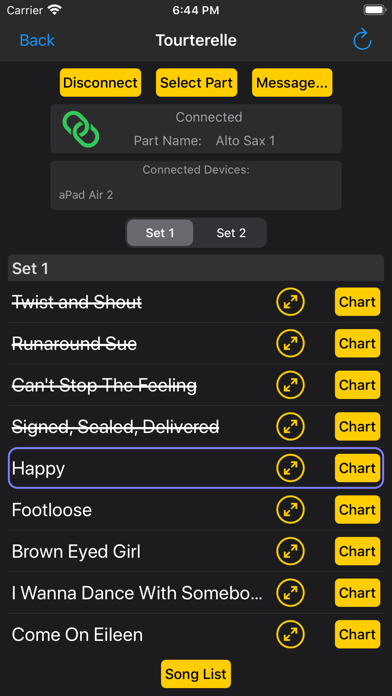
Using a substitute sax player who doesn’t know the band’s repertoire? Just hand them an iPad and they’ll receive each saxophone chart in real time as your setlist progresses. All your charts for every song and instrument are stored in one place, and can be sent on-demand to anyone – hugely simplifying your life as a bandleader.
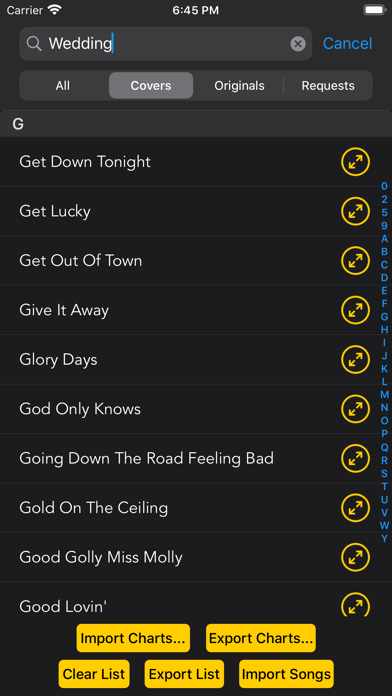
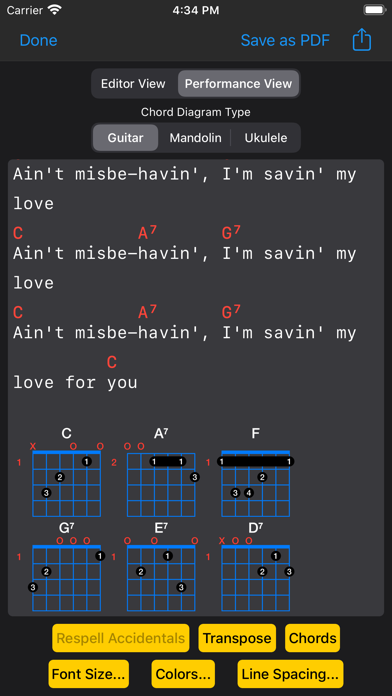
Set Genie is also a versatile digital songbook. Use it to organize all your songs and their charts, lyrics, notes, and chords. It includes a full-featured ChordPro editor, and built-in chord diagrams for guitar, mandolin, and ukulele.
With a broad feature set suitable to a wide variety of uses, Set Genie is a flexible, powerful solution for musicians and ensemble leaders of all kinds.
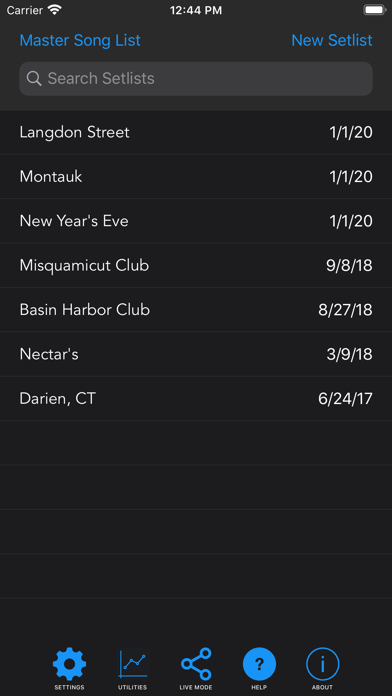
• Create and share setlists
• Generate accurate and playable setlists automatically, or create them manually
• Share setlists in a variety of formats (PDF, CSV, plain text, and print) via AirDrop, email, iMessage, text message, and more
• Quickly view each song's charts, lyrics, ChordPro, notes, and info from within a setlist
• Shuffle songs, reorder them automatically, or optimize their ordering by key
• Use Live Mode to broadcast charts customized to each musician in your group in real time
• Send song and set changes and individualized charts for each song in a setlist, all at the touch of a button. For example, your keyboard player receives the Keyboard chart, your bass player receives the Bass chart, your vocalist receives the Lyrics chart, etc.
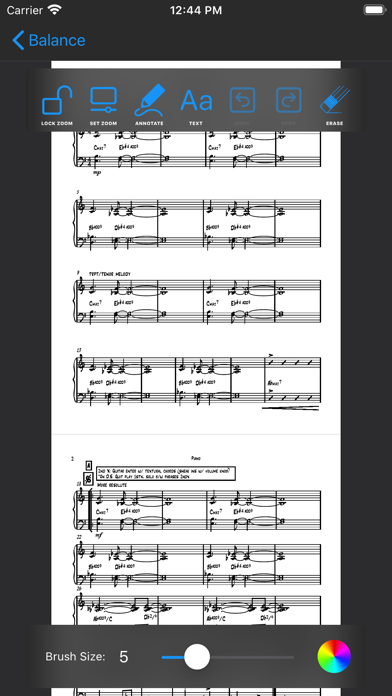
• Musicians can add notes and markings to charts. Save them into your song library at the end of a rehearsal or performance.
• Automatically connect to other devices running Set Genie, with or without a WiFi router
• Optionally scroll PDFs, lyrics, and ChordPro documents using a variety of Bluetooth page turner pedals
• Digitize your song library
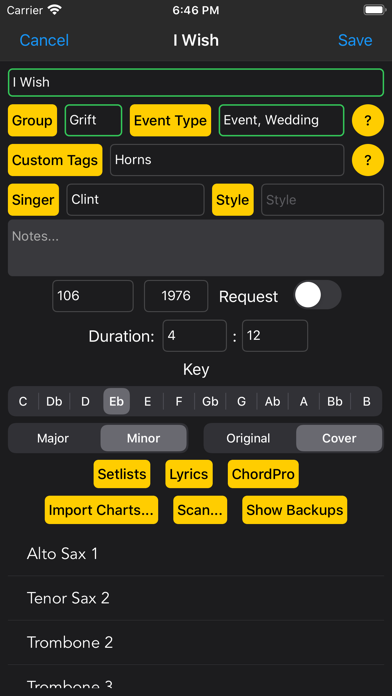
• Store song attributes like key, style, tempo, release year, and duration
• Add lyrics, PDF charts, and ChordPro documents to each song
• Easily import and export songs in several formats, including ChordPro and OnSong
• Filter songs by group, event type, key, style, singer, release year, and tags
• Add ink and text annotations to PDF charts
• Create, edit, and export ChordPro documents
• Use the built-in ChordPro editor to create ChordPro documents quickly and easily
• Add or edit chord diagrams for guitar, mandolin, and ukulele using the full-featured chord diagram editor
• Easily transpose and respell chords
• Customize document font sizes, colors, and line spacing
• Export and print ChordPro documents in PDF and plain text format
• Visualize song and setlist data with graphs
• Automatically sync data between devices using iCloud (requires iOS 13 or higher, or macOS 10.15 or higher)
Terms of Use: https://www.setgenie.com/terms-of-use.html
Privacy Policy: https://www.setgenie.com/privacy-policy.html