SheetMusic AI: Notes & Tuner is made and published by
Qingdao Ruineng Lighting Co., Ltd.
AppBrain is an independent app data site and isn't affiliated with Qingdao Ruineng Lighting Co., Ltd.
The app name, icon, screenshots and description belong to Qingdao Ruineng Lighting Co., Ltd. and are shown as
published on the App Store.
About SheetMusic AI: Notes & Tuner
SheetMusic AI: Notes & Tuner is a music app developed by Qingdao Ruineng Lighting Co., Ltd.
What is the rating of SheetMusic AI: Notes & Tuner?
SheetMusic AI: Notes & Tuner has no ratings yet.
Is SheetMusic AI: Notes & Tuner free?
SheetMusic AI: Notes & Tuner is free. The app size is 147.80 MB. The latest version available is 1.0.9. The last update was on June 16, 2026.
What are the requirements for SheetMusic AI: Notes & Tuner?
The app has a content rating of Everyone. The app has been available on the App Store since March 2026.
Description by Qingdao Ruineng Lighting Co., Ltd.(from the App Store)
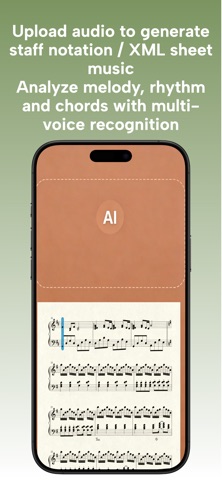
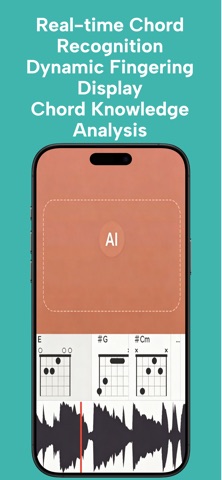
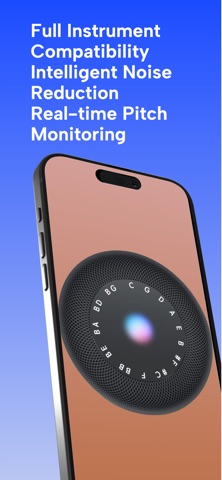
Turn any song into sheet music in seconds.Record or import audio—AI does the transcription for you.Built for students, players, and creators. SheetMusic AI converts audio into clean, readable notation with one tap. Separate vocals and instruments, detect chords automatically, and fine-tune your sound with a pro-grade tuner and precise metronome. Whether you're learning a new instrument, transcribing a riff, or arranging your own tracks, everything you need is in one place. KEY FEATURES• AI audio-to-sheet-music conversion• Vocal & instrument separation for transcription• Smart chord detection• Professional chromatic tuner• Accurate, customizable metronome Made for music students, hobbyists, composers, and producers.
Unlock all features after subscribing
Unlimited access to all features. You can cancel anytime during the 3-day trial. Otherwise, after the trial ends, the subscription will automatically renew at USD 1.90 per week until you cancel.
*After confirming your purchase, payment will be charged to your iTunes account.*
By default, the subscription will automatically renew at the same price and billing cycle after the current subscription period ends. To cancel, you must do so at least 24 hours before the current subscription period expires.
*You can cancel your subscription at any time through your iTunes account subscription settings: on your device, go to Settings > iTunes & App Store > Apple ID > View Apple ID > enter password > Subscriptions > Manage App Subscriptions > tap Cancel Subscription at the bottom of the page.*
Terms of Use: https://www.apple.com/legal/internet-services/itunes/dev/stdeula/
Each subscription will automatically renew 3 days before the expiration date for
the same time period. Subscriptions can be cancelled at any time before the renewal.