

Shift to Calendar: AI Planner
Shift to Calendar: AI Planner is made and published by LOUD S.r.l. AppBrain is an independent app data site and isn't affiliated with LOUD S.r.l. The app name, icon, screenshots and description belong to LOUD S.r.l. and are shown as published on the App Store.
AppBrain's verdict
- Rating on App Store
- 5.00
- 2 ratings
- Last updated
- September 16, 2026
It doesn't have enough ratings yet to judge what users think.
Rankings
App Store top chartsApp Store Rankings for Shift to Calendar: AI Planner
Competitors
Similar apps and more from LOUD S.r.l.More from LOUD S.r.l.


Also available on Google Play

Releases
Updates seen on the App Store- Version
- 2.0.8
- Launched
- December 2025
No changelog data
User feedback
Ratings and reviews on the App StoreComments on Shift to Calendar: AI Planner for iOS
We don't have enough comments to show example comments. Please check back later.
Technology
Found in the app by AppBrain- Price
- Free
- App size
- 78.3 MB
- Content rating
- Everyone
Technologies used by Shift to Calendar: AI Planner
About the app and developer
About Shift to Calendar: AI Planner
Shift to Calendar: AI Planner is a productivity app developed by LOUD S.r.l.
User Ratings
Shift to Calendar: AI Planner is rated 5.00 out of 5 stars. The rating is based on 2 ratings.
App Information
Shift to Calendar: AI Planner is freely available from the App Store. The app size is 78.25 MB. The latest version available is 2.0.8. The last update was on September 16, 2026.
Technical Requirements
The app has a content rating of Everyone. The app has been available on the App Store since December 2025.
Developer information for LOUD S.r.l.
Address:
Frequently asked questions about Shift to Calendar: AI Planner
Is Shift to Calendar: AI Planner free?
Yes. Shift to Calendar: AI Planner is free on the App Store.
Is Shift to Calendar: AI Planner still available?
Yes. Shift to Calendar: AI Planner is on the App Store, and the last update we saw was on September 16, 2026.
How large is Shift to Calendar: AI Planner?
Shift to Calendar: AI Planner is 78.25 MB.
Is Shift to Calendar: AI Planner suitable for children?
App Store rates the content of Shift to Calendar: AI Planner as suitable for everyone.
How do people rate Shift to Calendar: AI Planner?
Shift to Calendar: AI Planner scores 5.00 out of 5 stars, from 2 ratings on the App Store.
Who made Shift to Calendar: AI Planner?
Shift to Calendar: AI Planner was developed by LOUD S.r.l. It is listed in the productivity category on the App Store.
Store listing
By LOUD S.r.l., from the App Store


Description by LOUD S.r.l. Written by the developer, not by AppBrain. Click to read.
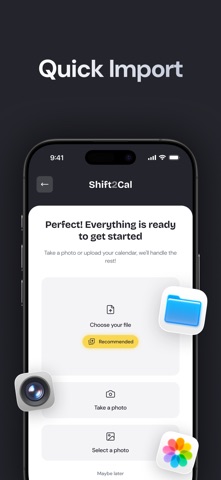
Shift2Cal is the ultimate shift planner designed for people with variable hours who still receive their schedule on paper, as a PDF, or in a chat. If you currently manage your shifts using WhatsApp screenshots, photos of the breakroom board, or endless manual typing, this app will change your workflow. Just open the app, frame the schedule image, and let our technology take care of the rest.
POWERED BY ARTIFICIAL INTELLIGENCE
At its core, Shift2Cal uses advanced AI to read your schedule image. It automatically recognizes days, times, and shift names, turning them into clean, consistent calendar events. Simply verify the details, and in seconds, your work calendar is ready to use.
SYNC WITH YOUR FAVORITE CALENDAR
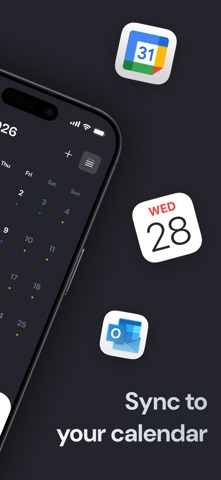
Your shifts are saved directly to your preferred calendar app. Shift2Cal integrates seamlessly with Apple Calendar, Google Calendar, Outlook, TimeTree, and other compatible services. Keep using the calendar you already know, now automatically updated with your work schedule across all your devices.
IMPORT FROM EXCEL OR CSV
Does your company send schedules in an Excel sheet or through a management system? Export the file to a CSV, upload it to the app, and instantly populate a full year of shifts. No more endless copy-pasting.
TRACK YOUR WORK HOURS
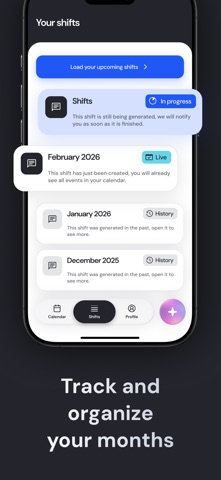
Beyond planning, Shift2Cal acts as your personal hours log. Track your workload over time: see total hours worked, count your night shifts, calculate Sunday shifts, and monitor accumulated overtime. It is the easiest way to ensure your paycheck matches your effort.
TEAM PLANNING AND SHIFT SWAPS
If you work in a team, you can see when your colleagues are on shift. This helps you know who you will be working with and makes organizing shift swaps incredibly simple. Perfect for hospital wards, busy stores, or complex departments.
FULLY CUSTOMIZABLE PLANNER
Manual Editing: Add or edit shifts manually at any time.
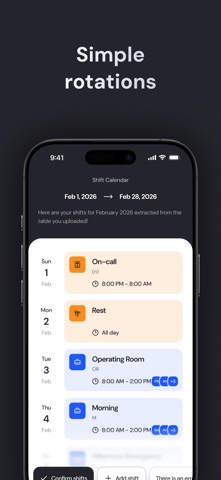
Recurring Patterns: Set up repeating shift rotations to build your monthly plan.
Color Coding: Assign unique colors to morning, afternoon, night, on-call, or overtime shifts for a quick visual overview.
Smart Reminders: Customize alerts based on shift type so you are always prepared.
WHO IS SHIFT2CAL FOR?
This app is ideal for nurses, healthcare staff, hospitality workers, retail employees, factory staff, police, security, and anyone working rotating shifts, nights, or weekends.
Turn shift chaos into a simple, reliable calendar that is always in your pocket. Once set up, the app does the heavy lifting, letting you focus on the rest of your day.
EULA: https://www.apple.com/legal/internet-services/itunes/dev/stdeula/