

Shift Work Calendar: Scedu
Shift Work Calendar: Scedu is made and published by Maryana Yurieva. AppBrain is an independent app data site and isn't affiliated with Maryana Yurieva. The app name, icon, screenshots and description belong to Maryana Yurieva and are shown as published on the App Store.
AppBrain's verdict
Loved by users- Rating on App Store
- 4.91
- 293 ratings
- Last updated
- October 1, 2026
Users love it: 4.9 stars from 293 ratings.
Rankings
App Store top chartsApp Store Rankings for Shift Work Calendar: Scedu
Competitors
Similar apps and more from Maryana YurievaAlternatives to Shift Work Calendar: Scedu







More from Maryana Yurieva



Releases
Updates seen on the App Store- Version
- 1.26
- Launched
- March 2024
No changelog data
User feedback
Ratings and reviews on the App StoreComments on Shift Work Calendar: Scedu for iOS
We don't have enough comments to show example comments. Please check back later.
Technology
Found in the app by AppBrain- Price
- Free
- App size
- 15.7 MB
- Content rating
- Everyone
Technologies used by Shift Work Calendar: Scedu
About the app and developer
About Shift Work Calendar: Scedu
Shift Work Calendar: Scedu is a productivity app developed by Maryana Yurieva.
What is the rating of Shift Work Calendar: Scedu?
Shift Work Calendar: Scedu is rated 4.91 out of 5 stars, based on 290 ratings.
Is Shift Work Calendar: Scedu free?
Shift Work Calendar: Scedu is free. The app size is 15.72 MB. The latest version available is 1.26. The last update was on October 1, 2026.
What are the requirements for Shift Work Calendar: Scedu?
The app has a content rating of Everyone. The app has been available on the App Store since March 2024.
Developer information for Maryana Yurieva
Address:
Store listing
By Maryana Yurieva, from the App Store
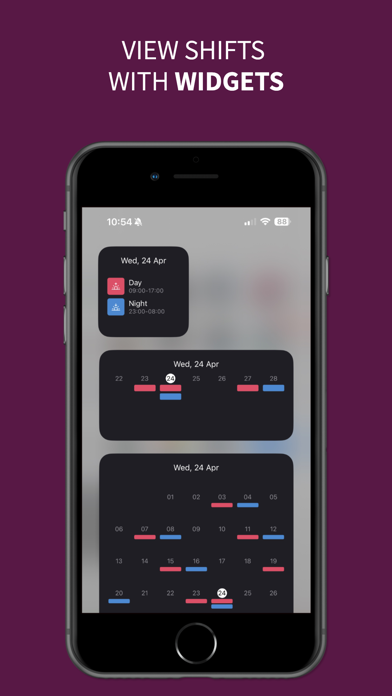


Description by Maryana Yurieva Written by the developer, not by AppBrain. Click to read.
Revolutionize how you manage your shifts with Scedu, the cutting-edge shift calendar tailored for shift workers. Scedu enhances your ability to maintain a balanced work-life dynamic, allowing you to focus on the essentials.
Why Choose Scedu?
Customize Your Way
Color-code your shifts, add icons, and use short names for easy identification. Control your schedule your way.
Intuitive Rota Interface
Set up your rotation with just a few taps. Scedu’s friendly interface simplifies scheduling.
Break Time Feature
Newly added, now you can specify break times within your shifts to manage your working hours more accurately.
Memo Feature
Keep track of daily events with quick memos. Always stay one step ahead.
Multiple Shifts Visibility
See your day’s plans at a glance. Scheduling has never been more straightforward.
Unlimited Shift Additions
Forget about limits. Add as many shifts as you need, whenever you need them.
Tap to Edit
Make quick adjustments to your schedule with just a tap.
Rapid Diary Updates
Use templates for quick shift updates, because every second of your time matters.
Auto-Fill Rotation
Set up once and let Scedu do the rest, filling in your calendar automatically.
iCloud Syncing
Newly integrated, sync your schedule across all your iOS devices for seamless access.
Flexible Notifications
Customize how and when you receive alerts about your shifts to stay informed without feeling overwhelmed.
Custom Start Day & Time Format
Personalize the start day of your week and the time format to suit your lifestyle.
Monthly Reports & Earnings Calculation
Gain insights into your shifts and earnings with comprehensive reports, helping you track and plan efficiently.
Scedu isn’t just a shift calendar—it’s your personal scheduling assistant, making shift management straightforward, flexible, and efficient. Ideal for anyone juggling multiple jobs, balancing education and work, or organizing personal commitments.
Download Scedu today for a more organized, stress-free work life. Streamline your shifts, simplify your schedule.
More Information:
Terms of Use: https://www.apple.com/legal/internet-services/itunes/dev/stdeula/
Privacy Policy: https://funapps.me/privacy-policy/
Contact: support@funapps.me