

Shoot At Sight AR is made and published by Mohit Choudhary. AppBrain is an independent app data site and isn't affiliated with Mohit Choudhary. The app name, icon, screenshots and description belong to Mohit Choudhary and are shown as published on the App Store.
AppBrain's verdict
- Last updated
- September 6, 2023
Rankings
App Store top chartsApp Store Rankings for Shoot At Sight AR
Competitors
Similar apps and more from Mohit ChoudharyAlternatives to Shoot At Sight AR








Releases
Updates seen on the App Store- Version
- 1.1
- Launched
- July 2020
No changelog data
User feedback
Ratings and reviews on the App StoreComments on Shoot At Sight AR for iOS
We don't have enough comments to show example comments. Please check back later.
Technology
Found in the app by AppBrain- Price
- Free
- App size
- 159.5 MB
- Content rating
- Low
Technologies used by Shoot At Sight AR
About the app and developer
About Shoot At Sight AR
Shoot At Sight AR is a games app developed by Mohit Choudhary.
User Ratings
The app has no ratings yet.
App Information
Shoot At Sight AR is freely available from the App Store. The app size is 159.50 MB. The latest version available is 1.1. The last update was on September 6, 2023.
Technical Requirements
The app has a content rating of Low Maturity. The app has been available on the App Store since July 2020.
Developer information for Mohit Choudhary
Address:
Frequently asked questions about Shoot At Sight AR
Is Shoot At Sight AR free?
Yes. Shoot At Sight AR is free on the App Store.
Is Shoot At Sight AR still available?
Yes. Shoot At Sight AR is on the App Store, and the last update we saw was on September 6, 2023.
How large is Shoot At Sight AR?
Shoot At Sight AR is 159.50 MB.
Is Shoot At Sight AR suitable for children?
App Store gives Shoot At Sight AR a low maturity rating, so it is meant for older children and up.
Who made Shoot At Sight AR?
Shoot At Sight AR was developed by Mohit Choudhary. It is listed in the games category on the App Store.
What are the best alternatives to Shoot At Sight AR?
People looking at Shoot At Sight AR also look at these games apps: Biplane Down, Madvolley, Urban Combat AR FPS, Wild Boar Target Shooting, Forest Adventure Run.
Store listing
By Mohit Choudhary, from the App Store
Description by Mohit Choudhary Written by the developer, not by AppBrain. Click to read.
Application Guide:
• Shooting Activity
a. The primary goal of the activity is to hit most of the target in the given time.
b. For better user interaction, always keep your device straight at your shoulder height when you start the activity, and then feel free to move your device.
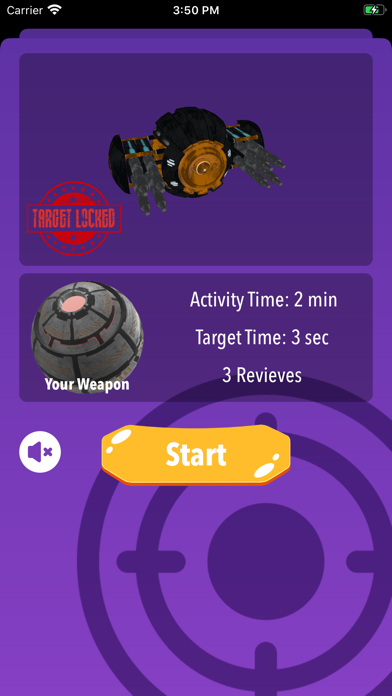
c. You have the option to select your mascot and weapon before starting the activity. A target will be randomly selected for you.
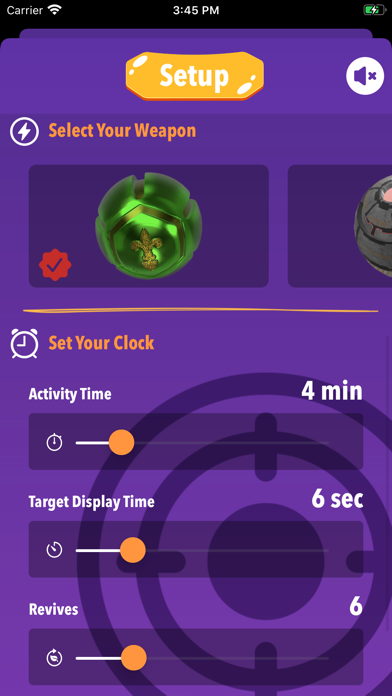
d. Activity Time (in minutes): It is the total time allocated to you to hit the maximum targets.
e. Target Display Time (in seconds): It is the total time for which a target will appear and you will get three attempts to hit the target.
f. Revives: The revive count is the number of missed attempts that will be allowed in the span of activity time.
g. Activity will complete once the set activity time is over or all the revives are used.
h. Target will reappear at the random position around you once the target display time is over or the target is hit.
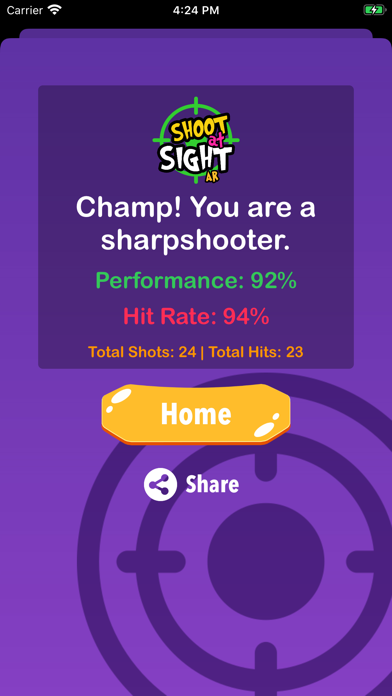
i. The result of the activity is comprised of Performance and Hit rate. The application algorithm will analyze your stats and generate your performance and hit rate for the activity. Activity Time, Target Display Time, and Revives will also be considered while generating the result.
j. You can share your result of the activity with your friends and over various social media platforms.
• Character's Playground
a. You have an amazing fun zone where you can play with your mascot by setting up the virtual world around you. The play button in the mascot selection section will take you to the playground.
b. Your device will automatically detect the suitable plane area around you. For better performance place your device near to a horizontal surface. The app will ignore the bright and reflective surface like floor tiles.
c. You will see the blue portals around you as soon as the app detects the suitable points around you.
d. Touch any of these blue portals to place your mascot and use various play buttons to animate it.
e. Use the menu button to reset the current playground setup or choose another character to play.
• App Sound
a. You can anytime override the application sound using the hardware mute switch. Use earphones for a better experience and to listen app sound if your mute switch is on.