ShortKeys: Text Expansion is made and published by
Mat Benfield.
AppBrain is an independent app data site and isn't affiliated with Mat Benfield.
The app name, icon, screenshots and description belong to Mat Benfield and are shown as
published on the App Store.
About ShortKeys: Text Expansion
ShortKeys: Text Expansion is a productivity app developed by Mat Benfield.
What is the rating of ShortKeys: Text Expansion?
ShortKeys: Text Expansion has no ratings yet.
Is ShortKeys: Text Expansion free?
ShortKeys: Text Expansion is free. The app size is 5.42 MB. The latest version available is 1.5.0. The last update was on September 24, 2026.
What are the requirements for ShortKeys: Text Expansion?
The app has a content rating of Everyone. The app has been available on the App Store since December 2025.
Description by Mat Benfield(from the App Store)
Stop typing the same thing twice.
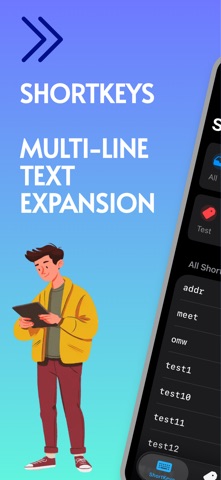
ShortKeys is a text expansion keyboard for iOS. Create custom ShortKeys that instantly expand into full text — emails, addresses, phone numbers, code snippets, whole paragraphs — right as you type, in any app.
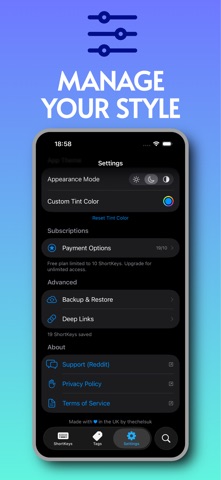
FEATURES • Custom iOS Keyboard — your ShortKeys expand automatically as you type, with haptic feedback and keyboard sounds • Undo Expansion — expanded something you meant to type literally? One backspace puts back exactly what you typed • Favourites Bar (Premium) — star up to three ShortKeys to keep them in a bar above the keyboard, one tap away • Customisable Hotkey — a personalised key for quick access to your favourite symbol, from 9 popular options • Unlimited Text Expansion — from a quick email sign-off to entire paragraphs • Smart Keyboard Features — double-tap space for a period, auto-capitalisation, hold-to-repeat backspace, and the standard behaviours you expect • Smart Organisation — tag your ShortKeys and pin your most-used collections to the home screen • iCloud Sync — your ShortKeys and keyboard preferences sync automatically across devices • Deep Link Integration — connect ShortKeys to Shortcuts and other automation apps • Backup & Restore — export your ShortKeys as JSON to keep safe or share • Custom Appearance — light, dark or system mode, with a tint colour to match your style
FREE PLAN Get started with up to 10 ShortKeys at no cost — enough to try text expansion and manage your essentials.
ANNUAL SUBSCRIPTION (£7.99/year) Unlock unlimited ShortKeys and the favourites bar, and support continued development.
TIP JAR Enjoying the free version? Leave a Small Coffee (£1.99) or Medium Coffee (£3.99) tip. Tip supporters get 5 bonus ShortKeys (15 total) — no subscription needed.
PRIVACY FIRST All data is stored locally on your device and synced securely through your own iCloud account. We don't collect, store, or have access to your ShortKeys or personal information.
Subscriptions auto-renew unless cancelled at least 24 hours before the end of the current period. Manage or cancel anytime in your Apple ID account settings.
Terms of Use: https://www.apple.com/legal/internet-services/itunes/dev/stdeula/ Privacy Policy: https://thechels.uk/app/privacy FEATURES • Custom iOS Keyboard — your ShortKeys expand automatically as you type, with haptic feedback and keyboard sounds • Customisable Hotkey — a personalised key for quick access to your favourite symbol, from 9 popular options • Unlimited Text Expansion — from a quick email sign-off to entire paragraphs • Smart Keyboard Features — double-tap space for a period, auto-capitalisation, hold-to-repeat backspace, and the standard behaviours you expect • Smart Organisation — tag your ShortKeys and pin your most-used collections to the home screen • iCloud Sync — your ShortKeys and keyboard preferences sync automatically across devices • Deep Link Integration — connect ShortKeys to Shortcuts and other automation apps • Backup & Restore — export your ShortKeys as JSON to keep safe or share • Custom Appearance — light, dark or system mode, with a tint colour to match your style
FREE PLAN Get started with up to 10 ShortKeys at no cost — enough to try text expansion and manage your essentials.
ANNUAL SUBSCRIPTION (£7.99/year) Unlock unlimited ShortKeys and support continued development.
TIP JAR Enjoying the free version? Leave a Small Coffee (£1.99) or Medium Coffee (£3.99) tip. Tip supporters get 5 bonus ShortKeys (15 total) — no subscription needed.
PRIVACY FIRST All data is stored locally on your device and synced securely through your own iCloud account. We don't collect, store, or have access to your ShortKeys or personal information.
Subscriptions auto-renew unless cancelled at least 24 hours before the end of the current period. Manage or cancel anytime in your Apple ID account settings.
Terms of Use: https://www.apple.com/legal/internet-services/itunes/dev/stdeif Privacy Policy: https://thechels.uk/app/privacy
Each subscription will automatically renew 3 days before the expiration date for
the same time period. Subscriptions can be cancelled at any time before the renewal.