ShotScan Mobile · PDF Scanner is a business app developed by Tedy Mezaguer.
User Ratings
ShotScan Mobile · PDF Scanner is rated 4.83 out of 5 stars. The rating is based on 6 ratings.
App Information
ShotScan Mobile · PDF Scanner is freely available from the App Store. The app size is 12.92 MB. The latest version available is 1.1.0. The last update was on August 12, 2026.
Technical Requirements
The app has a content rating of Everyone. The app has been available on the App Store since August 2025.
ShotScan Mobile · PDF Scanner is made and published by
Tedy Mezaguer.
AppBrain is an independent app data site and isn't affiliated with Tedy Mezaguer.
The app name, icon, screenshots and description belong to Tedy Mezaguer and are shown as published on the App Store.
Description by Tedy Mezaguer(from the App Store)
ShotScan turns your iPhone into a fast document scanner. Scan to PDF, convert a photo to PDF, copy the text off any page and sign documents, straight from your phone.
Point the camera at a contract, an invoice, a receipt or an ID card. ShotScan finds the edges, straightens the page and gives you a clean, high resolution PDF in seconds.
WHAT YOU CAN DO
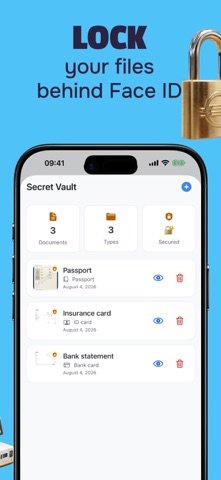
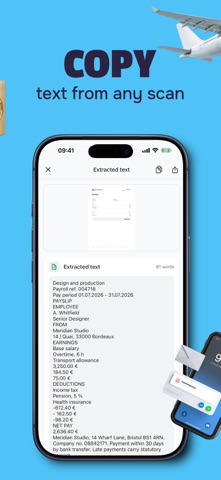
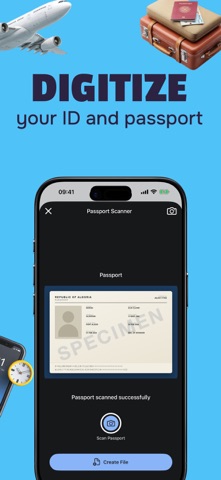
• Scan to PDF. Multi page documents, cropped and straightened automatically. • Photo to PDF. Turn a picture from your library into a clean document. • PDF to Word. Export a scan as a DOCX file you can edit in Word or Pages. • Copy any text. Text recognition turns a printed page into text you can select, copy and search. • Sign documents. Draw your signature once, drop it on any PDF, send it back without printing. • Erase any detail. Remove an object, a mark or a private line from a page. • ID card and passport scanner, with dedicated frames for travel and paperwork. • QR code scanner. • Merge several files into one, and compress them to fit in an email. • Secret vault. Keep your sensitive documents locked behind Face ID. • Paper counter. See how many sheets you saved by scanning instead of printing.
HOW IT WORKS
1. Capture a page, or import a photo or a PDF. 2. Crop, straighten, erase what should stay private, recognise the text if you need it. 3. Export to PDF, Word, JPG or plain text, sign it, or print it. 4. Share it to Mail, Files, or any app installed on your iPhone.
ShotScan Premium unlocks the full toolset. The subscription renews automatically unless it is cancelled at least 24 hours before the end of the current period. You can manage or cancel it at any time in your Apple account settings.
Terms of Use: www.shotscan.online/terms Privacy Policy: www.shotscan.online/privacy Support: privacy@shotscan.tech Apple Subscription Terms: https://www.apple.com/legal/internet-services/itunes/dev/stdeula/
Each subscription will automatically renew 3 days before the expiration date for
the same time period. Subscriptions can be cancelled at any time before the renewal.