

Sign Documents: PDF Signee
Sign Documents: PDF Signee is made and published by Artmvstd SIA. AppBrain is an independent app data site and isn't affiliated with Artmvstd SIA. The app name, icon, screenshots and description belong to Artmvstd SIA and are shown as published on the App Store.
AppBrain's verdict
- Rating on App Store
- 5.00
- 2 ratings
- Last updated
- January 27, 2026
- Size
- 46.8 MB
It doesn't have enough ratings yet to judge what users think.
User feedback
Ratings and reviews on the App StoreComments on Sign Documents: PDF Signee for iOS
We don't have enough comments to show example comments. Please check back later.
Store listing
By Artmvstd SIA, from the App Store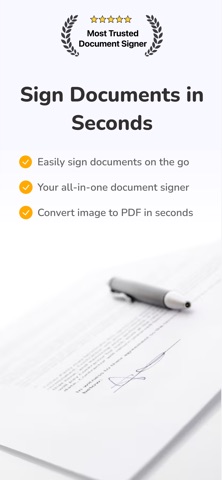


Description by Artmvstd SIA Written by the developer, not by AppBrain. Click to read.
Need to sign a contract, fill out a form, or send a scanned document? Our app makes it easy to turn any file or photo into a professional PDF you can sign, stamp, and share — anytime, anywhere.
Whether you're a freelancer, business owner, real estate agent, or student, you'll save time and skip the hassle of printers, scanners, or desktop software.
KEY FEATURES
√ Sign Documents Instantly
Add your signature, initials, or custom stamp directly on any document using your finger or stylus.
√ Scan Paper Documents
Take a photo of any paper document and convert it into a clean, high-quality PDF.
√ Reuse Saved Signatures & Stamps
Save your signature once and reuse it across multiple documents for fast approvals.
√ Export & Share as PDF
Send signed documents via email, messaging apps, or upload to your favorite cloud service.
WHY OUR APP?
No login required — Start signing in seconds
All-in-one workflow — Import, sign, and export from one app
Built for mobile — Fast, easy, and optimized for on-the-go signing
Clean and professional — Make every PDF look polished
Trusted by thousands — Ideal for work, school, and personal use
Perfect For:
- Freelancers and contractors
- Small business owners
- Real estate agents
- Students and teachers
- Legal, HR, and administrative teams
- Anyone who needs to sign or fill out documents on the go!
Upgrade to Pro for More Power
Unlock unlimited exports, save multiple signatures, organize docs by folder, remove watermarks, and protect your files — all with Pro.
Start signing smarter today — download now and skip the printer forever!
If you opt to purchase a Premium or Boost subscription, the subscription fee will be charged to your iTunes account. The yearly subscription automatically renews, but you can disable auto-renewal at least 24 hours before the end of the subscription period in your iTunes account settings. After purchase, any unused portion of the free trial is forfeited. You can manage your premium subscription and turn off the auto-renewal feature in your iTunes account settings.
Read our full Terms of Use: https://artmvstd.com/terms/
Safety and technology
Found in the app by AppBrain- Price
- Free
- App size
- 46.8 MB
- Content rating
- Everyone
Technologies used by Sign Documents: PDF Signee
Releases
Updates seen on the App Store- Version
- 1.0.2
- Launched
- June 2025
No changelog data
Alternatives
Similar apps and more from Artmvstd SIAMore from Artmvstd SIA





Also available on Google Play

Rankings
App Store top chartsApp Store Rankings for Sign Documents: PDF Signee
About the app and developer
About Sign Documents: PDF Signee
Sign Documents: PDF Signee is a business app developed by Artmvstd SIA.
User Ratings
Sign Documents: PDF Signee is rated 5.00 out of 5 stars. The rating is based on 2 ratings.
App Information
Sign Documents: PDF Signee is freely available from the App Store. The app size is 46.82 MB. The latest version available is 1.0.2. The last update was on January 27, 2026.
Technical Requirements
The app has a content rating of Everyone. The app has been available on the App Store since June 2025.
Developer information for Artmvstd SIA
Address:
Frequently asked questions about Sign Documents: PDF Signee
Is Sign Documents: PDF Signee free?
Yes. Sign Documents: PDF Signee is free on the App Store.
Is Sign Documents: PDF Signee still available?
Yes. Sign Documents: PDF Signee is on the App Store, and the last update we saw was on January 27, 2026.
How large is Sign Documents: PDF Signee?
Sign Documents: PDF Signee is 46.82 MB.
Is Sign Documents: PDF Signee suitable for children?
App Store rates the content of Sign Documents: PDF Signee as suitable for everyone.
How do people rate Sign Documents: PDF Signee?
Sign Documents: PDF Signee scores 5.00 out of 5 stars, from 2 ratings on the App Store.
Who made Sign Documents: PDF Signee?
Sign Documents: PDF Signee was developed by Artmvstd SIA. It is listed in the business category on the App Store.