

Sign PDF - Scan & Fill
Sign PDF - Scan & Fill is made and published by Adrian Amor. AppBrain is an independent app data site and isn't affiliated with Adrian Amor. The app name, icon, screenshots and description belong to Adrian Amor and are shown as published on the App Store.
AppBrain's verdict
- Rating on App Store
- 5.00
- 51 ratings
- Last updated
- May 26, 2026
- Size
- 7.41 MB
It doesn't have enough ratings yet to judge what users think.
User feedback
Ratings and reviews on the App StoreComments on Sign PDF - Scan & Fill for iOS
We don't have enough comments to show example comments. Please check back later.
Store listing
By Adrian Amor, from the App Store



Description by Adrian Amor Written by the developer, not by AppBrain. Click to read.
Scan a paper document with your iPhone camera or open a PDF, add your handwritten signature, type text into blank spaces, place dates, then save or share the final document in just a few steps.
Main features:
- Scan paper documents and turn them into PDFs.
- Sign PDF documents from your iPhone.
- Add text over a PDF to complete simple forms.
- Add today's date to a document.
- Choose fonts and colours for text and dates.
- Move and adjust each signature, text item or date before confirming it.
- Create handwritten signatures with your finger.
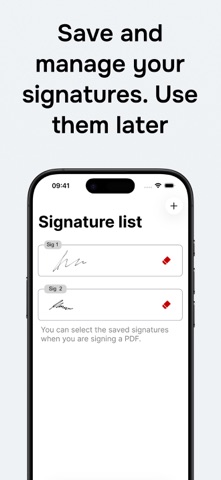
- Save signatures and reuse them in future documents.
- Save the completed PDF or share it with other apps.
- Access recent documents from a local history.
- Search, rename, open and share recent PDFs.
- Work without creating an account.
Useful for contracts, authorisations, forms, work documents, school documents, receipts and paperwork you need to scan, complete or sign from your phone.
The app is focused on one job: scanning, signing and completing PDFs fast. No complicated PDF editor to learn. Scan or choose the document, add what you need, sign it and save it.
Safety and technology
Found in the app by AppBrain- Price
- Free
- App size
- 7.41 MB
- Content rating
- Everyone
Technologies used by Sign PDF - Scan & Fill
Releases
Updates seen on the App Store- Version
- 1.0.2
- Launched
- October 2025
No changelog data
Alternatives
Similar apps and more from Adrian AmorMore from Adrian Amor


Also available on Google Play

Rankings
App Store top chartsApp Store Rankings for Sign PDF - Scan & Fill
About the app and developer
About Sign PDF - Scan & Fill
Sign PDF - Scan & Fill is an utilities app developed by Adrian Amor.
User Ratings
Sign PDF - Scan & Fill is rated 5.00 out of 5 stars. The rating is based on 51 ratings.
App Information
Sign PDF - Scan & Fill is freely available from the App Store. The app size is 7.41 MB. The latest version available is 1.0.2. The last update was on May 26, 2026.
Technical Requirements
The app has a content rating of Everyone. The app has been available on the App Store since October 2025.
Developer information for Adrian Amor
Address:
Frequently asked questions about Sign PDF - Scan & Fill
Is Sign PDF - Scan & Fill free?
Yes. Sign PDF - Scan & Fill is free on the App Store.
Is Sign PDF - Scan & Fill still available?
Yes. Sign PDF - Scan & Fill is on the App Store, and the last update we saw was on May 26, 2026.
How large is Sign PDF - Scan & Fill?
Sign PDF - Scan & Fill is 7.41 MB.
Is Sign PDF - Scan & Fill suitable for children?
App Store rates the content of Sign PDF - Scan & Fill as suitable for everyone.
How do people rate Sign PDF - Scan & Fill?
Sign PDF - Scan & Fill scores 5.00 out of 5 stars, from 51 ratings on the App Store.
Who made Sign PDF - Scan & Fill?
Sign PDF - Scan & Fill was developed by Adrian Amor. It is listed in the utilities category on the App Store.