SignAgent is made and published by SignAgent Inc. AppBrain is an independent app data site and isn't affiliated with SignAgent Inc. The app name, icon, screenshots and description belong to SignAgent Inc. and are shown as published on the App Store.
AppBrain's verdict
- Last updated
- May 19, 2025
Rankings
App Store top chartsApp Store Rankings for SignAgent
Competitors
Similar apps and more from SignAgent Inc.Alternatives to SignAgent
More from SignAgent Inc.

Releases
Updates seen on the App Store- Version
- 2.3.9
- Launched
- April 2019
No changelog data
User feedback
Ratings and reviews on the App StoreComments on SignAgent for iOS
We don't have enough comments to show example comments. Please check back later.
Technology
Found in the app by AppBrain- Price
- Free
- App size
- 41.3 MB
- Content rating
- Medium
Technologies used by SignAgent
About the app and developer
About SignAgent
SignAgent is a productivity app developed by SignAgent Inc.
What is the rating of SignAgent?
SignAgent has no ratings yet.
Is SignAgent free?
SignAgent is free. The app size is 41.29 MB. The latest version available is 2.3.9. The last update was on May 19, 2025.
What are the requirements for SignAgent?
The app has a content rating of Medium Maturity. The app has been available on the App Store since April 2019.
Developer information for SignAgent Inc.
Address:
Store listing
By SignAgent Inc., from the App StoreDescription by SignAgent Inc. Written by the developer, not by AppBrain. Click to read.
*Features*
With the SignAgent iPhone and iPad app you can:
- Log in using your existing SignAgent credentials and access your current projects
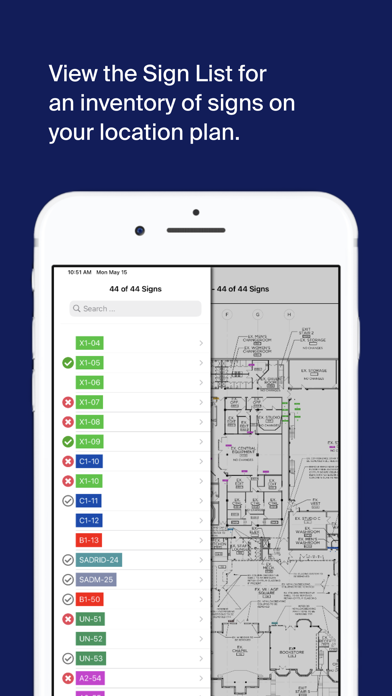
-See the sign information from currently programmed floor plans and list view including: Sign State, Sign Type, Location, Number, Quantity, Messaging, Artwork, Comments
- Take pictures of existing signs
- Pinch to zoom, move through the plan using your fingers, and rotate the plan 45 degrees at a time
- Surveying and Auditing: Tap and hold on the plan to add a new sign marker. Take multiple pictures, add comments, and collect all necessary information
- Manage sign tags: Select, rotate and move signs within the plan
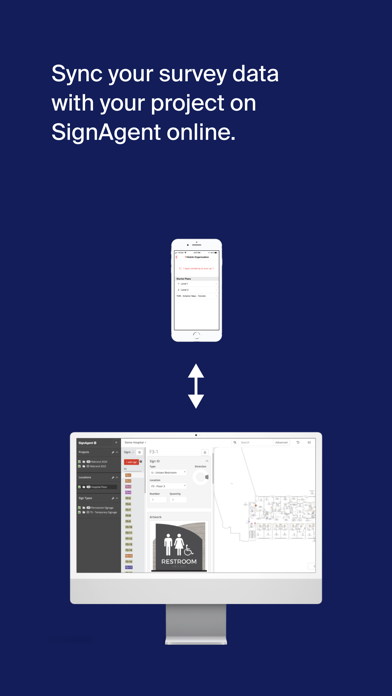
- Share information back and forth: Sync all of your project data with SignAgent online. Any changes can also be synced back to the mobile device.
- Divide and Conquer: Set up multiple mobile iOS devices on the same project to complete your survey even faster!
- Choose your workflow: Pick whether to launch camera when adding new signs, or display messages with artwork.
- Punch/Review: Easily evaluate signs with approval and rejection actions within the app.
- Doing a large exterior or city-wide project? The SignAgent app works with the mapping feature.
*System Requirements*
Requires iOS 12.0 or later.
Compatible with iPhone 6 or later,
iPad Air Wifi or later,
and iPod touch.