

Signature Maker: eSign PDF
Signature Maker: eSign PDF is made and published by ilker beri. AppBrain is an independent app data site and isn't affiliated with ilker beri. The app name, icon, screenshots and description belong to ilker beri and are shown as published on the App Store.
AppBrain's verdict
- Last updated
- May 5, 2026
- Size
- 53.4 MB
User feedback
Ratings and reviews on the App StoreComments on Signature Maker: eSign PDF for iOS
We don't have enough comments to show example comments. Please check back later.
Store listing
By ilker beri, from the App Store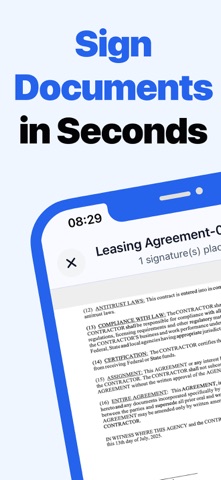


Description by ilker beri Written by the developer, not by AppBrain. Click to read.
Tired of the endless cycle of printing an agreement, signing it, and then searching for a scanner? We built the digital signature app you've always wanted. It’s the fastest and easiest way to apply your electronic signature to any PDF, manage your contracts, and share them directly from your device.
YOUR PRIVACY IS THE #1 FEATURE
Unlike other apps, your privacy and security are our top priority. Your documents, signatures, initials, and stamps are stored exclusively and safely on your own device. Nothing is ever uploaded to the cloud or our servers. You have complete and total control over your sensitive data at all times.
SIGN IT YOUR WAY
Our advanced drawing canvas allows you to create a perfect, realistic signature that truly represents you. Use our smooth tool as a signature generator to draw your signature or initials, or import an image of your existing signature for a consistent look across all documents. This is the ultimate signature maker for any situation.
MORE THAN JUST A SIGNATURE
Your needs go beyond a simple signature, and so does our app.
Add Initials: Easily create and place your initials on any page.
- Use Stamps: Create custom stamps like "Approved," "Paid," "Confidential," or "Void" to clearly mark your documents.
- Place Anywhere: You have precise control to drag, resize, and place your signature, initials, or stamps anywhere on the document.
TURN ANYTHING INTO A PDF
Don't have a digital copy? No problem.
- Use Your Camera: Snap a photo of a physical paper contract, invoice, or form, and the app will instantly convert it into a signable PDF.
- Import Images: Select one or more images from your gallery to create a professional, multi-page PDF document ready for your signature.
THE SIMPLE WORKFLOW: IMPORT, SIGN, SHARE
We designed the app to be effortless. Import a document from your files or create one from an image. Add your electronic signature. Then, save the completed document back to your device, share it instantly via email or messaging apps, or print it directly.
Key Features:
- Create beautiful, hand-drawn signatures and initials on our smooth canvas.
- Import an existing signature image from your gallery for a perfect replica.
- Add custom-made stamps for any professional or personal scenario.
- Sign documents completely offline, with no internet connection required.
- A powerful signature generator and placement tool for precise control.
- Turn photos and images into high-quality, signable PDFs.
- Save, share, and print completed documents with just a few taps.
- A clean, intuitive interface designed for speed and efficiency.
- Enjoy a premium, completely Ad-Free experience.
Signature Maker: eSign PDF is your reliable partner for all document signing needs. Whether you're a freelancer, a small business owner, a student, or simply someone who needs to sign documents without the hassle, our app provides the most secure and straightforward solution.
Download now and experience the future of document signing.
https://ilkerb.com/signature-maker/terms-of-use
Safety and technology
Found in the app by AppBrain- Price
- Free
- App size
- 53.4 MB
- Content rating
- Everyone
Technologies used by Signature Maker: eSign PDF
Releases
Updates seen on the App Store- Version
- 1.3.0
- Launched
- August 2025
No changelog data
Alternatives
Similar apps and more from ilker beriMore from ilker beri


Rankings
App Store top chartsApp Store Rankings for Signature Maker: eSign PDF
About the app and developer
About Signature Maker: eSign PDF
Signature Maker: eSign PDF is a business app developed by ilker beri.
What is the rating of Signature Maker: eSign PDF?
Signature Maker: eSign PDF has no ratings yet.
Is Signature Maker: eSign PDF free?
Signature Maker: eSign PDF is free. The app size is 53.38 MB. The latest version available is 1.3.0. The last update was on May 5, 2026.
What are the requirements for Signature Maker: eSign PDF?
The app has a content rating of Everyone. The app has been available on the App Store since August 2025.
Developer information for ilker beri
Address:
Frequently asked questions about Signature Maker: eSign PDF
Is Signature Maker: eSign PDF free?
Yes. Signature Maker: eSign PDF is free on the App Store.
Is Signature Maker: eSign PDF still available?
Yes. Signature Maker: eSign PDF is on the App Store, and the last update we saw was on May 5, 2026.
How large is Signature Maker: eSign PDF?
Signature Maker: eSign PDF is 53.38 MB.
Is Signature Maker: eSign PDF suitable for children?
App Store rates the content of Signature Maker: eSign PDF as suitable for everyone.
Who made Signature Maker: eSign PDF?
Signature Maker: eSign PDF was developed by ilker beri. It is listed in the business category on the App Store.