

Signature Maker - SignThese
Signature Maker - SignThese is made and published by Allegro Digital. AppBrain is an independent app data site and isn't affiliated with Allegro Digital. The app name, icon, screenshots and description belong to Allegro Digital and are shown as published on the App Store.
AppBrain's verdict
- Rating on App Store
- 4.50
- 2 ratings
- Last updated
- July 3, 2026
It doesn't have enough ratings yet to judge what users think.
Rankings
App Store top chartsApp Store Rankings for Signature Maker - SignThese
Competitors
Similar apps and more from Allegro DigitalMore from Allegro Digital


Releases
Updates seen on the App Store- Version
- 1.0.1
- Launched
- October 2025
No changelog data
User feedback
Ratings and reviews on the App StoreComments on Signature Maker - SignThese for iOS
We don't have enough comments to show example comments. Please check back later.
Technology
Found in the app by AppBrain- Price
- Free
- App size
- 5.75 MB
- Content rating
- Everyone
Technologies used by Signature Maker - SignThese
About the app and developer
About Signature Maker - SignThese
Signature Maker - SignThese is a business app developed by Allegro Digital.
User Ratings
Signature Maker - SignThese is rated 4.50 out of 5 stars. The rating is based on 2 ratings.
App Information
Signature Maker - SignThese is freely available from the App Store. The app size is 5.75 MB. The latest version available is 1.0.1. The last update was on July 3, 2026.
Technical Requirements
The app has a content rating of Everyone. The app has been available on the App Store since October 2025.
Developer information for Allegro Digital
Address:
Store listing
By Allegro Digital, from the App Store


Description by Allegro Digital Written by the developer, not by AppBrain. Click to read.
Key Features
- Font-Based Signature Generation
Create elegant signatures instantly using our curated collection of professional fonts. Choose from multiple styles including elegant scripts, modern minimalist designs, and classic formal typefaces that automatically generate beautiful variations of your name.
- Hand-Drawn Signature Creation
Draw your signature naturally using your finger or Apple Pencil with our responsive drawing canvas. Our advanced stroke recognition captures every nuance of your handwriting, ensuring your digital signature maintains the authentic feel of your natural signature.
- AI-Powered Signature Design
Let artificial intelligence create unique, personalized signatures for you. Select from ten distinct styles including elegant, modern, classic, artistic, minimalist, bold, cursive, playful, professional, and handwritten variations that are generated specifically for your name.
- Professional PDF Document Signing
Import PDF documents and add your signature with precise placement and sizing controls. Drag, resize, and position your signature exactly where needed, then export professionally signed documents ready for sharing or printing.
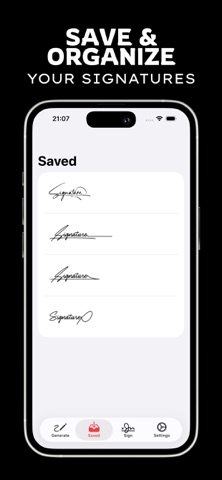
- Signature Library Management
Save unlimited signatures in your personal library with easy access, preview, and organization features. Each saved signature can be customized with different colors and instantly shared across all your apps and platforms.
- Color Customization and Sharing
Personalize your signatures with a full color palette and share them as high-quality PNG files with transparent backgrounds. Perfect for email signatures, social media profiles, business cards, and professional correspondence.
Whether you're a business professional, artist, student, or anyone who needs to sign documents regularly, Signature Maker streamlines the entire signature creation and management process. Create multiple signature variations for different occasions, maintain consistency across all your digital communications, and never worry about having the perfect signature when you need it most.
Download Signature Maker today and discover how easy it is to create beautiful, professional digital signatures that make a lasting impression.
Privacy Policy: https://sites.google.com/view/allegrodigital/privacy-policy
Terms of Use: https://sites.google.com/view/allegrodigital/terms-of-use