

Signature - Sign & Draw
Signature - Sign & Draw is made and published by Linh Phan Nhat Khanh. AppBrain is an independent app data site and isn't affiliated with Linh Phan Nhat Khanh. The app name, icon, screenshots and description belong to Linh Phan Nhat Khanh and are shown as published on the App Store.
AppBrain's verdict
- Last updated
- June 11, 2026
- Size
- 635.0 KB
User feedback
Ratings and reviews on the App StoreComments on Signature - Sign & Draw for iOS
We don't have enough comments to show example comments. Please check back later.
Store listing
By Linh Phan Nhat Khanh, from the App Store

Description by Linh Phan Nhat Khanh Written by the developer, not by AppBrain. Click to read.
Draw with a smooth, pressure-sensitive canvas that faithfully reproduces the feel of pen on paper. Choose from three distinct nib styles — Fountain, Ballpoint, and Marker — each with its own ink character, taper, and opacity. Pick your ink color from a curated palette including black, navy, crimson, and forest green, or dial in any custom color you like.
Set the canvas background to suit your purpose: transparent for clean overlays, white for a crisp document look, lined for a writing-guide feel, or warm parchment for a classic stationery aesthetic.
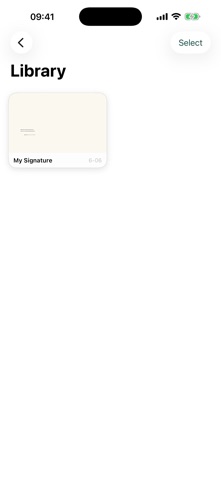
Every signature you save goes into your personal library, displayed as paper-card thumbnails so you can recognize each one at a glance. Tap any card to view the full detail, rename it, or delete it. Batch-select multiple signatures in edit mode for quick management.
When you're ready to use a signature, share it as a PNG image, export it as a PDF, or send it straight to your Photos library — all from a single tap.
Key features:
- Three pen styles: Fountain, Ballpoint, Marker
- Ink colors: Black, Navy, Crimson, Forest Green, Custom
- Canvas backgrounds: Transparent, White, Lined, Parchment
- Stroke width control with smooth velocity-based tapering
- Save unlimited signatures to your personal library
- Rename and delete with undo confirmation
- Export as PNG, PDF, or save to Photos
- Undo last stroke while drawing
- Clean, distraction-free interface with Dark Mode support
Safety and technology
Found in the app by AppBrain- Price
- Free
- App size
- 635.0 KB
- Content rating
- Everyone
Technologies used by Signature - Sign & Draw
Releases
Updates seen on the App Store- Version
- 1.0
- Launched
- June 2026
No changelog data
Alternatives
Similar apps and more from Linh Phan Nhat KhanhAlternatives to Signature - Sign & Draw


More from Linh Phan Nhat Khanh


Rankings
App Store top chartsApp Store Rankings for Signature - Sign & Draw
About the app and developer
About Signature - Sign & Draw
Signature - Sign & Draw is a productivity app developed by Linh Phan Nhat Khanh.
User Ratings
The app has no ratings yet.
App Information
Signature - Sign & Draw is freely available from the App Store. The app size is 635.00 kB. The latest version available is 1.0. The last update was on June 11, 2026.
Technical Requirements
The app has a content rating of Everyone. The app has been available on the App Store since June 2026.
Developer information for Linh Phan Nhat Khanh
Address:
Frequently asked questions about Signature - Sign & Draw
Is Signature - Sign & Draw free?
Yes. Signature - Sign & Draw is free on the App Store.
Is Signature - Sign & Draw still available?
Yes. Signature - Sign & Draw is on the App Store, and the last update we saw was on June 11, 2026.
How large is Signature - Sign & Draw?
Signature - Sign & Draw is 635.00 kB.
Is Signature - Sign & Draw suitable for children?
App Store rates the content of Signature - Sign & Draw as suitable for everyone.
Who made Signature - Sign & Draw?
Signature - Sign & Draw was developed by Linh Phan Nhat Khanh. It is listed in the productivity category on the App Store.
What are the best alternatives to Signature - Sign & Draw?
People looking at Signature - Sign & Draw also look at these productivity apps: Inky: Signature Creator, Document Signer App - TinySign, Sign Documents - E Signature, Unscroller: Stop Doomscrolling, Fill & Sign PDF Forms.