

SingAlong - Vibe Playing
SingAlong - Vibe Playing is made and published by NoMoreBoring LLC. AppBrain is an independent app data site and isn't affiliated with NoMoreBoring LLC. The app name, icon, screenshots and description belong to NoMoreBoring LLC and are shown as published on the App Store.
AppBrain's verdict
- Last updated
- October 9, 2026
Rankings
App Store top chartsApp Store Rankings for SingAlong - Vibe Playing
Competitors
Similar apps and more from NoMoreBoring LLCAlternatives to SingAlong - Vibe Playing


More from NoMoreBoring LLC

Releases
Updates seen on the App Store- Version
- 1.1.0
- Launched
- September 2026
No changelog data
User feedback
Ratings and reviews on the App StoreComments on SingAlong - Vibe Playing for iOS
We don't have enough comments to show example comments. Please check back later.
Technology
Found in the app by AppBrain- Price
- Free
- App size
- 43.6 MB
- Content rating
- Everyone
Technologies used by SingAlong - Vibe Playing
About the app and developer
About SingAlong - Vibe Playing
SingAlong - Vibe Playing is a music app developed by NoMoreBoring LLC.
What is the rating of SingAlong - Vibe Playing?
SingAlong - Vibe Playing has no ratings yet.
Is SingAlong - Vibe Playing free?
SingAlong - Vibe Playing is free. The app size is 43.61 MB. The latest version available is 1.1.0. The last update was on October 9, 2026.
What are the requirements for SingAlong - Vibe Playing?
The app has a content rating of Everyone. The app has been available on the App Store since September 2026.
Developer information for NoMoreBoring LLC
Address:
Store listing
By NoMoreBoring LLC, from the App Store


Description by NoMoreBoring LLC Written by the developer, not by AppBrain. Click to read.
What if the accompaniment could come from your own hands?
In the past, this might have been only a dream.
But now, SingAlong makes your dream of singing and playing come true.
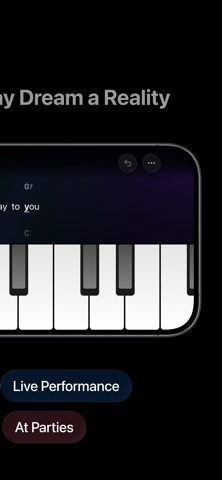
With SingAlong, you can sing while tapping the keys. Whichever key you press, you’ll hear the correct chord for the current beat and move to the next one. Just follow the lyrics and rhythm to accompany your own voice.
Start in two steps
• Prepare one chord chart
• Follow the chart and tap the keys
Import your chord charts
• Import screenshots of guitar or ukulele chord charts you have the right to use
• Take a photo, or choose an image from Photos or Files
• Recognize content on device, then review and correct it before importing
• Edit lyrics, chords, sections, and repeat counts
• Link Apple Music to view the matching song, artist, and album
• Export charts as image cards or QR codes to save and share
When to open SingAlong
• Sing and play on your own
• Play for a friend
• Make music with your child
• Perform live or sing and play at a party
No need to buy a piano, pay for piano lessons, or spend months learning to play.
Skip all that. Leave it to SingAlong.
SingAlong Pro
• Unlimited charts
• iCloud chart sync
• Play together
• Support for iPhone, iPad, and Mac
• More key effects
• Play just the section you want
Privacy Policy: https://singalong.notion.site/privacy-policy
Terms of Service: https://singalong.notion.site/terms-of-service