
Skoog Access
Skoog Access is made and published by Playable Tech ltd. AppBrain is an independent app data site and isn't affiliated with Playable Tech ltd. The app name, icon, screenshots and description belong to Playable Tech ltd. and are shown as published on the App Store.
AppBrain's verdict
Established- Rating on App Store
- 3.95
- 21 ratings
- Last updated
- December 1, 2020
- Size
- 22.1 MB
It doesn't have enough ratings yet to judge what users think.
User feedback
Ratings and reviews on the App StoreComments on Skoog Access for iOS
We don't have enough comments to show example comments. Please check back later.
Store listing
By Playable Tech ltd., from the App Store

Description by Playable Tech ltd. Written by the developer, not by AppBrain. Click to read.
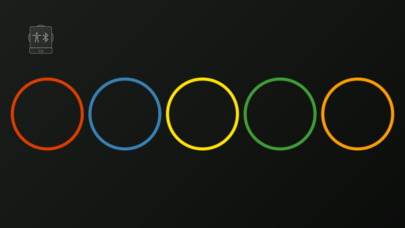
Communication made easy with Skoog Access. Turn your Skoog into a customizable five-button communication aid using your iPhone or iPad's built-in speech synthesizer.
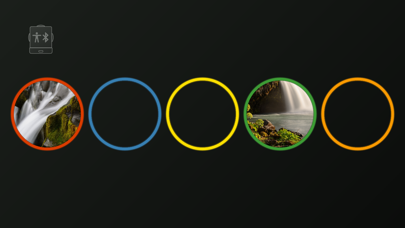
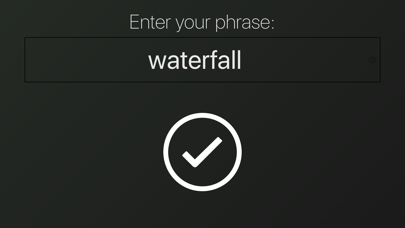
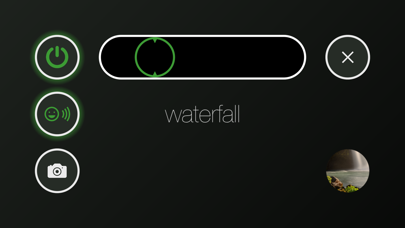
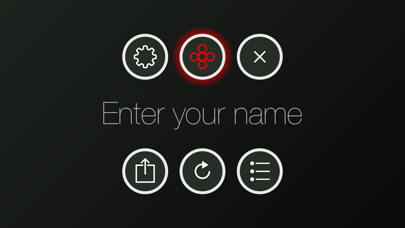
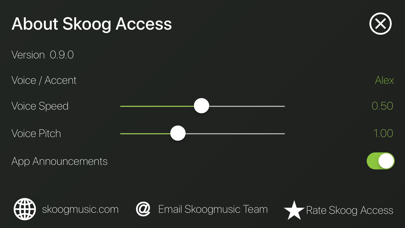
Enter text, a phrase or emoji and play it back as speech on each side of the Skoog. Simply press and hold each colored circle to pop open the menu to add your custom text. Select your preferred voice and speech rate. You can also assign a custom image to each word or phrase using the camera (or your Photo Library) to help with word association.
Once you have created a set of phrases and images you can easily store them as a preset and share them between iOS devices.
Ideal as an aid to communication for people with speech or language barriers. Great as an introduction to AAC (Augmentative and Alternative Communication).
There are so many ways to use this app. Why not try creating a set of simple multiple-choice quizzes? It's quick and easy to set up - simply enter the answers and add images with the camera then share these straight to your students' iPad using Airdrop.
Switch Control:
Skoog Access makes it easy to control your iPhone or iPad using your Skoog and iOS Switch Control*. Fully customizable, you can turn the five colored sides on or off to use as a single switch or as multiple switches. Each side can be made more or less sensitive to suit your touch, to enable you to easily navigate your iPad. Select any screen item by simply tapping or pressing your Skoog.
You can easily assign a custom picture to each colored side to help associate an image with each Switch Control action.
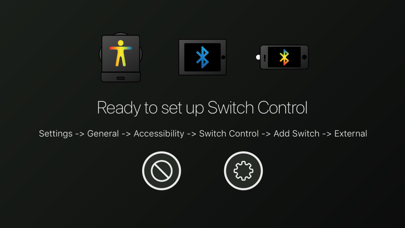
*This app will need to be installed on two iOS devices to use Skoog with Switch Control. To set this up, you will need to use the app to connect the first iOS device to the second iOS Device using the connection interface in the app. (The first iOS device simply acts as a relay, filtering the data from the Skoog and handing it on to the second iOS Device over Bluetooth.) Once connected, you can easily set up Switch Control on the second iOS device (Go to: Settings -> General -> Accessibility -> Switch Control -> Add New Switch -> External). You can now use Skoog as a customizable switch input.
Additional features:
The app also features Guided Access allowing you to stay focused on a task with the menu lock feature. When active, the menu lock features a timed press and hold activation. You can also set up Guided Access on your iOS device with a passcode to the lock button enabling uninterrupted ease of use.
–––––––––––––––
Explore the endless possibilities Skoog Access provides when connected to your Skoog. Use separately as either a Switch Control interface or as a Communication aid. Or why not combine both to have an image associated with Switch Control that announces its actions?
Safety and technology
Found in the app by AppBrain- Price
- Free
- App size
- 22.1 MB
- Content rating
- Everyone
Technologies used by Skoog Access
Releases
Updates seen on the App Store- Version
- 0.9.3
- Launched
- June 2018
No changelog data
Alternatives
Similar apps and more from Playable Tech ltd.Alternatives to Skoog Access




More from Playable Tech ltd.



Rankings
App Store top chartsApp Store Rankings for Skoog Access
About the app and developer
About Skoog Access
Skoog Access is an education app developed by Playable Tech ltd.
User Ratings
Skoog Access is rated 3.95 out of 5 stars. The rating is based on 21 ratings.
App Information
Skoog Access is freely available from the App Store. The app size is 22.12 MB. The latest version available is 0.9.3. The last update was on December 1, 2020.
Technical Requirements
The app has a content rating of Everyone. The app has been available on the App Store since June 2018.
Developer information for Playable Tech ltd.
Address: