

Skull Keys is made and published by Hernand Gonzalez. AppBrain is an independent app data site and isn't affiliated with Hernand Gonzalez. The app name, icon, screenshots and description belong to Hernand Gonzalez and are shown as published on the App Store.
AppBrain's verdict
- Rating on App Store
- 5.00
- 8 ratings
- Last updated
- September 29, 2026
It doesn't have enough ratings yet to judge what users think.
Rankings
App Store top chartsApp Store Rankings for Skull Keys
Competitors
Similar apps and more from Hernand GonzalezAlternatives to Skull Keys


More from Hernand Gonzalez

Releases
Updates seen on the App Store- Version
- 1.2
- Launched
- July 2026
No changelog data
User feedback
Ratings and reviews on the App StoreComments on Skull Keys for iOS
We don't have enough comments to show example comments. Please check back later.
Technology
Found in the app by AppBrain- Price
- Free
- App size
- 31.2 MB
- Content rating
- Everyone
Technologies used by Skull Keys
About the app and developer
About Skull Keys
Skull Keys is an utilities app developed by Hernand Gonzalez.
User Ratings
Skull Keys is rated 5.00 out of 5 stars. The rating is based on 8 ratings.
App Information
Skull Keys is freely available from the App Store. The app size is 31.24 MB. The latest version available is 1.2. The last update was on September 29, 2026.
Technical Requirements
The app has a content rating of Everyone. The app has been available on the App Store since July 2026.
Developer information for Hernand Gonzalez
Address:
Frequently asked questions about Skull Keys
Is Skull Keys free?
Yes. Skull Keys is free on the App Store.
Is Skull Keys still available?
Yes. Skull Keys is on the App Store, and the last update we saw was on September 29, 2026.
How large is Skull Keys?
Skull Keys is 31.24 MB.
Is Skull Keys suitable for children?
App Store rates the content of Skull Keys as suitable for everyone.
How do people rate Skull Keys?
Skull Keys scores 5.00 out of 5 stars, from 8 ratings on the App Store.
Who made Skull Keys?
Skull Keys was developed by Hernand Gonzalez. It is listed in the utilities category on the App Store.
What are the best alternatives to Skull Keys?
People looking at Skull Keys also look at these utilities apps: KotoKey: Custom Keyboard, Clink: Custom Keyboards, LED Keyboard - Fonts & Themes, Keyboard Themes - Fonts, Emoji, Renpy Pocket.
Store listing
By Hernand Gonzalez, from the App Store
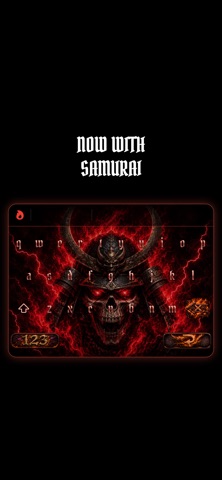
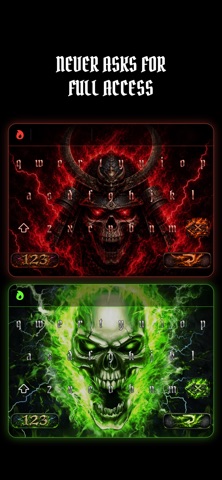

Description by Hernand Gonzalez Written by the developer, not by AppBrain. Click to read.
EVERY KEY MAKES A SOUND
• Letters, space, backspace, return, send and search each have their own sound.
• Plays over your music and videos without pausing them. The silent switch mutes it.
TYPES THE WAY YOU'RE USED TO
• Autocorrect with one tap undo. Undo a fix once and it leaves that word alone from then on.
• dont, im and ill become don't, I'm and I'll.
• Suggestions above the keys. Tap one to use it.
• Auto caps, and double space for a period.
• Hold a letter for accents (é, ñ, ü) or a symbol for more (€, £, °).
• Full numbers and symbols pages.
36 LANGUAGES
Each language is its own keyboard. Add the ones you want in Settings and switch with the globe key, the same way Apple's keyboards work. Every one uses your iPhone's own dictionary. English, Spanish, French, German, Italian, Portuguese, Dutch, Swedish, Danish, Norwegian, Polish, Finnish, Indonesian, Romanian, Turkish, Czech, Slovak, Hungarian, Croatian, Bosnian, Serbian (Latin and Cyrillic), Slovenian, Lithuanian, Latvian, Estonian, Icelandic, Catalan, Galician, Basque, Malay, Albanian, Russian, Ukrainian, Bulgarian and Macedonian.
YOUR TYPING STAYS YOURS
Skull Keys never asks for Full Access. No internet, no tracking, no analytics. iOS itself keeps the keyboard away from your information.
SETUP
1. Open Skull Keys and tap Open Settings
2. General > Keyboard > Keyboards
3. Add New Keyboard > Skull Keys
4. In any text field, hold the globe key and pick Skull Keys
Type like an alpha.