

Slipity is made and published by Josiah Oslund. AppBrain is an independent app data site and isn't affiliated with Josiah Oslund. The app name, icon, screenshots and description belong to Josiah Oslund and are shown as published on the App Store.
AppBrain's verdict
Established- Rating on App Store
- 4.81
- 42 ratings
- Last updated
- May 2, 2026
It doesn't have enough ratings yet to judge what users think.
Rankings
App Store top chartsApp Store Rankings for Slipity
Competitors
Similar apps and more from Josiah OslundAlternatives to Slipity





More from Josiah Oslund




Releases
Updates seen on the App Store- Version
- 1.3.10
- Launched
- January 2020
No changelog data
User feedback
Ratings and reviews on the App StoreComments on Slipity for iOS
We don't have enough comments to show example comments. Please check back later.
Technology
Found in the app by AppBrain- Price
- Free
- App size
- 34.7 MB
- Content rating
- Everyone
Technologies used by Slipity
About the app and developer
About Slipity
Slipity is an utilities app developed by Josiah Oslund.
User Ratings
Slipity is rated 4.81 out of 5 stars. The rating is based on 42 ratings.
App Information
Slipity is freely available from the App Store. The app size is 34.67 MB. The latest version available is 1.3.10. The last update was on May 2, 2026.
Technical Requirements
The app has a content rating of Everyone. The app has been available on the App Store since January 2020.
Developer information for Josiah Oslund
Address:
Frequently asked questions about Slipity
Is Slipity free?
Yes. Slipity is free on the App Store.
Is Slipity still available?
Yes. Slipity is on the App Store, and the last update we saw was on May 2, 2026.
How large is Slipity?
Slipity is 34.67 MB.
Is Slipity suitable for children?
App Store rates the content of Slipity as suitable for everyone.
How do people rate Slipity?
Slipity scores 4.81 out of 5 stars, from 42 ratings on the App Store.
Who made Slipity?
Slipity was developed by Josiah Oslund. It is listed in the utilities category on the App Store.
What are the best alternatives to Slipity?
People looking at Slipity also look at these utilities apps: Presenter Stage Display, Presenter Remote, ProPresenter Stage, Proclaim Remote, Quelea Mobile Remote.
Store listing
By Josiah Oslund, from the App Store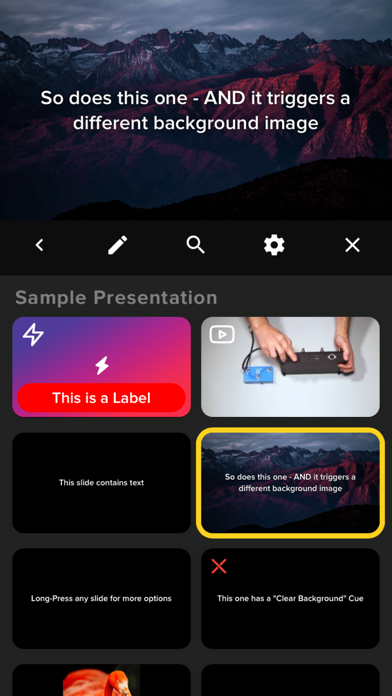

Description by Josiah Oslund Written by the developer, not by AppBrain. Click to read.
- Control your presentation from your iOS device while presenting fullscreen on an attached display/TV/Projector (via an HDMI/VGA adapter or via AirPlay Mirroring). OR go fullscreen on your device for one-on-one presentations
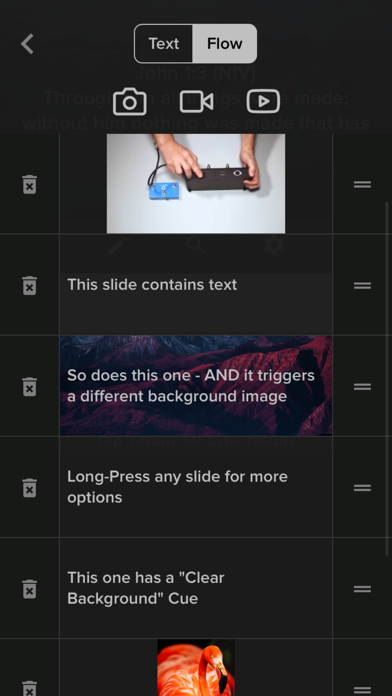
- Non-Linear Control (for when 'Next' and 'Back' aren't enough)
- Organize Presentations into Playlists
- Independent control over Foregrounds and Backgrounds
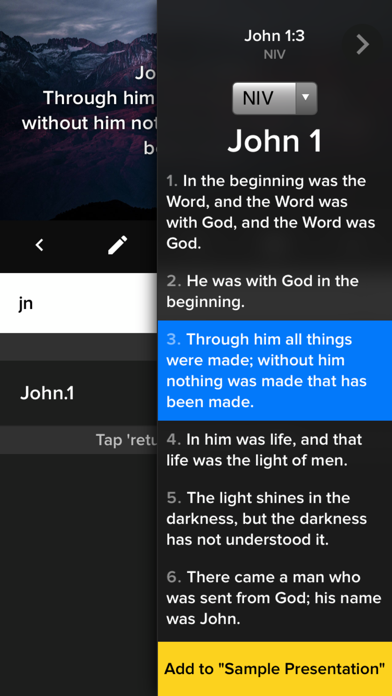
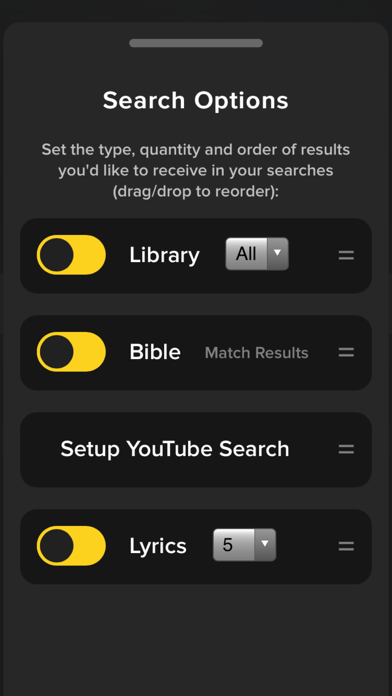
- Search and Import Lyrics and Bible Verses on the fly
- Playback Lyrics/Text, Videos, Images overlayed on background videos/images
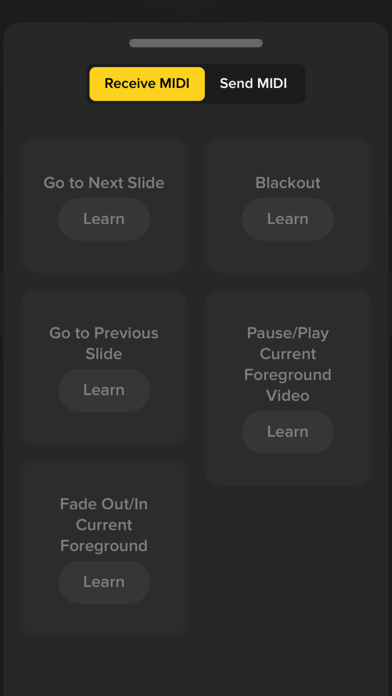
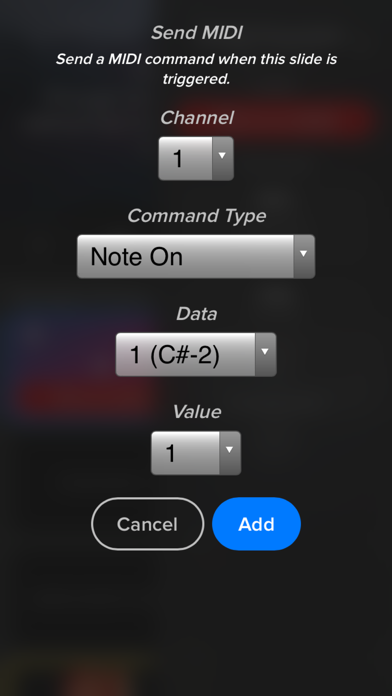
- MIDI I/O: Control your lighting console, trigger slides via Ableton, etc
- OSC (Open Sound Control) Support: Control Slipity via TouchOSC, OSC Pilot, etc.
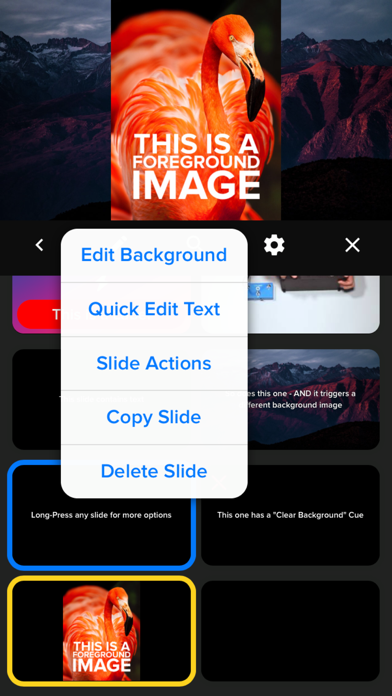
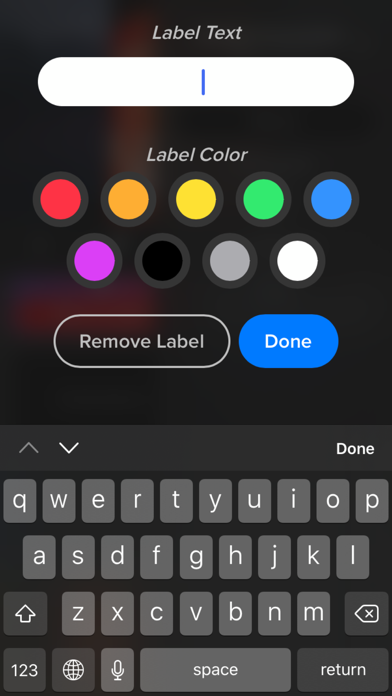
- Attach 'actions' to slides: Labels, MIDI triggers, timers, webhooks (dim the lights in your smarthome via an IFTTT webhook when you trigger a slide in Slipity because, why not?)
- Link your Planning Center account to import Plans
- It's portable! (A multi-media presentation system that probably fits in your pocket)
- It's FREE! Seriously, no ads, no strings attached.
CHURCHES / HOUSES OF WORSHIP:
- Great for Lyric projection during services, Camps, Living Room Worship nights, etc.
- Search and import lyrics and bibles live (on-the-fly) within the app
BANDS:
- Trigger slides/lyrics/media via MIDI from external sources such as Ableton Live or physical MIDI controllers.
- Scale down with minimal equipment
PRODUCTION:
- Automate with MIDI: control your lighting console, trigger IFTTT Webhooks
- Utilize internal timers to trigger a slide at a specific time to keep your program running smoothly
- Stay on budget by using/borrowing iOS devices rather than purchasing or renting expensive equipment