Download Android Apps and Games
AppBrain
  • Apps
  • Apps being viewed right now Trending apps today Most popular apps All-time most downloaded apps Top rated apps
  • Intelligence ▾
    Intelligence overview → Track any Android app or your whole market
    Track & analyze
    Keyword Tracker & OptimizerTrack & improve Play rankings App Performance ReportOne-off PDF for any app StatisticsFree Android & Play market stats
    Promote your app
    Featured Apps App Links
  • Intelligence
  • Pricing
  • Dashboard
  • Sign up
  • Log in
Last updated on: 2026-08-08
App Store Apps > Productivity > Smack P — Save to Pages
Smack P — Save to Pages icon

Smack P — Save to Pages

1.3.1
BLUE STRING COMPANY LLC
1.00
1 reviews
Free
Smack P — Save to Pages Screenshot 1 of 4
Smack P — Save to Pages Screenshot 2 of 4
Smack P — Save to Pages Screenshot 3 of 4
Smack P — Save to Pages Screenshot 4 of 4
Download from the App Store

About Smack P — Save to Pages

Smack P — Save to Pages is an overall app developed by BLUE STRING COMPANY LLC.

How many times has Smack P — Save to Pages been downloaded?

What is the rating of Smack P — Save to Pages?

Smack P — Save to Pages is rated 1.00 out of 5 stars, based on one rating ratings.

Is Smack P — Save to Pages free?

Smack P — Save to Pages is free to download. The APK download size is 895.00 kB. The latest version available is 1.3.1. The last update was on July 14, 2026.

What are the requirements for Smack P — Save to Pages?

The app has a content rating of Everyone. The app has been available on Google Play October 2023.

Description
Smack P helps you organize the web into Pages that are easy to save, search, share, and use again.

Instead of losing useful links across open tabs, old folders, chat messages, documents, and emails, Smack P gives you a visual way to keep important web resources organized around the way you actually work. Create Pages for projects, teams, customers, research, departments, workflows, or personal collections. Save links into the right place, keep them organized, and come back to them whenever you need them.

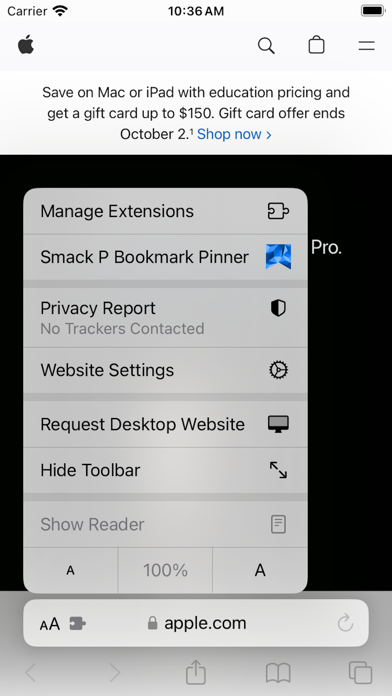
The Smack P browser extension makes saving web resources fast.

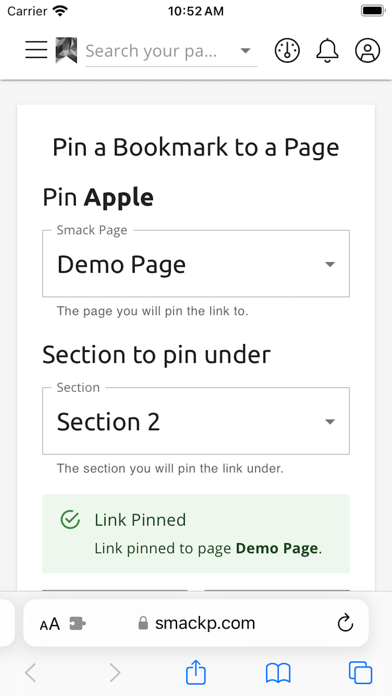
When you find a page you want to keep, click the Smack P button in your browser toolbar, choose where it belongs, and pin it directly into Smack P. The link is added to the selected Page so you can find it later instead of leaving another tab open or dropping another link somewhere you may forget.

You can also save an entire browser window at once. Right-click the Smack P extension button and choose the option to pin all tabs from your current browser window into Smack P. This is especially useful when you are doing research, collecting project resources, gathering customer links, preparing for a task, or cleaning up a browser window full of tabs you do not want to lose.

Smack P is built for individuals, teams, and organizations that need a better way to organize the web.

Use Smack P to:

• Save useful websites directly from your browser
• Pin a single page with the extension button
• Pin all tabs from a browser window into Smack P
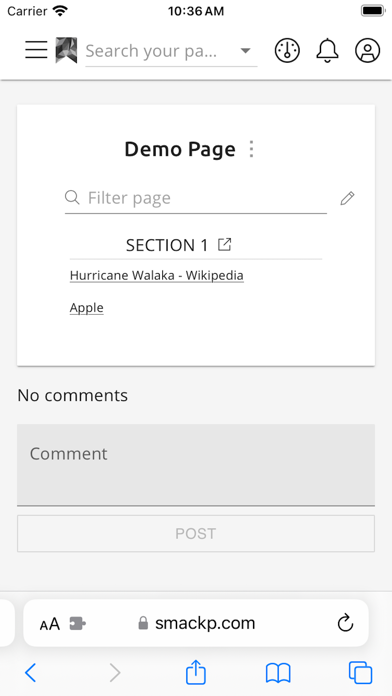
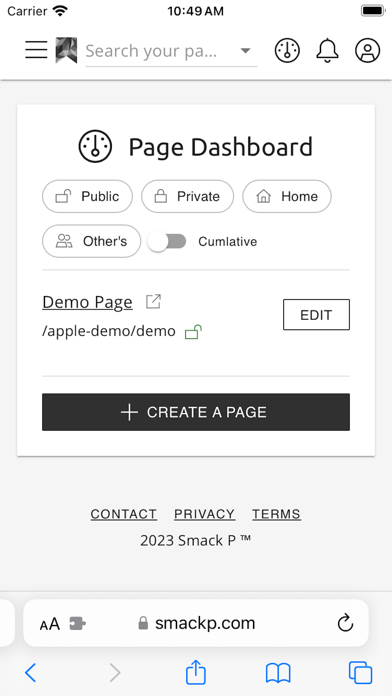
• Organize links into visual Smack P Pages
• Group resources by project, team, customer, workflow, or topic
• Reduce tab clutter without losing important work
• Access saved links across devices
• Share useful collections with the right people
• Keep organization knowledge easier to find
• Use AI-powered discovery features for organization Pages, where available

For organizations, Smack P helps turn saved links into searchable team knowledge. Teams can collect important resources in one place, organize them into shared Pages, and make internal web resources easier to rediscover. Organization features may include AI-powered search, AI summaries, AI tags, and semantic discovery depending on your Smack P plan and organization settings.

The extension is simple by design.

To save one page:

Find a useful web page
Click the Smack P browser button
Choose where to save it
Pin the link to Smack P
Return to it later from your Smack P Pages

To save all tabs in a browser window:

Open the browser window with the tabs you want to save
Right-click the Smack P extension button
Choose the option to pin all tabs
Save the full set into Smack P
Close the tabs without losing the resources

Smack P is for people and teams who constantly say, “I know I found that somewhere.”

Stop letting useful links disappear. Save them into Smack P and turn browser chaos into organized, searchable Pages.
Show more Show less

More data about Smack P — Save to Pages

Price Free to download
Rating 1.00 based on a single rating
Ranking Not ranked
Version 1.3.1
App download size 895.0 KB
Suitable for Everyone

Alternative downloads for the Smack P — Save to Pages app

Bookmark Manager: Save Links icon Bookmark Manager: Save Links
Shahul Hameed
4.0
Free
1 ratings
Tidy Reader icon Tidy Reader
Huck Brock LLC
0.0
Free
ChiaraAI icon ChiaraAI
Nicholas Orji
5.0
Free
3 ratings
Page Org - manage bookmarks icon Page Org - manage bookmarks
Byte Dolphin LLC
5.0
Free
1 ratings
Klinks: File, AI Meeting, Note icon Klinks: File, AI Meeting, Note
SAZAE SOFTWARE TECHNOLOGY JOINT STOCK COMPANY
0.0
Free
Lazy Archive icon Lazy Archive
Jiwon Hong
0.0
Free
Bookmark Edit Share Manager icon Bookmark Edit Share Manager
SHIGETO TAKAGI
0.0
Free
Pinoto - save and organize icon Pinoto - save and organize
Konk Media SRL
5.0
Free
2 ratings

Changelog of Smack P — Save to Pages

No changelog data

Developer information for BLUE STRING COMPANY LLC

BLUE STRING COMPANY LLC

Address:

Share Smack P — Save to Pages

Comments on Smack P — Save to Pages for iOS

We don't have enough comments to show example comments. Please check back later.

App Store Rankings for Smack P — Save to Pages

This app is not ranked

Technologies used by Smack P — Save to Pages

Apps other people are watching Apps on sale Top new apps Today's trending apps Popular Overall
Bookmark Manager: Save Links icon Bookmark Manager: Save Links
Tidy Reader icon Tidy Reader
ChiaraAI icon ChiaraAI
Page Org - manage bookmarks icon Page Org - manage bookmarks
Klinks: File, AI Meeting, Note icon Klinks: File, AI Meeting, Note
Lazy Archive icon Lazy Archive
Bookmark Edit Share Manager icon Bookmark Edit Share Manager
Pinoto - save and organize icon Pinoto - save and organize

Back to top
AppBrain Intelligence premium content

Subscribe now to get full and unlimited access to AppBrain Intelligence. You'll have access to:

  • App Intelligence dashboard (performance timeline, competitor comparison, country rankings, insight cards)
  • Detailed ranking data per app
  • Full timeline per developer
  • Device market shares data per country
  • Unlimited keyword tracking
1 Month

$75/mo
(billed every month)

SAVE 0%
Subscribe
3 Months

$65/mo
($195 billed every 3 months)

SAVE 13%
Subscribe
1 Year

$57.50/mo
($690 billed every year)

SAVE 23%
Subscribe
Each subscription will automatically renew 3 days before the expiration date for the same time period. Subscriptions can be cancelled at any time before the renewal.

AppBrain is a directory focused on discovering great apps and games. We give statistics, rankings and search options that Google Play and the App Store don't have. All trademarks are owned by their respective owners. AppBrain doesn't offer APKs or binaries, and always lets users install the official version from Google Play or the App Store.

More apps

  • Top Android apps being viewed
  • zTranslate: Translate subtitle
  • Lite RSS
  • bnb.build

Android Statistics

  • Android statistics
  • Google Play Developer stats
  • Trending Android Apps
  • Top popular Apps
  • Buy the best Android phone

About AppBrain

  • Contact
  • Privacy
  • Documentation
  • DMCA takedowns
  • Articles
  • Blog
  • Tips to improve your Android promotional campaign
© 2010-2026 - AppBrain