

Smart Car Key
Smart Car Key is made and published by Smart Car Key. AppBrain is an independent app data site and isn't affiliated with Smart Car Key. The app name, icon, screenshots and description belong to Smart Car Key and are shown as published on the App Store.
AppBrain's verdict
Established- Rating on App Store
- 2.57
- 7 ratings
- Last updated
- September 2, 2026
It doesn't have enough ratings yet to judge what users think.
Rankings
App Store top chartsApp Store Rankings for Smart Car Key
Competitors
Similar apps and more from Smart Car KeyAlternatives to Smart Car Key






Releases
Updates seen on the App Store- Version
- 3.1
- Launched
- November 2020
No changelog data
User feedback
Ratings and reviews on the App StoreComments on Smart Car Key for iOS
We don't have enough comments to show example comments. Please check back later.
Technology
Found in the app by AppBrain- Price
- Free
- App size
- 73.6 MB
- Content rating
- Everyone
Technologies used by Smart Car Key
About the app and developer
About Smart Car Key
Smart Car Key is a business app developed by Smart Car Key.
User Ratings
Smart Car Key is rated 2.57 out of 5 stars. The rating is based on 7 ratings.
App Information
Smart Car Key is freely available from the App Store. The app size is 73.60 MB. The latest version available is 3.1. The last update was on September 2, 2026.
Technical Requirements
The app has a content rating of Everyone. The app has been available on the App Store since November 2020.
Developer information for Smart Car Key
Address:
Frequently asked questions about Smart Car Key
Is Smart Car Key free?
Yes. Smart Car Key is free on the App Store.
Is Smart Car Key still available?
Yes. Smart Car Key is on the App Store, and the last update we saw was on September 2, 2026.
How large is Smart Car Key?
Smart Car Key is 73.60 MB.
Is Smart Car Key suitable for children?
App Store rates the content of Smart Car Key as suitable for everyone.
How do people rate Smart Car Key?
Smart Car Key scores 2.57 out of 5 stars, from 7 ratings on the App Store.
Who made Smart Car Key?
Smart Car Key was developed by Smart Car Key. It is listed in the business category on the App Store.
What are the best alternatives to Smart Car Key?
People looking at Smart Car Key also look at these business apps: Car Play Connect. Digital key., RecYourCall: Call Recorder app, Reccall - Phone Call Recorder, IP Home Camera CCTV Viewer, RIDGID Link.
Store listing
By Smart Car Key, from the App Store
Description by Smart Car Key Written by the developer, not by AppBrain. Click to read.
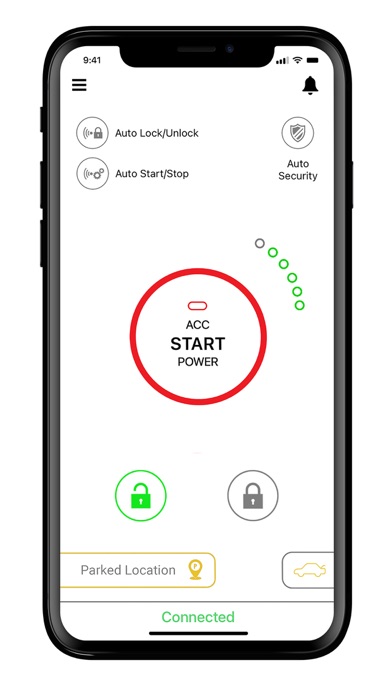
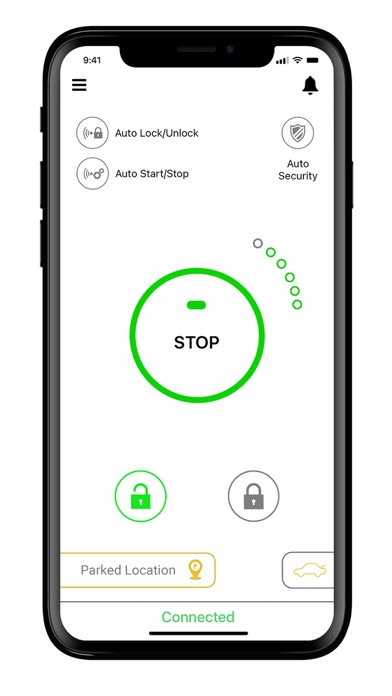
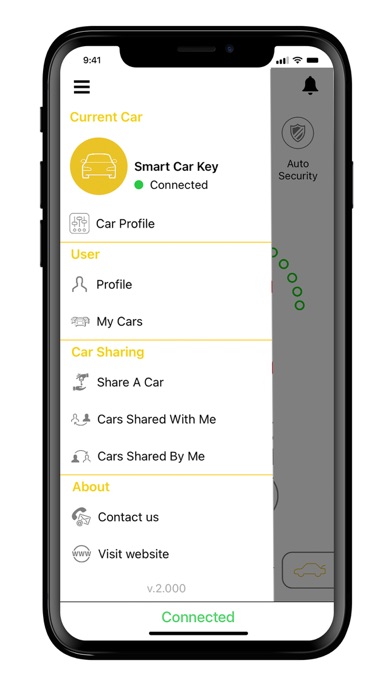
- Lock/ Unlock
- Start/ Stop
- Remote start
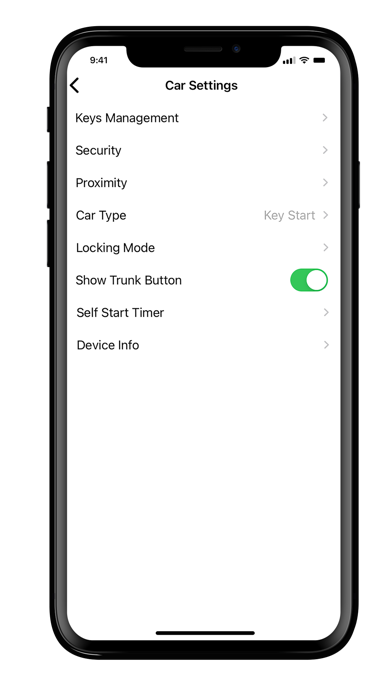
- Unlock Trunk
- Last parked location
- Auto security
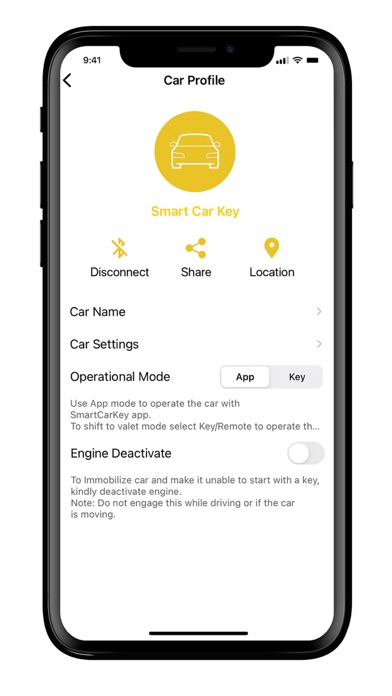
- Engine deactivate
- Car sharing
Your car can now become smart... and use a digital car key!!!
Using Bluetooth technology to wirelessly send data to the car, drivers also have the option to turn on the auto-lock/unlock and the auto start/stop option and won’t even need to remove the phone from their bag or pocket to start the car. Once the driver is within range the door automatically unlocks and then the vehicle automatically starts, just put it into gear, and away you go.
Forgot whether you locked your car? No problem! The auto security feature automatically locks the car for you when you move a certain distance away from the car ensuring your car is always secure
Another great feature of SmartCarKey is the ‘last parked location’. This feature allows you to use the map on your phone to locate where you parked the car last and allows you to navigate to it quickly and easily. Never lose your car again.
Owners can share the Smart Key to family and friends via the app from anywhere in the world allowing them to use the car. The owner can also include time limits on how long the users can operate the vehicle.
Fleet owners can also use smartcarkey to their advantage. Our sharing platform allows operators to send out multiple digital keys to multiple drivers for designated time slots and also set time limits ensuring maximum utilization of the fleet.
Follow these three steps to get your car converted to use a smart digital key
1. Download the SmartCarKey App
2. Get the SmartCarKey device installed in your vehicle
3. Set up your account, leave your keys at home and start using a digital car key.
You don't have to have the latest car to have the latest technology!!!!!