

Smart Manager Global
Smart Manager Global is made and published by CREVERSE, Inc. AppBrain is an independent app data site and isn't affiliated with CREVERSE, Inc. The app name, icon, screenshots and description belong to CREVERSE, Inc. and are shown as published on the App Store.
AppBrain's verdict
Established- Rating on App Store
- 2.00
- 1 ratings
- Last updated
- October 26, 2026
It doesn't have enough ratings yet to judge what users think.
Rankings
App Store top chartsApp Store Rankings for Smart Manager Global
Competitors
Similar apps and more from CREVERSE, Inc.







Releases
Updates seen on the App Store- Version
- 1.5.1
- Launched
- March 2020
No changelog data
User feedback
Ratings and reviews on the App StoreComments on Smart Manager Global for iOS
We don't have enough comments to show example comments. Please check back later.
Technology
Found in the app by AppBrain- Price
- Free
- App size
- 121.6 MB
- Content rating
- Everyone
Technologies used by Smart Manager Global
About the app and developer
About Smart Manager Global
Smart Manager Global is an education app developed by CREVERSE, Inc.
User Ratings
Smart Manager Global is rated 2.00 out of 5 stars. The rating is based on one rating ratings.
App Information
Smart Manager Global is freely available from the App Store. The app size is 121.60 MB. The latest version available is 1.5.1. The last update was on October 26, 2026.
Technical Requirements
The app has a content rating of Everyone. The app has been available on the App Store since March 2020.
Developer information for CREVERSE, Inc.
Address:
Store listing
By CREVERSE, Inc., from the App Store
Description by CREVERSE, Inc. Written by the developer, not by AppBrain. Click to read.
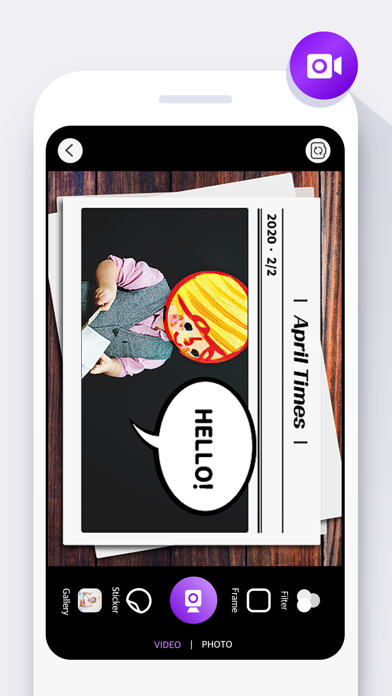
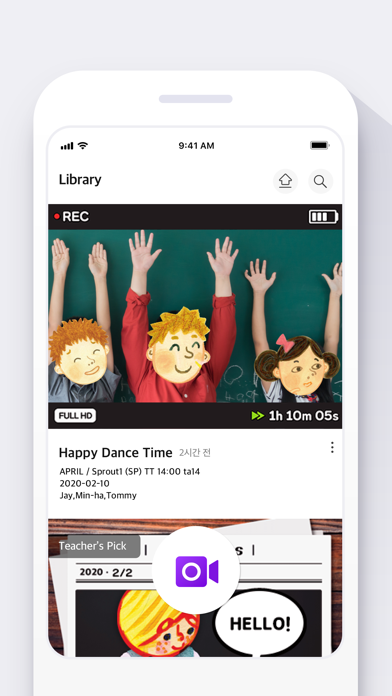
Smart Manager applies AR stickers, filters, and frame functions to take, edit, and upload project class videos and activity pictures.
* Stickers : AR Face Recognition Decal Based on Character in Textbook
* Frame : Various frames by Presentation theme
* Filter : Color and subtitle filter functions
▶ Access Permissions
Please note that access permissions are needed to use the app.
Optional permissions required when using functions, however the app can be used without access.
[Required Access Permissions]
- Device and app history: Accessed to check app version
- Communication record and WIFI connection: Accessed to optimize app use and check network
[Optional Access Permissions]
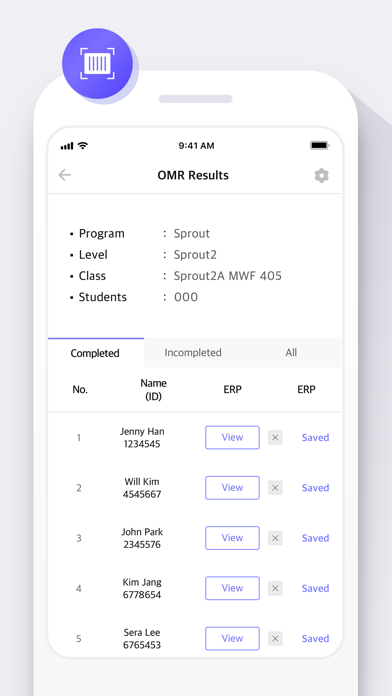
- Camera : Enables picture, OMR card recognition
- Gallery : Allows access photos, media and files
- Microphone: Enables voice recognition function
* Permissions in device settings > Privacy > Permissions can be adjusted in Settings.