Smart Printer App- iPrint Scan is made and published by
Ali Haider Khan.
AppBrain is an independent app data site and isn't affiliated with Ali Haider Khan.
The app name, icon, screenshots and description belong to Ali Haider Khan and are shown as
published on the App Store.
About Smart Printer App- iPrint Scan
Smart Printer App- iPrint Scan is a business app developed by Ali Haider Khan.
User Ratings
The app has no ratings yet.
App Information
Smart Printer App- iPrint Scan is freely available from the App Store. The app size is 9.47 MB. The latest version available is 1.2. The last update was on August 17, 2026.
Technical Requirements
The app has a content rating of Low Maturity. The app has been available on the App Store since August 2026.
Description by Ali Haider Khan(from the App Store)
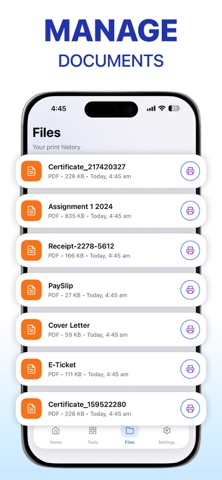
Smart Printer App & Scanner PDF Docs and Images. Smart Printer App that makes printing, PDF editing, document signing, and file management simple on your iPhone and iPad. Print documents, photos, webpages, emails, and more in just a few taps all from one powerful app. Whether you're at home, in the office, or on the go, Printer App gives you the tools to print and manage documents quickly and effortlessly.
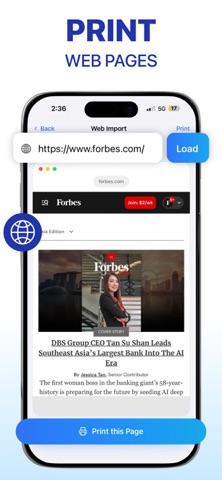
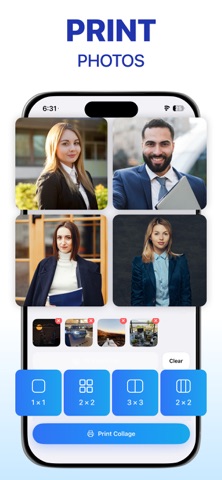
Smart Printing Made Easy Print PDF documents Print photos and images Print webpages from any URL Print notes and text files Print directly from iCloud Drive Customize paper size, orientation, layout, and copy count Works seamlessly with AirPrint-compatible printers for fast and reliable printing.
Powerful PDF Editor Manage your PDF files with professional tools: Merge PDF files Split PDF documents Rearrange and delete pages Convert images to PDF Export PDF pages as images Password-protect PDFs Unlock PDFs when authorized
Sign PDF Documents Add your digital signature to contracts, forms, invoices, and agreements. Sign and share documents without printing or scanning.
OCR Text Recognition Extract editable text from: Receipts Printed documents Handwritten notes Business cards Photos and screenshots Edit, copy, save, or print recognized text with built-in OCR technology. More Printing Features Photo collage printing Label printing Mirror image printing Print webpages Print plain text Print files from iCloud Drive
Why Choose Smart Printer? Smart Printer App for iPhone and iPad Fast, simple, and intuitive Powerful PDF editor Digital document signing OCR text recognition Secure PDF management
Ideal for students, professionals, businesses, and families Whether you're printing school assignments, signing contracts, organizing documents, or editing PDFs, Prynto helps you get the job done quickly and efficiently. Download Smart Printer today and experience a smarter way to print, edit PDFs, sign documents, and manage your files all in one Smart Printer App.
Subscription Information Payment will be charged to your Apple Account when your purchase is confirmed.
Your subscription renews automatically unless auto-renew is turned off at least 24 hours before the end of the current billing period. Your account will be charged for renewal within 24 hours before the current subscription period ends.
You can manage your subscription or turn off auto-renew at any time by going to Settings > Apple ID > Subscriptions after purchase.
For more information, please review our Terms of Service and Privacy Policy.
Privacy Policy https://sites.google.com/view/printoraa/privacy-policy Terms of Service https://sites.google.com/view/printoraa/terms-conditions
Each subscription will automatically renew 3 days before the expiration date for
the same time period. Subscriptions can be cancelled at any time before the renewal.