



AppBrain's verdict
- Rating on App Store
- 4.83
- 6 ratings
- Last updated
- September 15, 2026
- Size
- 22.2 MB
It doesn't have enough ratings yet to judge what users think.
User feedback
Ratings and reviews on the App StoreComments on Smart Printer App Print, Scan for iOS
We don't have enough comments to show example comments. Please check back later.
Store listing
By Faisal Mehmood, from the App StoreDescription by Faisal Mehmood Written by the developer, not by AppBrain. Click to read.
To use a PDF printer, you will need a PDF printer driver installed on your computer. Some popular PDF printer drivers include Adobe Acrobat, Bullzip PDF Printer, and CutePDF Writer.
Here are the general steps to print a document to a PDF using a PDF printer:
Open the document you want to convert to PDF in the application it was created in (e.g., Microsoft Word, Excel, etc.).
Click the "File" menu and select "Print" or use the keyboard shortcut Ctrl+P (on Windows) or Command+P (on Mac).
In the "Print" dialog box, select the PDF printer from the list of available printers.
Click the "Print" button to create the PDF file.
Depending on the PDF printer driver you are using, you may have additional options for customizing the PDF file, such as setting the page size, adding passwords, and adding watermarks. Consult the documentation for your PDF printer driver for more information.
Note:
Payment will be charged to your iTunes account at confirmation of purchase. Your subscription will automatically renew unless auto-renew is turned off at least 24-hours before the end of the current subscription period. Your account will be charged for renewal within 24-hours prior to the end of the current subscription period. Automatic renewals will cost the same price you were originally charged for the subscription. You can manage your subscriptions and turn off auto-renewal by going to your Account Settings on the App Store after purchase. Read our terms of service and Privacy Policy for more information.
Privacy Policy:
https://sites.google.com/view/smartaiapps/privacy-policy
Terms and Conditions:
https://sites.google.com/view/smartaiapps/terms-conditions
Safety and technology
Found in the app by AppBrain- Price
- Free
- App size
- 22.2 MB
- Content rating
- Everyone
Technologies used by Smart Printer App Print, Scan
Releases
Updates seen on the App Store- Version
- 3.3
- Launched
- January 2023
No changelog data
Alternatives
Similar apps and more from Faisal MehmoodAlternatives to Smart Printer App Print, Scan






More from Faisal Mehmood




Rankings
App Store top chartsApp Store Rankings for Smart Printer App Print, Scan
About the app and developer
About Smart Printer App Print, Scan
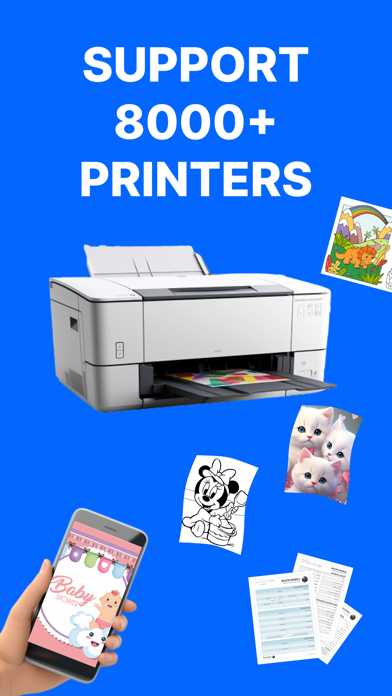
Smart Printer App Print, Scan is a productivity app developed by Faisal Mehmood.
What is the rating of Smart Printer App Print, Scan?
Smart Printer App Print, Scan is rated 4.83 out of 5 stars, based on 6 ratings.
Is Smart Printer App Print, Scan free?
Smart Printer App Print, Scan is free. The app size is 22.19 MB. The latest version available is 3.3. The last update was on September 15, 2026.
What are the requirements for Smart Printer App Print, Scan?
The app has a content rating of Everyone. The app has been available on the App Store since January 2023.
Smart Printer App Print, Scan is made and published by Faisal Mehmood. AppBrain is an independent app data site and isn't affiliated with Faisal Mehmood. The app name, icon, screenshots and description belong to Faisal Mehmood and are shown as published on the App Store.
Developer information for Faisal Mehmood
Address:
Frequently asked questions about Smart Printer App Print, Scan
Is Smart Printer App Print, Scan free?
Yes. Smart Printer App Print, Scan is free on the App Store.
Is Smart Printer App Print, Scan still available?
Yes. Smart Printer App Print, Scan is on the App Store, and the last update we saw was on September 15, 2026.
How large is Smart Printer App Print, Scan?
Smart Printer App Print, Scan is 22.19 MB.
Is Smart Printer App Print, Scan suitable for children?
App Store rates the content of Smart Printer App Print, Scan as suitable for everyone.
How do people rate Smart Printer App Print, Scan?
Smart Printer App Print, Scan scores 4.83 out of 5 stars, from 6 ratings on the App Store.
Who made Smart Printer App Print, Scan?
Smart Printer App Print, Scan was developed by Faisal Mehmood. It is listed in the productivity category on the App Store.
What are the best alternatives to Smart Printer App Print, Scan?
People looking at Smart Printer App Print, Scan also look at these productivity apps: Print&Scan: Printer & Scanner, Tiny Printer: Print & Scan, GGlabel, PrintGo, MyLabel.