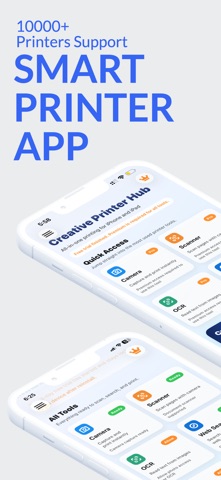
Smart Printer App: Scan iPrint is an overall app developed by Bushra Asif.
How many times has Smart Printer App: Scan iPrint been downloaded?
What is the rating of Smart Printer App: Scan iPrint?
Smart Printer App: Scan iPrint is rated 5.00 out of 5 stars, based on one rating ratings.
Is Smart Printer App: Scan iPrint free?
Smart Printer App: Scan iPrint is free to download. The APK download size is 3.78 MB. The latest version available is 1.3.8. The last update was on September 5, 2026.
What are the requirements for Smart Printer App: Scan iPrint?
The app has a content rating of Everyone. The app has been available on Google Play April 2026.
Description
Smart Printer App: Scan iPrint — App Store Description (en-US) Print documents, photos, PDFs, and web pages straight from your iPhone or iPad — no computer required. iPrint turns your phone into a portable scanner and wireless print station, so paperwork never has to slow you down.
Whether you're finishing homework, managing receipts for a small business, or printing a boarding pass on your way out the door, iPrint gets it done in a few taps using any AirPrint-compatible printer on your Wi-Fi network.
Key Features
Print PDFs, documents, and photos wirelessly Print emails, web pages, and file attachments Fast document scanner — snap a photo, get a clean digital file OCR text recognition — pull editable text out of any scan Convert scanned pages into searchable, editable PDFs Save, rename, and organize documents right in the app Scan receipts, invoices, ID cards, and handwritten notes High-quality, multi-page PDF scanning with auto-crop and enhance Works with AirPrint-compatible printers — no extra drivers or setup
Why iPrint Most printer apps only work with one brand. iPrint is built to work across brands and models, so you're not locked into a single manufacturer's ecosystem. Connect over Wi-Fi and you're printing in seconds — no cables, no CDs, no complicated setup screens.
Built for Real Life
Students — print assignments, scan handouts, and turn lecture notes into text Freelancers & small business owners — scan and organize receipts, invoices, and contracts on the go Remote workers — print forms and documents without leaving your desk Families — digitize school forms, mail, and important paperwork before it piles up
Smart Document Scanner Point your camera at any paper document and iPrint automatically detects the edges, corrects the angle, and produces a crisp, ready-to-share PDF. Multi-page scans are combined into a single file, so a whole folder of paperwork becomes one clean document.
OCR That Actually Saves You Time No more retyping. iPrint's OCR reads the text in your scans and photos and turns it into text you can copy, search, and edit — perfect for pulling numbers off a receipt or turning a printed article into an editable note.
Download iPrint for free today and see how much time you save on everyday printing and scanning.
Note
Subscription Information iPrint is free to download. Premium features — including advanced printing, unlimited scanning, and full OCR functionality — are available through an auto-renewing subscription. Payment will be charged to your Apple ID account at confirmation of purchase. Your subscription automatically renews unless it is cancelled at least 24 hours before the end of the current billing period. Your account will be charged for renewal within 24 hours prior to the end of the current period. You can manage or cancel your subscription anytime in your Apple ID account settings after purchase.
Each subscription will automatically renew 3 days before the expiration date for
the same time period. Subscriptions can be cancelled at any time before the renewal.