Smart Printer is made and published by 燕萍 李. AppBrain is an independent app data site and isn't affiliated with 燕萍 李. The app name, icon, screenshots and description belong to 燕萍 李 and are shown as published on the App Store.
AppBrain's verdict
- Last updated
- September 3, 2024
Rankings
App Store top chartsApp Store Rankings for Smart Printer
Competitors
Similar apps and more from 燕萍 李Alternatives to Smart Printer
More from 燕萍 李

Releases
Updates seen on the App Store- Version
- 2.3.6
- Launched
- November 2020
No changelog data
User feedback
Ratings and reviews on the App StoreComments on Smart Printer for iOS
We don't have enough comments to show example comments. Please check back later.
Technology
Found in the app by AppBrain- Price
- Free
- App size
- 120.3 MB
- Content rating
- Everyone
Technologies used by Smart Printer
About the app and developer
About Smart Printer
Smart Printer is an utilities app developed by 燕萍 李.
User Ratings
The app has no ratings yet.
App Information
Smart Printer is freely available from the App Store. The app size is 120.33 MB. The latest version available is 2.3.6. The last update was on September 3, 2024.
Technical Requirements
The app has a content rating of Everyone. The app has been available on the App Store since November 2020.
Developer information for 燕萍 李
Address:
Store listing
By 燕萍 李, from the App StoreDescription by 燕萍 李 Written by the developer, not by AppBrain. Click to read.
【简介说明】:
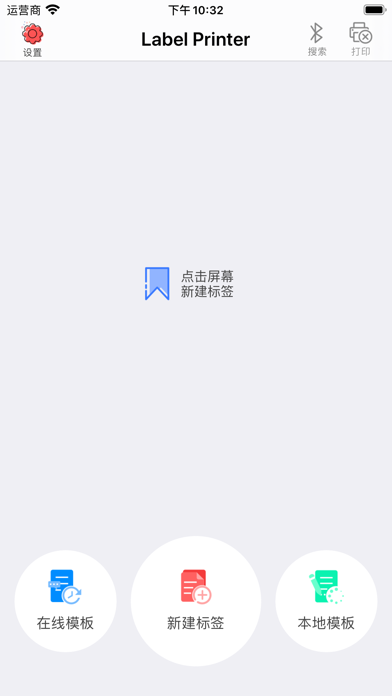
标签打印智能化,操作便单,支持蓝牙连接,支持多样字体,支持图片,快速打印,稳定输出。
【功能说明】:
1、极速蓝牙打印:通过BLE蓝牙连接,我们一秒左右连接好打印机,并实现不间断连续打印;
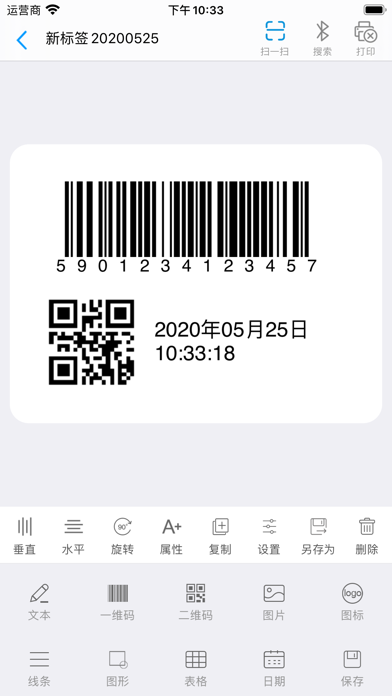
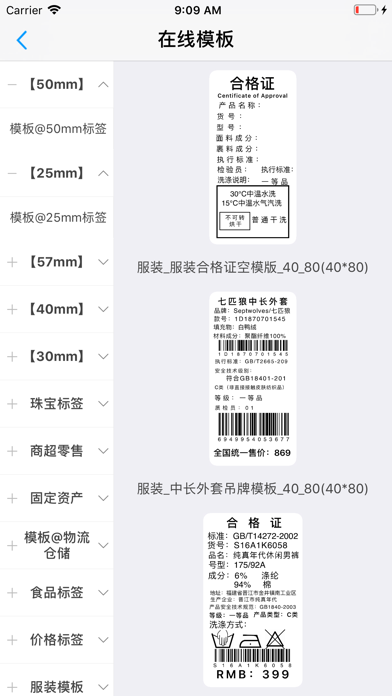
2、自创标签:创作专属您的标签样式,不论大小方向,还是背景图片,都可任您选择,不论是文字数字、还是条码图形,全都依你所想;
3、支持各种对齐方式: 居中对齐、左对齐、右对齐,想怎么对就怎么对。
4、递变数据:还在为页码这种12345 的打印而烦恼吗,我们提供设置递增/递减量,实现数据自动递变,节约工作时间;
5、文本格式多:不仅可以设置字体样式、大小,还可以设置粗体、斜体、下划线、删除线、字间距、行间距、自动换行等多种格式……满足您对文字的各种要求;
6、图片模式多:一张背景图片,就能让便签生动起来。还提供了彩色、灰度、黑白、半色调四种模式可供您选择;
7、图形样式多:线条、矩形、圆角矩形、椭圆、正圆……多种类图形样式任您选择;
8、条码多样化:ITF25、Code128、Code39等等等等 支持近百种格式。另二维码的纠错级别、空白区域也由您来做主;
【技术支持】:http://www.asia-printer.com