

Smart Shuffle
Smart Shuffle is made and published by Spudfish Software. AppBrain is an independent app data site and isn't affiliated with Spudfish Software. The app name, icon, screenshots and description belong to Spudfish Software and are shown as published on the App Store.
AppBrain's verdict
Established- Best rank
- #75
- Top Paid, United Kingdom
- Rating on App Store
- 3.81
- 36 ratings
- Last updated
- January 9, 2026
It doesn't have enough ratings yet to judge what users think. Its best ranking is #75 in Top Paid, Music in United Kingdom.
Rankings
App Store top charts- Highest rank
- #75
- Chart
- Top Paid
- Music
- Country
- United Kingdom
App Store Rankings for Smart Shuffle
Top rankings
| Rank | Country | Category | List |
|---|---|---|---|
| 84 | Japan | Music | Top Paid |
| 75 | United Kingdom | Music | Top Paid |
Ranking history in Japan
Competitors
Similar apps and more from Spudfish SoftwareAlternatives to Smart Shuffle








Releases
Updates seen on the App Store- Version
- 4.6
- Launched
- before 2010
No changelog data
User feedback
Ratings and reviews on the App StoreComments on Smart Shuffle for iOS
We don't have enough comments to show example comments. Please check back later.
Technology
Found in the app by AppBrain- Price
- $1.99
- App size
- 16.5 MB
- Content rating
- Everyone
Technologies used by Smart Shuffle
About the app and developer
About Smart Shuffle
Smart Shuffle is a music app developed by Spudfish Software.
What is the rating of Smart Shuffle?
Smart Shuffle is rated 3.81 out of 5 stars, based on 36 ratings.
Is Smart Shuffle free?
Smart Shuffle costs $1.99. The app size is 16.49 MB. The latest version available is 4.6. The last update was on January 9, 2026.
What are the requirements for Smart Shuffle?
The app has a content rating of Everyone. The app has been available on the App Store since before 2010.
Developer information for Spudfish Software
Address:
Frequently asked questions about Smart Shuffle
Is Smart Shuffle free?
No. Smart Shuffle costs $1.99 on the App Store.
Is Smart Shuffle still available?
Yes. Smart Shuffle is on the App Store, and the last update we saw was on January 9, 2026.
How large is Smart Shuffle?
Smart Shuffle is 16.49 MB.
Is Smart Shuffle suitable for children?
App Store rates the content of Smart Shuffle as suitable for everyone.
How do people rate Smart Shuffle?
Smart Shuffle scores 3.81 out of 5 stars, from 36 ratings on the App Store.
Who made Smart Shuffle?
Smart Shuffle was developed by Spudfish Software. It is listed in the music category on the App Store.
What are the best alternatives to Smart Shuffle?
People looking at Smart Shuffle also look at these music apps: Platinum Album Music Player, iana – Album Shuffle, My Shuffler, Picky Music Player, Shuff for Apple Music.
Store listing
By Spudfish Software, from the App Store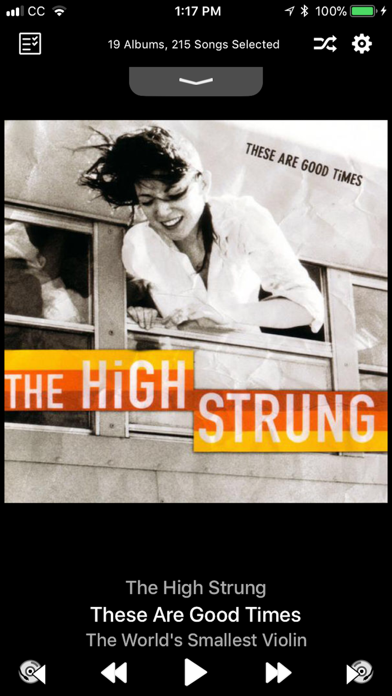
Description by Spudfish Software Written by the developer, not by AppBrain. Click to read.
Smart Shuffle: The Album-Centric Music Player
Smart Shuffle brings album shuffle back to you, randomly shuffling your music and playing it back one album at a time with songs selected in the order that the artist intended. If you love albums, Smart Shuffle is the only music player you need!
Version 4.0 also includes a host of new features to help you further take charge of your album collection!
CARPLAY COMPATIBLE!!!
- Tell Smart Shuffle to re-shuffle, play next album, play previous album, or view the next albums in your queue from our new CarPlay interface!
SIRI SHORTCUTS
- train Siri to tell Smart Shuffle to Shuffle Albums, Play Next Album or Play Previous Album
PLAY ALBUMS FROM THE CLOUD
- Smart Shuffle can now access your albums in the cloud, seamlessly adding them to your selection list. Have a bad data plan or spotty internet connectivity? Just turn off this feature from the Settings app for Smart Shuffle.
ENHANCED ALBUM SELECTION
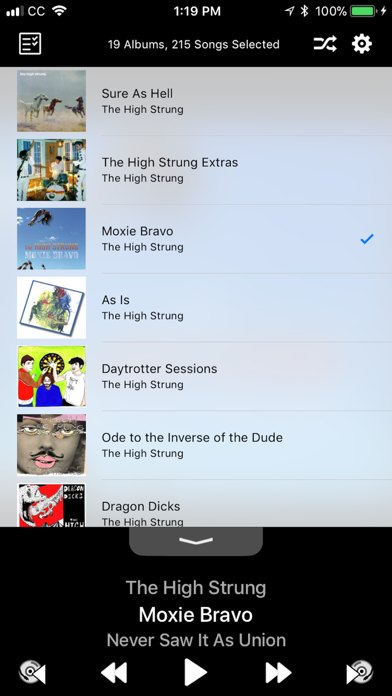
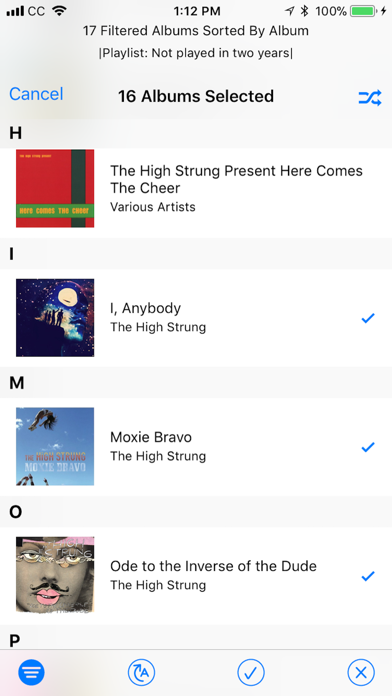
- Sort your albums by Title, Artist, Genre, Composer, or Release Date
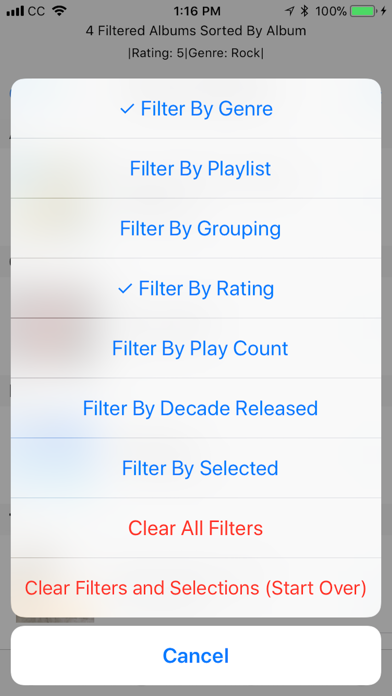
- Filter the selection list to refine your selections. You can create an album playlist to match your mood by filtering on any combination of:
- Artist
- Genre
- Grouping
- Composer
- Rating
- Play Count
- Date Added
- Decade Released
- Minimum Song Count
- Inclusion in one of your Playlists
- Cloud Availability
- Filter by Selected to see only the albums you have currently selected for shuffling, or those that you haven't selected yet.
- Start Album: Select the first album to play, then pick random albums thereafter.
- Split Multi-Disc Albums: treat each volume of a multi-disc set individually
APPLE WATCH INTERFACE
- Control the playback of your album selections on your Apple Watch. Play or pause the current album, skip to the next album, or re-play the previous album.
SLEEP MODE
- Touch and hold the play/pause button for a second to request Sleep Mode
- Smart Shuffle will automatically pause after 30 minutes, an hour, or after the current album. You'll get lulled to sleep listening to your favorite albums without missing a bunch of them while asleep!
ANNOUNCEMENT AND DELAY
- Smart Shuffle now comes with settings to announce each new album before it is played, and to delay for up to 30 seconds between albums to let you cleanse your musical palate.
RESPONSIVE TO TOUCH EVENTS
- Double tap the screen to play/pause music
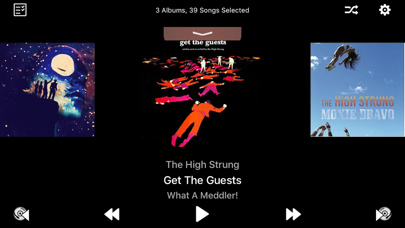
- Swipe left/right on the album art to skip to the next/previous album
- Swipe left/right on the now playing information to skip to the next/previous song
- Swipe down in the pull-tab to show your entire shuffled album queue. Swipe up to view the currently playing album art.
- Touch the progress bar to change songs
- Touch the time remaining to show the time of day that the currently playing album will end. Touch again to return to time remaining.
- Touch and hold the progress bar to get a list of songs to choose from
- From the Selection Screen, touch and hold an album to play it first in your shuffled list
REMOTE CONTROL EVENTS
- In addition to the usual remote control events (play/pause, next song, previous song), Smart Shuffle can now skip to the next/previous album using the "skimming" remote control events. Double-click and hold the remote control on headphones, or touch and hold the forward arrow on the remote control panel on your lock screen.
If you quit the application, your music keeps playing. Open the Music app, and your Smart Shuffle mix is retained. Pop right back into Smart Shuffle to skip albums or select new albums to mix.
Happy Shuffling!
See our website for additional information, FAQ's and contact us to report bugs or request new features.
http://spudfish.com/smartshuffle