

Smart Tools!
Smart Tools! is made and published by VENUSAPPS PRIVATE LIMITED. AppBrain is an independent app data site and isn't affiliated with VENUSAPPS PRIVATE LIMITED. The app name, icon, screenshots and description belong to VENUSAPPS PRIVATE LIMITED and are shown as published on the App Store.
AppBrain's verdict
- Last updated
- October 19, 2026
Rankings
App Store top chartsApp Store Rankings for Smart Tools!
Competitors
Similar apps and more from VENUSAPPS PRIVATE LIMITED


Releases
Updates seen on the App Store- Version
- 1.0.11
- Launched
- July 2026
No changelog data
User feedback
Ratings and reviews on the App StoreComments on Smart Tools! for iOS
We don't have enough comments to show example comments. Please check back later.
Technology
Found in the app by AppBrain- Price
- Free
- App size
- 76.5 MB
- Content rating
- Everyone
Technologies used by Smart Tools!
About the app and developer
About Smart Tools!
Smart Tools! is an utilities app developed by VENUSAPPS PRIVATE LIMITED.
What is the rating of Smart Tools!?
Smart Tools! has no ratings yet.
Is Smart Tools! free?
Smart Tools! is free. The app size is 76.45 MB. The latest version available is 1.0.11. The last update was on October 19, 2026.
What are the requirements for Smart Tools!?
The app has a content rating of Everyone. The app has been available on the App Store since July 2026.
Developer information for VENUSAPPS PRIVATE LIMITED
Address:
Store listing
By VENUSAPPS PRIVATE LIMITED, from the App Store



Description by VENUSAPPS PRIVATE LIMITED Written by the developer, not by AppBrain. Click to read.
Built for contractors, tradespeople, DIY homeowners, and anyone who works with their hands, Smart Tools combines leveling, outdoor navigation, measurement, construction math, and sensor tools in a single toolkit you can carry in your pocket.
What you can do with Smart Tools
• Level surfaces with a responsive bubble level and angle readout
• Find direction with a digital compass and declination support
• View GPS coordinates, altitude, and speed for outdoor work
• Measure with an on-screen ruler in metric and imperial units
• Estimate real-world distance and height using AR surface detection
• Check angles with a sensor-based and camera protractor
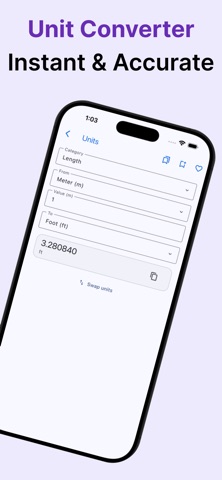
• Convert length, area, volume, mass, pressure, and speed units
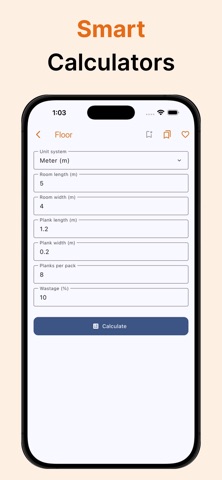
• Calculate paint, tile, flooring, concrete, and pipe quantities
• Read sound levels, light intensity, magnetic fields, and vibration
• Save favorites and search tools quickly from the home screen
• Switch between light, dark, and system appearance
• Calibrate sensor tools and reset calibration when needed
Designed for real-world use
Smart Tools is made for practical tasks: leveling a shelf, checking a wall angle, confirming coordinates on site, estimating how much paint or tile you need, or taking a quick sound or light reading. Tools are organized by category so you can open what you need in seconds.
AR measurement tools use your device camera to detect surfaces and estimate distance and height in the environment around you. Sensor tools use your phone’s built-in hardware to display live readings on screen. Construction calculators help you plan material quantities with clear inputs and useful results you can share.
Privacy and your data
No account is required. Measurements, calculator entries, favorites, and settings are stored locally on your device. Smart Tools requests camera, location, microphone, and motion permissions only when a specific tool needs them. You can manage permissions anytime in iOS Settings.
Smart Tools is free to download and supported by ads. We do not require you to create a profile or sign in to use the app.
Download Smart Tools today and keep leveling, measuring, calculating, and sensing tools ready whenever you need them.