

Smart TV Cast & Mirroring
Smart TV Cast & Mirroring is made and published by Sandy Radadiya. AppBrain is an independent app data site and isn't affiliated with Sandy Radadiya. The app name, icon, screenshots and description belong to Sandy Radadiya and are shown as published on the App Store.
AppBrain's verdict
- Last updated
- May 27, 2026
Rankings
App Store top chartsApp Store Rankings for Smart TV Cast & Mirroring
Competitors
Similar apps and more from Sandy RadadiyaAlternatives to Smart TV Cast & Mirroring






More from Sandy Radadiya


Releases
Updates seen on the App Store- Version
- 1.1
- Launched
- April 2026
No changelog data
User feedback
Ratings and reviews on the App StoreComments on Smart TV Cast & Mirroring for iOS
We don't have enough comments to show example comments. Please check back later.
Technology
Found in the app by AppBrain- Price
- Free
- App size
- 263.5 MB
- Content rating
- Everyone
Technologies used by Smart TV Cast & Mirroring
About the app and developer
About Smart TV Cast & Mirroring
Smart TV Cast & Mirroring is an utilities app developed by Sandy Radadiya.
What is the rating of Smart TV Cast & Mirroring?
Smart TV Cast & Mirroring has no ratings yet.
Is Smart TV Cast & Mirroring free?
Smart TV Cast & Mirroring is free. The app size is 263.46 MB. The latest version available is 1.1. The last update was on May 27, 2026.
What are the requirements for Smart TV Cast & Mirroring?
The app has a content rating of Everyone. The app has been available on the App Store since April 2026.
Developer information for Sandy Radadiya
Address:
Frequently asked questions about Smart TV Cast & Mirroring
Is Smart TV Cast & Mirroring free?
Yes. Smart TV Cast & Mirroring is free on the App Store.
Is Smart TV Cast & Mirroring still available?
Yes. Smart TV Cast & Mirroring is on the App Store, and the last update we saw was on May 27, 2026.
How large is Smart TV Cast & Mirroring?
Smart TV Cast & Mirroring is 263.46 MB.
Is Smart TV Cast & Mirroring suitable for children?
App Store rates the content of Smart TV Cast & Mirroring as suitable for everyone.
Who made Smart TV Cast & Mirroring?
Smart TV Cast & Mirroring was developed by Sandy Radadiya. It is listed in the utilities category on the App Store.
What are the best alternatives to Smart TV Cast & Mirroring?
People looking at Smart TV Cast & Mirroring also look at these utilities apps: Moon Phases: Lunar Tracker, Calculator : personalized Calc, Simple TV Remote, Phone Finder By Clap Shortcut, PureWatermark: Photo Protect.
Store listing
By Sandy Radadiya, from the App Store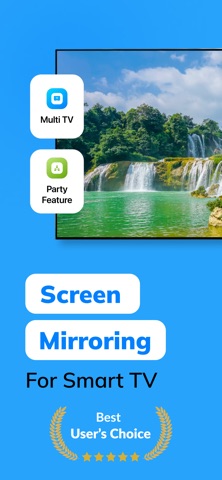



Description by Sandy Radadiya Written by the developer, not by AppBrain. Click to read.
Enjoy seamless screen mirroring for Smart TVs anytime, anywhere. Stream movies, cast videos, share presentations, and enjoy wireless entertainment directly from your iPhone or iPad.
Whether you want to upgrade your family movie nights, share holiday memories, present classroom presentations, or stream web content wirelessly, Smart TV Cast & Mirroring makes wireless TV connection fast, simple, and reliable.
Why Users Love Smart TV Cast & Mirroring:
• Fast wireless Screen Mirroring with smooth real-time streaming
Mirror your iPhone or iPad screen in real time with stable performance and low latency. Perfect for daily streaming of mobile apps, mobile gaming, online classes, and live demos.
• HD Video & Photo Cast to TV
Easily cast local videos and photo albums from your camera roll to your Smart TV. Relive your favorite memories on the big screen with smooth HD playback—ideal for family photo sharing.
• YouTube Cast Support
Stream YouTube videos directly to your TV for a better viewing experience. Watch content comfortably on a larger screen with easy in-app playback controls during your weekend entertainment.
• Advanced Multi-TV Casting
Go beyond single-screen casting! Connect and cast media to multiple compatible Smart TVs at the same time—perfect for home parties, family gatherings, or multi-room setups.
• PDF & Document Presenter
Access and present PDFs, files, and spreadsheets directly on your TV screen. Upgrade your workflow for business presentations, office work, classrooms, and study sessions.
• Real-Time Live Camera Casting
Turn your phone into a live camera stream and display it instantly on your TV screen. Perfect for interactive tutorials, cooking demonstrations, teaching, or creative content creation.
• Interactive Party Mode Experience
Create an immersive, shared entertainment hub by syncing media playback across supported TVs and devices during gatherings, celebrations, or daily entertainment.
• Smart & Premium Interface
Clean design with Light Mode, Dark Mode, and smooth navigation to match your preference and improve usability in any environment.
Download Smart TV Cast & Mirroring today and enjoy fast, reliable, and wireless screen casting on the big screen anytime.
Perfect For:
- Family photo sharing, movie nights & weekend entertainment
- Wireless business presentations, office work & meetings
- Online classes, lectures & classroom presentations
- Mobile gaming sessions & live streaming on a big screen
- Multi-screen entertainment during home parties & gatherings
How It Works (Easy 3-Step Setup):
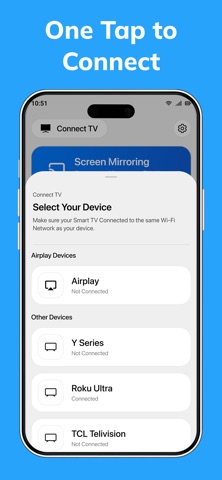
1. Connect your iPhone/iPad and Smart TV to the same Wi-Fi network.
2. Open the app and let it automatically scan for available devices.
3. Select your Smart TV and start wireless screen mirroring or casting instantly!
Note: For a seamless experience, please ensure your Smart TV supports wireless screen mirroring and is connected to the same Wi-Fi network as your iOS device.
Privacy Policy : https://iosapp2025.blogspot.com/2026/03/privacy-policy-for-smart-tv-cast-mirror.html
Terms of use : https://sites.google.com/view/smarttv-terms-condition/home