

SmartDrawing: AI Image Studio
SmartDrawing: AI Image Studio is made and published by Hangzhou Lishi Technology Co., Ltd. AppBrain is an independent app data site and isn't affiliated with Hangzhou Lishi Technology Co., Ltd. The app name, icon, screenshots and description belong to Hangzhou Lishi Technology Co., Ltd. and are shown as published on the App Store.
AppBrain's verdict
- Last updated
- July 10, 2024
Rankings
App Store top chartsApp Store Rankings for SmartDrawing: AI Image Studio
Competitors
Similar apps and more from Hangzhou Lishi Technology Co., Ltd.Alternatives to SmartDrawing: AI Image Studio


More from Hangzhou Lishi Technology Co., Ltd.

Also available on Google Play

Releases
Updates seen on the App Store- Version
- 1.0
- Launched
- July 2024
No changelog data
User feedback
Ratings and reviews on the App StoreComments on SmartDrawing: AI Image Studio for iOS
We don't have enough comments to show example comments. Please check back later.
Technology
Found in the app by AppBrain- Price
- Free
- App size
- 65.3 MB
- Content rating
- High
Technologies used by SmartDrawing: AI Image Studio
About the app and developer
About SmartDrawing: AI Image Studio
SmartDrawing: AI Image Studio is a productivity app developed by Hangzhou Lishi Technology Co., Ltd.
User Ratings
The app has no ratings yet.
App Information
SmartDrawing: AI Image Studio is freely available from the App Store. The app size is 65.32 MB. The latest version available is 1.0. The last update was on July 10, 2024.
Technical Requirements
The app has a content rating of High Maturity. The app has been available on the App Store since July 2024.
Developer information for Hangzhou Lishi Technology Co., Ltd.
Hangzhou Lishi Technology Co., Ltd.
Address:
Store listing
By Hangzhou Lishi Technology Co., Ltd., from the App Store




Description by Hangzhou Lishi Technology Co., Ltd. Written by the developer, not by AppBrain. Click to read.
[Key Features]
1. Smart Image Editing:
- Erase and Remove Backgrounds: Easily remove unnecessary parts or backgrounds from your images for a clean look.
- AI Retouch: Use AI technology to retouch and repaint specific areas of your images for a flawless finish.
2. Creative Tools:
- Grid Split: Slice your images into multiple parts for social media posts or creative collages.
- AI Face Swap: Replace facial features with those of other characters or images using AI technology for fun effects.
- AI Art Text: Generate unique artistic fonts to enhance your images' visual impact.
3. Image Enhancement:
- Enhance Image Clarity: Use AI technology to sharpen image details, making your photos clearer and more vivid.
- Old Photo Restoration: Restore and revitalize old photos, preserving precious memories with enhanced color and detail.
4. AI Creations:
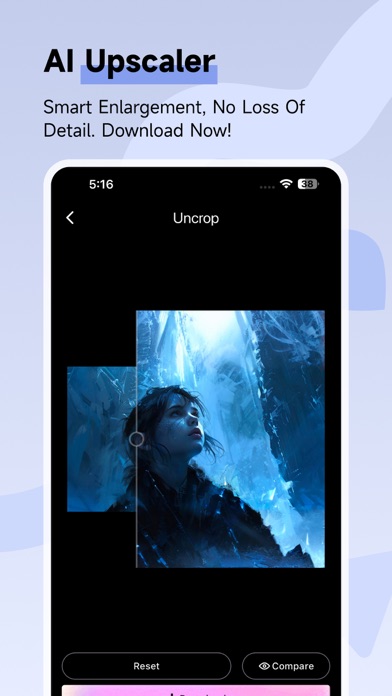
- AI Image Expansion: Intelligently extend the boundaries of your images while maintaining quality.
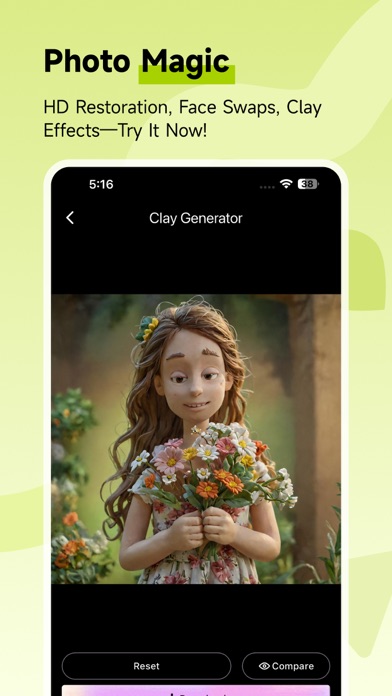
- Photo to Cartoon/Comic/Clay Art: Transform your photos into cartoon avatars, comic styles, or clay art, giving your images a fresh and unique look.
- AI Line Art Coloring: Automatically colorize line art images, quickly creating complete works of art.
Why Choose SmartDrawing?
- Easy to Use: With an intuitive interface, even beginners can get started quickly.
- Efficient Creation: Powerful AI algorithms significantly speed up image processing, allowing you to create high-quality works in a short time.
- Continuous Updates: We are committed to continuously optimizing and updating features to provide you with the best creative tools.
Start Your Creative Journey
Download SmartDrawing: AI Image Studio now and explore a world of endless creativity! Whether you need simple photo touch-ups or complex artistic creations, SmartDrawing is your reliable assistant.