

SmartScan Pro: PDF scanner
SmartScan Pro: PDF scanner is made and published by AMAXIM APPS, INC. AppBrain is an independent app data site and isn't affiliated with AMAXIM APPS, INC. The app name, icon, screenshots and description belong to AMAXIM APPS, INC and are shown as published on the App Store.
AppBrain's verdict
EstablishedLoved by users- Rating on App Store
- 4.51
- 1,353 ratings
- Last updated
- March 17, 2025
- Size
- 18.1 MB
Users love it: 4.5 stars from 1,353 ratings.
User feedback
Ratings and reviews on the App StoreComments on SmartScan Pro: PDF scanner for iOS
We don't have enough comments to show example comments. Please check back later.
Store listing
By AMAXIM APPS, INC, from the App Store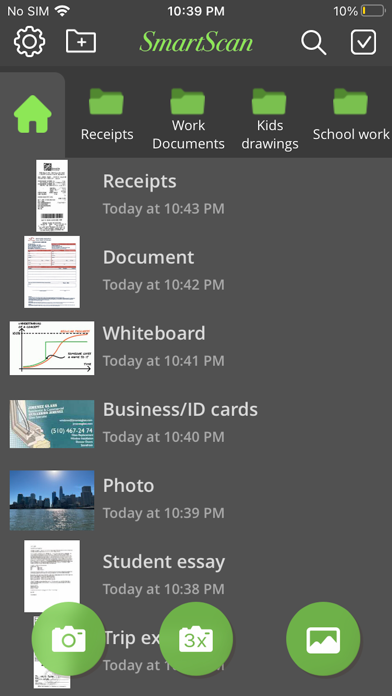
Description by AMAXIM APPS, INC Written by the developer, not by AppBrain. Click to read.
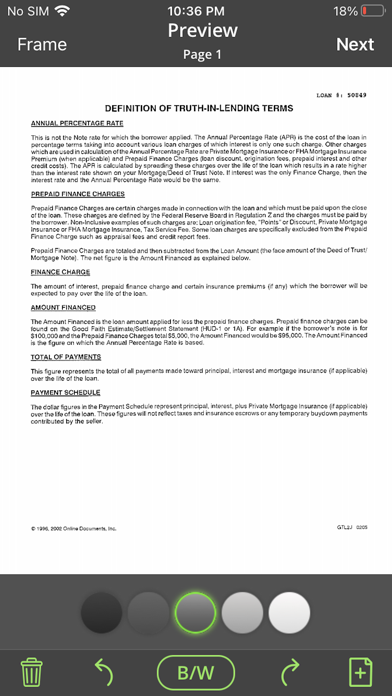
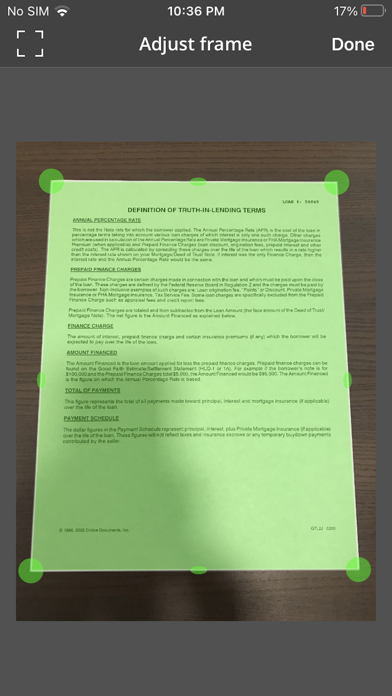
SmartScan uses complex and efficient algorithms to accurately detect document edges, correct their perspective, eliminate shadows, and perfectly contrast text, black on white. You can also choose between color and black-and-white photo modes. Our user interface is powerful and easy to use. With this app you can easily adjust the brightness, color, and rotation of your device.
SmartScan offers SuperScan, a scanning mode that captures sharper images, especially in low-light conditions. Acquiring multiple takes of the same scan, SuperScan guarantees the best result.
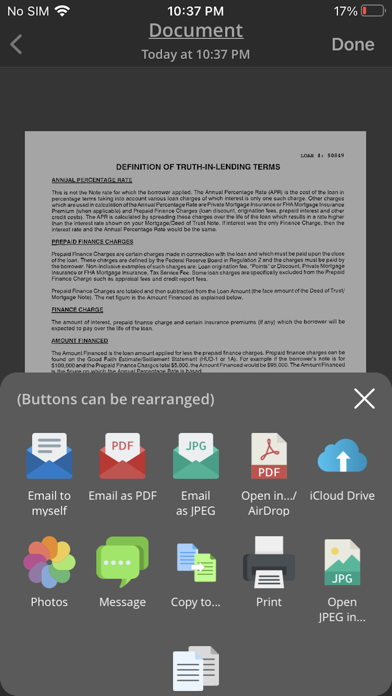
SmartScan also has an "Email to myself" feature that works with a single tap.
SMARTSCAN FEATURES:
• Automatic document edge detection and shooting. Perspective correction
• SuperScan mode for sharpest scans
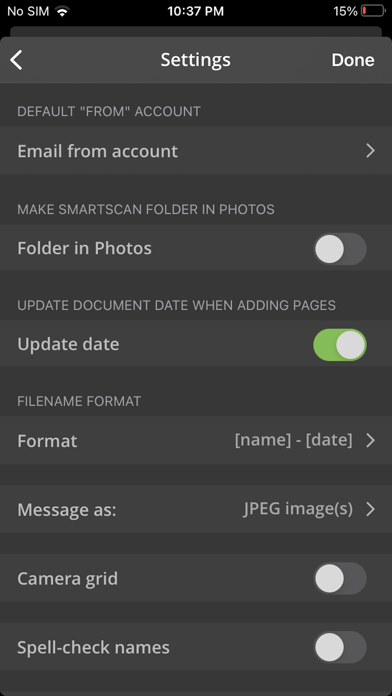
• Document naming, storage in folders and smart search
• “Email to myself” feature for quick routine emails
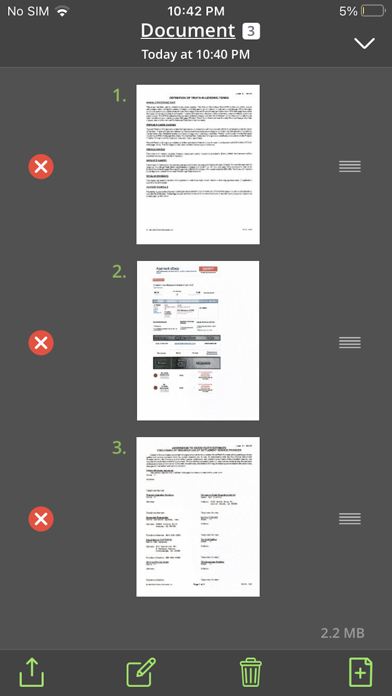
• Add and reorder pages at any time
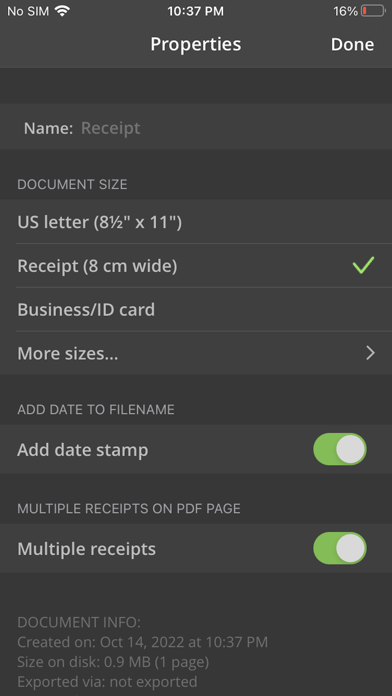
• Arrange multiple receipts or business cards on a PDF page for printing, etc.
• Email or message documents as PDF, JPEG, or PNG, or save to Photos
• Touch ID & passcode lock
• Upload, auto-upload and backup to iCloud Drive
• Open PDFs or JPEGs in other apps like Dropbox or Google Drive to send to clouds
• Copy & paste scans to other scans or Clipboard, and merge
• AirDrop function
• Printing via AirPrint or printing apps
• Compact attachments with adjustable size
• Ultra-fast processing
Scanning tips
• Make sure the document is laying flat in a bright location
• For optimal edge detection results, make sure to have a contrasting outline or margin around your document while snapping the photo
• When shooting in low light conditions, use flash to illuminate the scene. However, be careful not to produce too much glare from shiny documents or surfaces.
SmartScan is on a road of constant improvement, and we value your input and feedback.
If you have any questions or problems with the SmartScan app, please email us at support@amaximapps.com. We would be happy to help you out.
Our Privacy policy: https://www.amaximapps.com/ssepp.htm
License agreement: https://www.apple.com/legal/internet-services/itunes/dev/stdeula/
Safety and technology
Found in the app by AppBrain- Price
- Free
- App size
- 18.1 MB
- Content rating
- Everyone
Technologies used by SmartScan Pro: PDF scanner
Releases
Updates seen on the App Store- Version
- 6.2.0
- Launched
- June 2012
No changelog data
Alternatives
Similar apps and more from AMAXIM APPS, INCAlternatives to SmartScan Pro: PDF scanner





More from AMAXIM APPS, INC





Rankings
App Store top chartsApp Store Rankings for SmartScan Pro: PDF scanner
About the app and developer
About SmartScan Pro: PDF scanner
SmartScan Pro: PDF scanner is a business app developed by AMAXIM APPS, INC.
User Ratings
SmartScan Pro: PDF scanner is rated 4.51 out of 5 stars. The rating is based on 1.4 thousand ratings.
App Information
SmartScan Pro: PDF scanner is freely available from the App Store. The app size is 18.09 MB. The latest version available is 6.2.0. The last update was on March 17, 2025.
Technical Requirements
The app has a content rating of Everyone. The app has been available on the App Store since June 2012.
Developer information for AMAXIM APPS, INC
Address:
Frequently asked questions about SmartScan Pro: PDF scanner
Is SmartScan Pro: PDF scanner free?
Yes. SmartScan Pro: PDF scanner is free on the App Store.
Is SmartScan Pro: PDF scanner still available?
Yes. SmartScan Pro: PDF scanner is on the App Store, and the last update we saw was on March 17, 2025.
How large is SmartScan Pro: PDF scanner?
SmartScan Pro: PDF scanner is 18.09 MB.
Is SmartScan Pro: PDF scanner suitable for children?
App Store rates the content of SmartScan Pro: PDF scanner as suitable for everyone.
How do people rate SmartScan Pro: PDF scanner?
SmartScan Pro: PDF scanner scores 4.51 out of 5 stars, from 1,353 ratings on the App Store.
Who made SmartScan Pro: PDF scanner?
SmartScan Pro: PDF scanner was developed by AMAXIM APPS, INC. It is listed in the business category on the App Store.
What are the best alternatives to SmartScan Pro: PDF scanner?
People looking at SmartScan Pro: PDF scanner also look at these business apps: Convert Image to PDF ScannerMe, PDF Scan - MAX Scanner, InfoGraphic and Poster Creator, ScanMaster: Document Scanner, Scan My Document - PDF Scanner.