It doesn't have enough ratings yet to judge what users think. Its best ranking is #31 in Top Grossing, Utilities in Portugal.
SMS Forwarder is made and published by
Alexey Sakharov.
AppBrain is an independent app data site and isn't affiliated with Alexey Sakharov.
The app name, icon, screenshots and description belong to Alexey Sakharov and are shown as
published on the App Store.
About SMS Forwarder
SMS Forwarder is an utilities app developed by Alexey Sakharov.
What is the rating of SMS Forwarder?
SMS Forwarder is rated 4.42 out of 5 stars, based on 45 ratings.
Is SMS Forwarder free?
SMS Forwarder is free. The app size is 21.09 MB. The latest version available is 2.1. The last update was on July 19, 2026.
What are the requirements for SMS Forwarder?
The app has a content rating of Everyone. The app has been available on the App Store since October 2025.
Description by Alexey Sakharov(from the App Store)
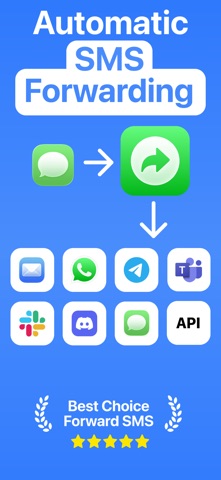
SMS Forwarder is the easiest text message forwarding app for iPhone. Automatically forward SMS to Email, Telegram, Slack, Discord, Microsoft Teams, WhatsApp, another phone number, or any custom webhook. Set up once and receive text messages on any device, anywhere.
100% PRIVATE — ON-DEVICE SMS FORWARDING Your messages never leave your iPhone. SMS Forwarder processes everything on-device with zero data stored on external servers. No tracking, no analytics — you stay in full control of your data.
WHY CHOOSE SMS FORWARDER?
- Forward SMS to Email Automatically forward text messages to your inbox. Perfect for keeping records of bank notifications, order confirmations, and important texts.
- Forward OTP & 2FA Verification Codes Receive one-time passwords and 2FA verification codes on your laptop or work computer. Never miss time-sensitive SMS codes again.
- Business SMS Forwarding Forward client messages to Slack, Discord, or Microsoft Teams instantly. Keep your team in the loop without sharing your personal phone number.
- Forward SMS While Traveling Access text messages from your second phone or local SIM card while abroad. Stay connected to important SMS notifications globally.
- Remote Work & Multi-Device Forward text messages to any device. Receive important SMS notifications on your computer, tablet, or another phone wherever you are.
FORWARD SMS TO 8 PLATFORMS Email • Telegram • Slack • Discord • Microsoft Teams • WhatsApp • Another Phone • Custom API/Webhook
SMART SMS FILTERING & FORWARDING RULES • Create unlimited text message forwarding rules • Filter SMS by sender name, phone number, or message content • Schedule forwarding for specific days and time ranges • Test SMS forwarding before activating
POPULAR SMS FORWARDING USE CASES • Forward bank SMS notifications to email for record-keeping • Receive 2FA verification codes on your work computer • Auto forward delivery and order updates to Telegram • Route customer text messages to your Slack workspace • Forward OTP codes to another device while traveling abroad • Share appointment reminders with family via WhatsApp • Integrate SMS into business automation via webhooks and API
HOW SMS FORWARDING WORKS 1. Create a forwarding rule — choose which text messages to forward and where 2. Set filters — filter by sender, message content, or schedule (optional) 3. Set up iOS Shortcuts — follow our simple video guide, and you're done
PRICING Free: Try SMS forwarding with a limited number of messages Premium: Unlimited text message forwarding to all platforms
Subscriptions auto-renew unless canceled 24+ hours before the period ends. Manage in Settings > Apple ID > Subscriptions.
Download SMS Forwarder now and stop missing important text messages. Video tutorials and support available in-app.
Privacy Policy: https://smsforwardingapp.com/privacy Terms of Service: https://smsforwardingapp.com/terms
AppBrain offers valuable information about your app and those of your competitors. Join AppBrain for free and claim this app to view more ranking data, view history etc.
Each subscription will automatically renew 3 days before the expiration date for
the same time period. Subscriptions can be cancelled at any time before the renewal.