Two people counting the same thing can finish with two different numbers. SnapCount keeps everyone on one shared count: one phone at each door, one total for the whole room.
Start free. A guest session needs no account: share its code or QR code and up to 10 phones count into the same total, live. With Pro or Enterprise, your team opens the same saved counters on every phone, and changes appear on every screen in real time.
Built for where counting happens: event capacity, church attendance, retail foot traffic, fun runs, stocktakes, pitch counts and more.
COUNT FAST
- Large plus and minus keys, steps for counting by the case or pack, goals with a progress bar, and haptics.
- Count with the volume buttons, with the phone in a pocket (turn it on in Settings).
- The screen stays on while you count.
- Reset by mistake? Undo it for 10 seconds.
- No signal? The app opens with your saved counters, and taps wait on your phone with their time and sync when you are back online, never counted twice.
COUNT WITHOUT OPENING THE APP
- Widgets for the Home Screen, Lock Screen and StandBy. Choose a counter for each widget and tap plus, or minus on the medium widget (iOS 17 or later). On iOS 26, widgets update as your team counts.
- A control for Control Center, the Lock Screen or the Action button (iOS 18 or later).
- Siri and Shortcuts: "Add one to Main door in SnapCount".
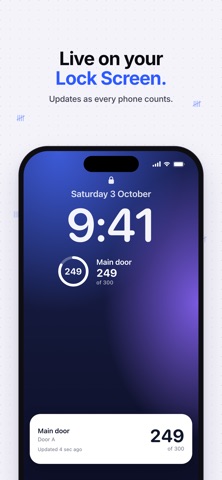
- Keep the live total on your Lock Screen and in the Dynamic Island (iOS 17 or later).
COUNT TOGETHER
- Guest sessions: no accounts, up to 10 phones, a QR code to join, and each phone names its door.
- Let others count: share a link or QR code for any saved counter or group, and anyone who opens it counts into your workspace without an account. Stop it any time.
- Totals by item: counters with the same name in different groups add up on one Totals tab, ready for a TV.
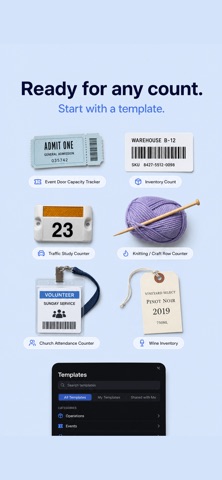
- Templates for church attendance, event capacity, inventory, pitch counts, laps and more. Each shows the board it makes before you use it.
- Public views: a read-only live total to share as a link or QR code, for a lobby screen or a team.
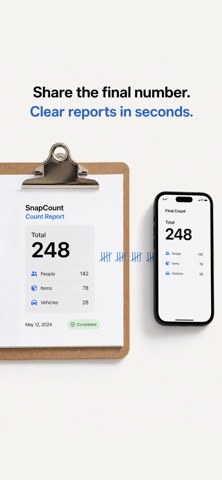
- Groups with sum or net totals, capacity alerts (as notifications on Enterprise), scheduled email reports, busiest times, archive and restore, and a headcount summary when a Live Run closes.
PLANS
Every new organization starts with a free 7-day Pro trial that does not charge automatically. For 7 days after the trial, free limits apply (1 counter and a maximum count of 20), then counting pauses until you choose a plan. Your counters stay saved, and guest sessions are always free.
- Pro: one organization, up to 10 seats, unlimited shared counters, real-time sync, CSV or JSON export, scheduled reports and counter stats.
- Enterprise adds unlimited seats, activity history, timestamped exports, automatic resets, counter access, locking and capacity alerts.
API keys and webhooks are set up on the SnapCount web dashboard.
Pro and Enterprise are auto-renewable subscriptions through Apple, and each covers one organization. The Event Pass gives one organization 72 hours of Pro and does not renew. Lifetime plans, when offered, are a one-time purchase. StoreKit shows the price before you buy. Payment is charged to your Apple ID at confirmation of purchase. Subscriptions renew automatically unless cancelled at least 24 hours before the period ends. Manage or cancel in your Apple ID account settings. Earlier lifetime purchases keep their access.
ACCESSIBILITY
VoiceOver, Dynamic Type, Reduce Motion, Reduce Transparency, and light and dark appearance.
PRIVACY
No advertising, and no tracking across other companies' apps or websites. We use account-linked product analytics, crash reports and session replay (which may include on-screen content and non-password input) to improve the app and provide support.
Privacy policy: https://snapcount.app/privacy-policy
Terms of Use: https://www.apple.com/legal/internet-services/itunes/dev/stdeula/
Show more
Show less