

SnapOCR – Video Text Tool
SnapOCR – Video Text Tool is made and published by Roxwin Vietnam Technologies Company Limited. AppBrain is an independent app data site and isn't affiliated with Roxwin Vietnam Technologies Company Limited. The app name, icon, screenshots and description belong to Roxwin Vietnam Technologies Company Limited and are shown as published on the App Store.
AppBrain's verdict
- Rating on App Store
- 4.00
- 4 ratings
- Last updated
- July 3, 2026
- Size
- 20.0 MB
It doesn't have enough ratings yet to judge what users think.
User feedback
Ratings and reviews on the App StoreComments on SnapOCR – Video Text Tool for iOS
We don't have enough comments to show example comments. Please check back later.
Store listing
By Roxwin Vietnam Technologies Company Limited, from the App Store

Description by Roxwin Vietnam Technologies Company Limited Written by the developer, not by AppBrain. Click to read.
Transform your videos and photos into searchable, editable text with SnapOCR.
Whether you need to extract subtitles from videos, remove unwanted text, or create professional SRT subtitle files, SnapOCR makes it effortless.
Extract Text from Videos
• Automatically extract text from video frames using advanced OCR technology
• Generate professional SRT subtitle files with precise timestamps
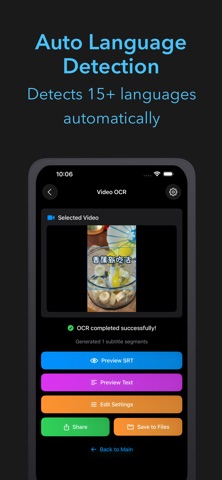
• Supports over 15 languages including Chinese, English, Korean, and Japanese
• Smart text merging eliminates duplicates and improves accuracy
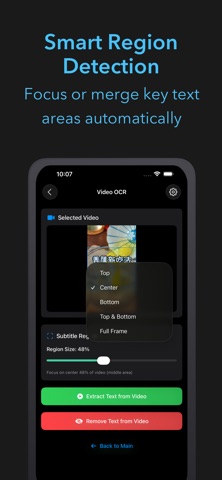
• Customizable subtitle regions: focus on top, bottom, center, or full frame
• Adjustable frame intervals and confidence thresholds for optimal results
Extract & Remove Text from Photos
• Instantly extract text from any photo with high accuracy
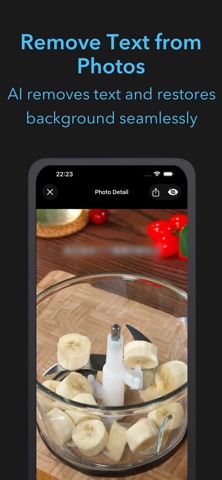
• Remove unwanted text using AI-powered inpainting
• Smart region detection automatically identifies text areas
• Copy extracted text or share it directly
• Preview and edit before finalizing
Smart Text Processing
• Automatic language detection for seamless multilingual support
• Intelligent subtitle region detection (top, bottom, center, or both)
• Automatic merging of similar text segments to reduce duplicates
• AI-powered text correction for improved accuracy
• Customizable processing settings for fine-tuned results
Remove Hard Subtitles from Videos
• Blur or remove hard-coded subtitles from any video
• Select specific subtitle regions (top, bottom, center, or both)
• Real-time preview before processing
• Export clean videos without unwanted text overlays
• Maintain original video quality while removing text
Key Features
• Extract text from videos and photos
• Generate SRT subtitle files
• Remove unwanted text from photos
• Remove hard subtitles from videos
• Support for 15+ languages
• Automatic language detection
• Smart region detection
• Merge similar text automatically
• Customizable processing settings
• Export and share results easily
Perfect for content creators, video editors, translators, students, and anyone who needs to extract or remove text from videos and photos.
Download SnapOCR today and unlock the power of smart text extraction.
Safety and technology
Found in the app by AppBrain- Price
- $2.99
- App size
- 20.0 MB
- Content rating
- Everyone
Technologies used by SnapOCR – Video Text Tool
Releases
Updates seen on the App Store- Version
- 2.5.2
- Launched
- November 2025
No changelog data
Alternatives
Similar apps and more from Roxwin Vietnam Technologies Company LimitedAlternatives to SnapOCR – Video Text Tool


Rankings
App Store top chartsApp Store Rankings for SnapOCR – Video Text Tool
About the app and developer
About SnapOCR – Video Text Tool
SnapOCR – Video Text Tool is a photo & video app developed by Roxwin Vietnam Technologies Company Limited.
User Ratings
SnapOCR – Video Text Tool is rated 4.00 out of 5 stars. The rating is based on 4 ratings.
App Information
SnapOCR – Video Text Tool costs $2.99. The app size is 20.03 MB. The latest version available is 2.5.2. The last update was on July 3, 2026.
Technical Requirements
The app has a content rating of Everyone. The app has been available on the App Store since November 2025.