

Snippet Dev Tools - Codelime
Snippet Dev Tools - Codelime is made and published by Khuong Pham. AppBrain is an independent app data site and isn't affiliated with Khuong Pham. The app name, icon, screenshots and description belong to Khuong Pham and are shown as published on the App Store.
AppBrain's verdict
- Rating on App Store
- 4.86
- 7 ratings
- Last updated
- August 19, 2026
It doesn't have enough ratings yet to judge what users think.
Rankings
App Store top chartsApp Store Rankings for Snippet Dev Tools - Codelime
Competitors
Similar apps and more from Khuong PhamAlternatives to Snippet Dev Tools - Codelime





More from Khuong Pham





Releases
Updates seen on the App Store- Version
- 1.6.0
- Launched
- July 2022
No changelog data
User feedback
Ratings and reviews on the App StoreComments on Snippet Dev Tools - Codelime for iOS
We don't have enough comments to show example comments. Please check back later.
Technology
Found in the app by AppBrain- Price
- Free
- App size
- 54.4 MB
- Content rating
- Everyone
Technologies used by Snippet Dev Tools - Codelime
About the app and developer
About Snippet Dev Tools - Codelime
Snippet Dev Tools - Codelime is an overall app developed by Khuong Pham.
What is the rating of Snippet Dev Tools - Codelime?
Snippet Dev Tools - Codelime is rated 4.86 out of 5 stars, based on 7 ratings.
Is Snippet Dev Tools - Codelime free?
Snippet Dev Tools - Codelime is free. The app size is 54.37 MB. The latest version available is 1.6.0. The last update was on August 19, 2026.
What are the requirements for Snippet Dev Tools - Codelime?
The app has a content rating of Everyone. The app has been available on the App Store since July 2022.
Developer information for Khuong Pham
Address:
Store listing
By Khuong Pham, from the App Store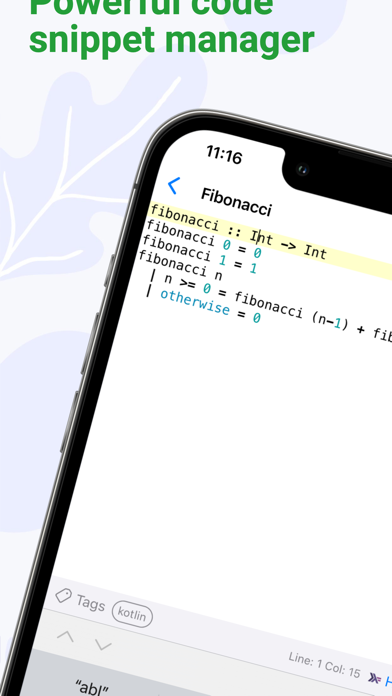


Description by Khuong Pham Written by the developer, not by AppBrain. Click to read.
- Native first. Codelime is built with native Swift code for true platform experience.
- Privacy focused. It works offline, your data remains on your machine and all logic is done offline.
- Data is saved locally and synced via your iCloud
- Ongoing list of dev tools
Code snippet editing
- Battle tested editor with over 110+ languages supported and 20 themes for light and dark mode
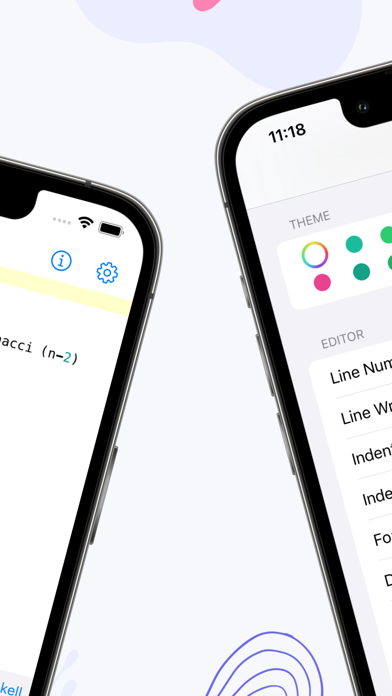
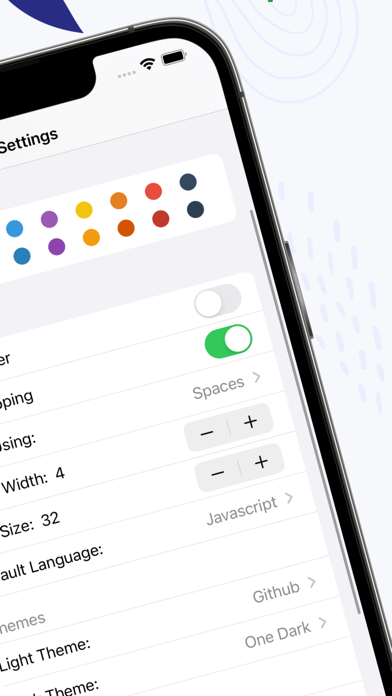
- Advanced settings to adjust font size, line numbers, themes and wrapping
- Name and add note to a snippet
- Splendid syntax highlighting
- Organize snippets into folders and tags
- Customize tags with name and colors
- Customize folders with name and default language
- Create nested folders
- Support GitHub markdown and preview markdown
- Share snippet
- Get summary about number of lines, characters, words in a snippet
- Backup all snippets any time
- Enable iCloud sync to sync snippets across devices Mac, iPhone and iPad
- Quickly search snippets by name, tag and content
- Status menu bar mode. You can create and save snippet on the go conveniently in the menu bar.
Dev tools
- Ongoing list of 7+ dev tools with focus on iOS development
- Encode and decode for base64
- Hash with many popular hash functions
- Encode and decode URL
- Generate asset catalog AppIcon set
- Generate model from JSON
- Transform text into many cases
- Convert number to different number bases
For more information, visit https://indiegoodies.com/codelime
Terms of use https://indiegoodies.com/codelime/terms