
Soliton SecureDesktop
Soliton SecureDesktop is made and published by Soliton Systems K.K. AppBrain is an independent app data site and isn't affiliated with Soliton Systems K.K. The app name, icon, screenshots and description belong to Soliton Systems K.K. and are shown as published on the App Store.
AppBrain's verdict
- Last updated
- November 8, 2022
Rankings
App Store top chartsApp Store Rankings for Soliton SecureDesktop
Competitors
Similar apps and more from Soliton Systems K.K.














Releases
Updates seen on the App Store- Version
- 1.4.3
- Launched
- September 2014
No changelog data
User feedback
Ratings and reviews on the App StoreComments on Soliton SecureDesktop for iOS
We don't have enough comments to show example comments. Please check back later.
Technology
Found in the app by AppBrain- Price
- Free
- App size
- 34.2 MB
- Content rating
- Everyone
Technologies used by Soliton SecureDesktop
About the app and developer
About Soliton SecureDesktop
Soliton SecureDesktop is a business app developed by Soliton Systems K.K.
User Ratings
The app has no ratings yet.
App Information
Soliton SecureDesktop is freely available from the App Store. The app size is 34.18 MB. The latest version available is 1.4.3. The last update was on November 8, 2022.
Technical Requirements
The app has a content rating of Everyone. The app has been available on the App Store since September 2014.
Developer information for Soliton Systems K.K.
Address:
Store listing
By Soliton Systems K.K., from the App Store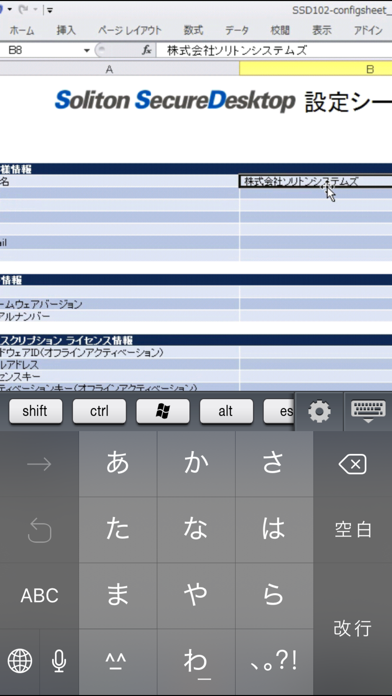
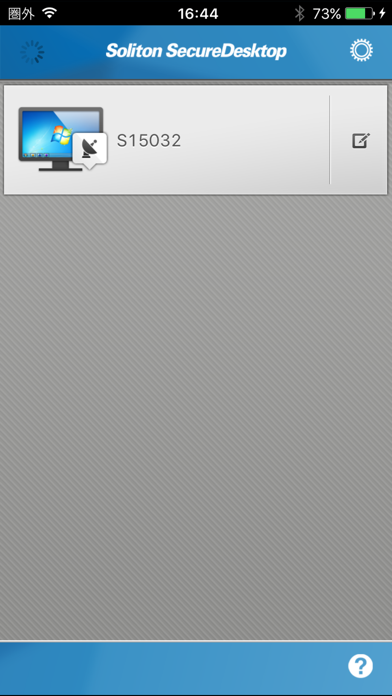
Description by Soliton Systems K.K. Written by the developer, not by AppBrain. Click to read.
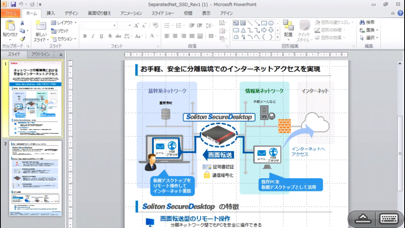
"Soliton SecureDesktop" is a remote control application for enterprise users. Soliton SecureDesktop is the easiest and fastest way to access your Mac or Windows PC in your office from across the Internet securely without VPN.
"Soliton SecureDesktop Center", gateway appliance, is required to be deployed in your enterprise network.
* Features:
- Strong security for remote control
The communication between Soliton SecureDesktop and Soliton SecureDesktop Center is fully secured by SSL. Furthermore X.509 certificate can be used to authenticate you and your mobile device.
- 100% compatibility with your desktop
You can access all of the programs and files on your computer with 100% compatibility, including Microsoft Office and iWork, any desktop browsers such as IE, Safari, Chrome, and Firefox with full Flash and Java support, with all of your bookmarks and your favorite plug-ins.
- High performance
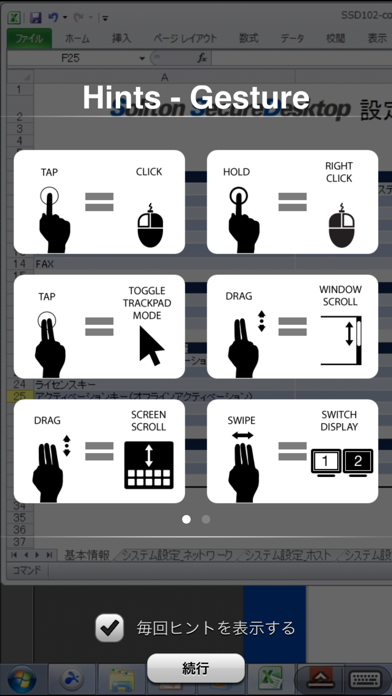
Real-time streaming technology including 3D graphics, HD video and synchronized audio optimizes performance that automatically adapts to varying network condition over Wi-Fi and 3G/4G. You can operate your computer from your mobile device effectively as if you were sitting in front of your computer.
- Easy and simple login to a PC with SmartOn ID
Soliton SecureDesktop Client has a feature which enables users to login a PC with SmartOn ID (Secure two-factor authentication software) with a simple button.
*Requirements:
- Soliton SecureDesktop Center
For details please visit Soliton SecureDesktop website:
http://www.soliton.co.jp/ssd/
By downloading, you agree to the Terms of Use at:
http://www.soliton.co.jp/eula/
** NOTICE **
Please use Splashtop Streamer V3.1.0 or later version and use Soliton SecureDesktop Center V1.2.0 or later version when you use Soliton SecureDesktop Client V1.2.1 or later versions.