

SonoSequencr is made and published by Marcus Pleintinger. AppBrain is an independent app data site and isn't affiliated with Marcus Pleintinger. The app name, icon, screenshots and description belong to Marcus Pleintinger and are shown as published on the App Store.
AppBrain's verdict
EstablishedLoved by usersTop 10- Rating on App Store
- 4.75
- 115 ratings
- Last updated
- October 1, 2026
- Size
- 15.8 MB
Users love it: 4.7 stars from 115 ratings. Its best ranking is #6 in Top Paid, Music in Mexico.
User feedback
Ratings and reviews on the App StoreComments on SonoSequencr for iOS
We don't have enough comments to show example comments. Please check back later.
Store listing
By Marcus Pleintinger, from the App Store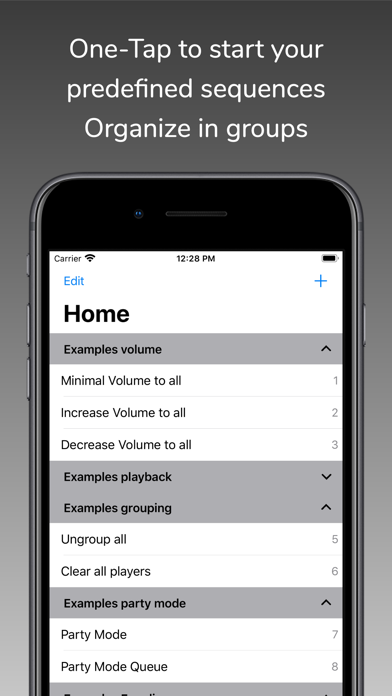
Description by Marcus Pleintinger Written by the developer, not by AppBrain. Click to read.
If you have multiple Sonos devices and want to play a radio station on all of them, it takes some time to set this up. With SonoSequencr, all you have to do is open the app and tap your previously created sequence.
You can lock your iOS device or use another app while your sequence is running in the background.
Of course, you can also start it from the widget (The Today widget is only available up to and including iOS 17), Apple Watch or using Flic Buttons.
Here are some examples:
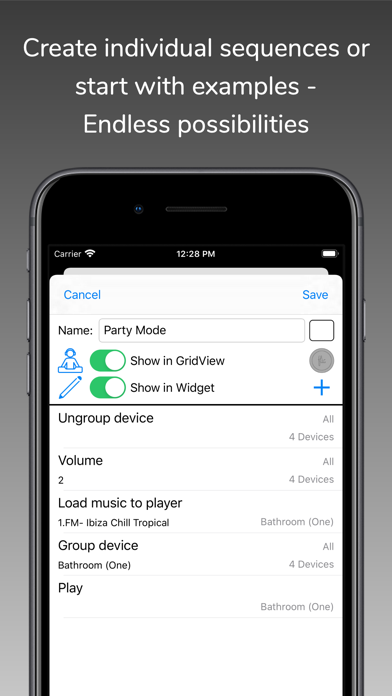
- Group kitchen and dining room, set volume to 5, start a radio station and set a sleep timer to 2 hours
- Switch your Playbar in the living room to the TV input, set the volume to 40, add dining room and set the equalizer settings for both devices to neutral
- Disable the subwoofer and enable voice enhancement + night mode on the Playbar in the living room
- Set the equalizer settings for all your devices to specific values
- Disable touch on speaker and enable status light for all your devices
- Set the volume of the kitchen and living room to the same value as in the dining room
- Make an announcement with your individual text in the children's room
- etc...
Each of these examples, created once, requires only one tap in the widget or on your Apple Watch.
SonoSequencr also includes a restricted mode. This allows you to restrict control to specific devices, among other things.
Using an optional in-app purchase, you can also start sequences at specific times or via external triggers like IFTTT. Of course, this requires that the iOS device is on the same network as your Sonos devices at the time. For intensive use of external triggers, it is recommended to run SonoSequencr in 'server mode'. In this mode, SonoSequencr is always running in the foreground on a dedicated iOS device.
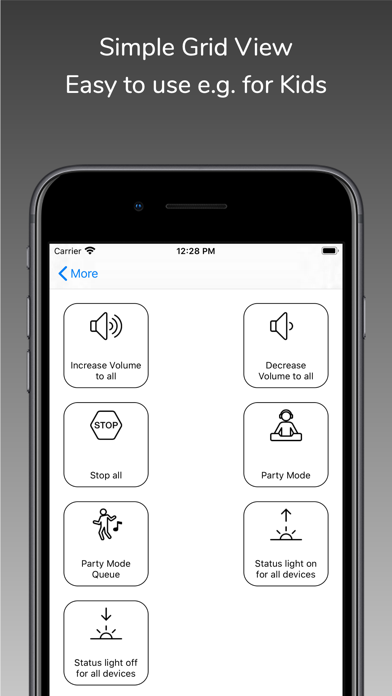
There are many more features like grid view, create dynamic alarms, HTTP requests, launch other apps, automatic battery charging in server mode, transfer sequences between devices, etc....
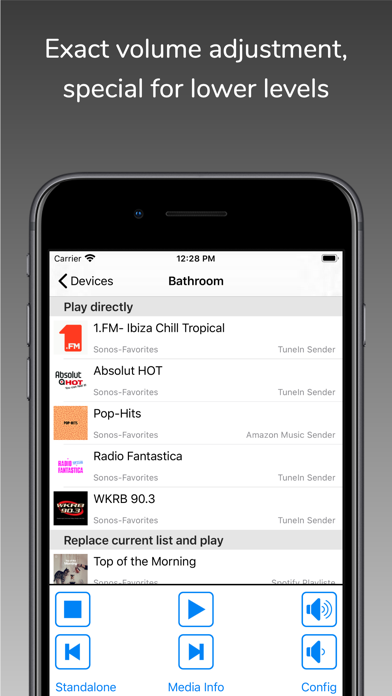
You can only use music (radio streams/tracks/albums) for your sequences that are stored in your Sonos Favorites (My Sonos) or in your TuneIn radio stations. You can't search your entire music library in this app. Just add your most used music to my Sonos then it can be used in your sequences.
The Timed Sequences feature is only available with an optional in-app purchase 'Premium'. With this automatically renewing subscription, up to 20 sequences can be run at freely configurable times. The function is only active as long as a valid subscription exists. The costs are billed via the iTunes account. The subscription will be renewed automatically within 24 hours before expiration (same time and costs), unless it is cancelled before in 'Settings' -> 'Manage Subscriptions' or in the iTunes settings.
To use this app you must have a working Sonos system. SonoSequencr supports Sonos software 1 and 2.
For terms and conditions and privacy policy see:
https://celltekk.de/sonosequencr/help/privacy
This is not an official Sonos app.
Safety and technology
Found in the app by AppBrain- Price
- $2.99
- App size
- 15.8 MB
- Content rating
- Everyone
Technologies used by SonoSequencr
Releases
Updates seen on the App Store- Version
- 10.0.0
- Launched
- April 2015
No changelog data
Alternatives
Similar apps and more from Marcus PleintingerAlternatives to SonoSequencr







More from Marcus Pleintinger

Rankings
App Store top charts- Highest rank
- #6
- Chart
- Top Paid
- Music
- Country
- Mexico
App Store Rankings for SonoSequencr
Top rankings
| Rank | Country | Category | List |
|---|---|---|---|
| 6 | Mexico | Music | Top Paid |
| 10 | Denmark | Music | Top Paid |
| 17 | Brazil | Music | Top Paid |
| 64 | United States | Music | Top Paid |
| 22 | Finland | Music | Top Paid |
| 53 | France | Music | Top Paid |
| 55 | Canada | Music | Top Paid |
| 36 | United Kingdom | Music | Top Paid |
| 90 | Germany | Music | Top Paid |
| 48 | Australia | Music | Top Paid |
Ranking history in Mexico
About the app and developer
About SonoSequencr
SonoSequencr is a music app developed by Marcus Pleintinger.
User Ratings
SonoSequencr is rated 4.75 out of 5 stars. The rating is based on 120 ratings.
App Information
SonoSequencr costs $2.99. The app size is 15.83 MB. The latest version available is 10.0.0. The last update was on October 1, 2026.
Technical Requirements
The app has a content rating of Everyone. The app has been available on the App Store since April 2015.
Developer information for Marcus Pleintinger
Address: