

Sound Level & Spectrogram
Sound Level & Spectrogram is made and published by TOON,LLC. AppBrain is an independent app data site and isn't affiliated with TOON,LLC. The app name, icon, screenshots and description belong to TOON,LLC and are shown as published on the App Store.
AppBrain's verdict
- Last updated
- October 10, 2025
Rankings
App Store top chartsApp Store Rankings for Sound Level & Spectrogram
Competitors
Similar apps and more from TOON,LLCAlternatives to Sound Level & Spectrogram






More from TOON,LLC


Releases
Updates seen on the App Store- Version
- 3.0
- Launched
- July 2024
No changelog data
User feedback
Ratings and reviews on the App StoreComments on Sound Level & Spectrogram for iOS
We don't have enough comments to show example comments. Please check back later.
Technology
Found in the app by AppBrain- Price
- Free
- App size
- 3.58 MB
- Content rating
- Everyone
Technologies used by Sound Level & Spectrogram
About the app and developer
About Sound Level & Spectrogram
Sound Level & Spectrogram is an utilities app developed by TOON,LLC.
User Ratings
The app has no ratings yet.
App Information
Sound Level & Spectrogram is freely available from the App Store. The app size is 3.58 MB. The latest version available is 3.0. The last update was on October 10, 2025.
Technical Requirements
The app has a content rating of Everyone. The app has been available on the App Store since July 2024.
Developer information for TOON,LLC
Address:
Frequently asked questions about Sound Level & Spectrogram
Is Sound Level & Spectrogram free?
Yes. Sound Level & Spectrogram is free on the App Store.
Is Sound Level & Spectrogram still available?
Yes. Sound Level & Spectrogram is on the App Store, and the last update we saw was on October 10, 2025.
How large is Sound Level & Spectrogram?
Sound Level & Spectrogram is 3.58 MB.
Is Sound Level & Spectrogram suitable for children?
App Store rates the content of Sound Level & Spectrogram as suitable for everyone.
Who made Sound Level & Spectrogram?
Sound Level & Spectrogram was developed by TOON,LLC. It is listed in the utilities category on the App Store.
What are the best alternatives to Sound Level & Spectrogram?
People looking at Sound Level & Spectrogram also look at these utilities apps: FFTWave, Spectrolite, SignalScope X, Decibel - dB Sound Level Meter, Noise Guru: Decibel Meter.
Store listing
By TOON,LLC, from the App Store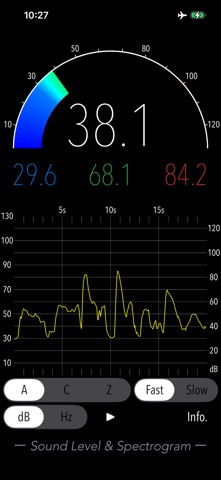


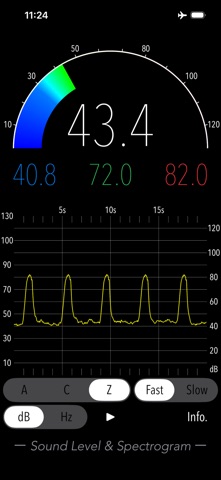
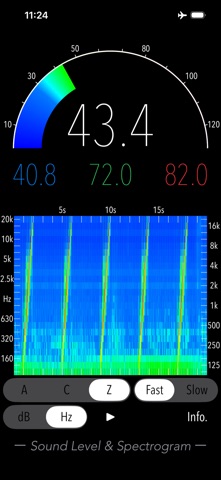
Description by TOON,LLC Written by the developer, not by AppBrain. Click to read.
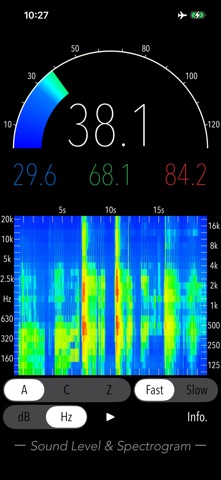
Simply tap the start button to measure sound levels in decibels (dB) and view the real-time variation of the sound level. You can also use the spectrogram feature to visually check the frequency characteristics of the sound source.
Furthermore, you can select between frequency weighting correction characteristics and time weighting characteristics, which are essential for standard sound level meters, enabling appropriate sound measurement.
Exposure to noise can impact health, potentially causing tinnitus, sleep disorders, stress, cognitive decline and heart disease. These risks have also been highlighted by the World Health Organization (WHO).
Understanding noise levels is the first step towards improving your quality of life. Use this app to protect your health and create a comfortable living environment.
Features:
- Sound level measurement (dB): Leq (equivalent sound level), Min (minimum value), Max (maximum value), Avg (time-averaged equivalent sound level)
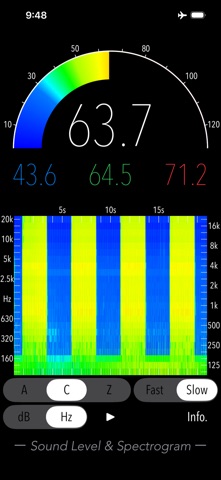
- Frequency weighting correction characteristics: A (general sound level measurement with auditory correction), C (sound level measurement with almost flatter correction than A correction, e.g. peak evaluation at high volume), Z (flat characteristics without auditory correction, physical sound level measurement)
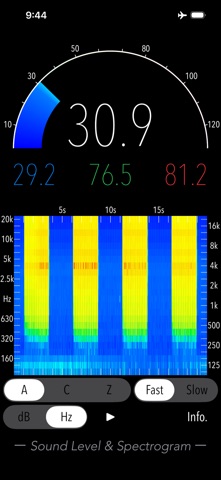
- Time weighting characteristics: Fast=0.125sec, Slow=1.0sec
- Time course graph
- Spectrogram: 1/3 octave band analysis
- Measurement time: 20 sec
Applications:
- Environmental noise measurement
- Architectural acoustics
- Live sound check
- Installation of audio equipment
- Tuning of sound equipment
- Device management
Example of the noise level situation:
- 130 dB: Engine sound of Airplane
- 110 dB: Horn of Car
- 100 dB: Noise of passing train
- 90 dB: In loud factory
- 80 dB: In the train, Vacuum cleaner
- 70 dB: Noisy office, Noisy Street
- 60 dB: Quiet Car, Normal conversation
- 50 dB: Quiet office
- 40 dB: In the library, Quiet residential area
- 30 dB: Outskirts of midnight, Whisper
- 20 dB: Sounds of rubbing leaves
Note:
- Spectrogram is a tool to analyze the frequency spectrum of sound, with time on the horizontal axis, frequency on the vertical axis, and the strength of the signal represented by colors, and is used for acoustic analysis, voiceprint identification, etc.
- This app is adjusted the reference value for iPhone. However, the built-in microphone of your iPhone is likely to have a non-uniform gain. Therefore, exact measurements are not guaranteed.
- The standard noise measurement range is 30-130 dBA, and the measured value (Leq) is about 30 dBA in a quiet room of the household. Due to the presence of background noise, noise levels are never measured at 0dBA even in very quiet environments. In a typical anechoic room, the noise level is around 5-15 dBA.
- At the initial startup after installing the app, the iOS system asks for permission to access the built-in microphone. In this case, you need to enable access to the microphone. If you have not enabled this setting, this app cannot work by privacy restrictions of the iOS system. Please enable the access permission on the iOS setting, "Settings > Privacy & Security > Microphone".
Please visit our iOS app support page for more information on this app.