

Spacify: Learn and Remember
Spacify: Learn and Remember is made and published by Denis Semenov. AppBrain is an independent app data site and isn't affiliated with Denis Semenov. The app name, icon, screenshots and description belong to Denis Semenov and are shown as published on the App Store.
AppBrain's verdict
- Last updated
- September 26, 2026
Rankings
App Store top chartsApp Store Rankings for Spacify: Learn and Remember
Competitors
Similar apps and more from Denis SemenovAlternatives to Spacify: Learn and Remember




Releases
Updates seen on the App Store- Version
- 2.8.6
- Launched
- January 2019
No changelog data
User feedback
Ratings and reviews on the App StoreComments on Spacify: Learn and Remember for iOS
We don't have enough comments to show example comments. Please check back later.
Technology
Found in the app by AppBrain- Price
- Free
- App size
- 38.3 MB
- Content rating
- Everyone
Technologies used by Spacify: Learn and Remember
About the app and developer
About Spacify: Learn and Remember
Spacify: Learn and Remember is an education app developed by Denis Semenov.
User Ratings
The app has no ratings yet.
App Information
Spacify: Learn and Remember is freely available from the App Store. The app size is 38.33 MB. The latest version available is 2.8.6. The last update was on September 26, 2026.
Technical Requirements
The app has a content rating of Everyone. The app has been available on the App Store since January 2019.
Developer information for Denis Semenov
Address:
Store listing
By Denis Semenov, from the App Store


Description by Denis Semenov Written by the developer, not by AppBrain. Click to read.
Highlights:
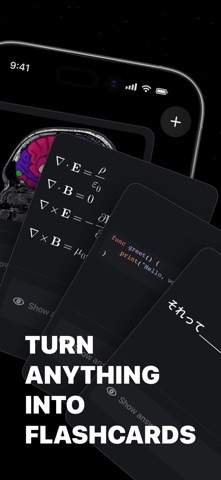
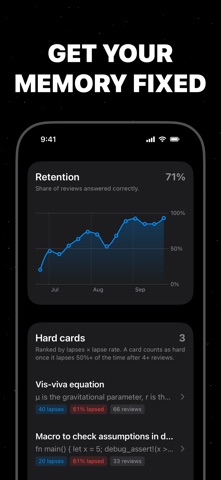
• Adaptive spaced repetition, built on decades of memory research — 30% fewer reviews for the same recall
• Fill-in-the-blanks cards: hide any word, image, or formula — each blank is reviewed on its own schedule
• Home Screen widgets show your due cards and streak at a glance
• Daily-digest reminders
• LaTeX formula rendering for beautifully typeset math, chemistry and equations
• Insert pictures from your camera or photo library
• Tags for topic-specific reviewing (Pro)
• Already have cards in Google Sheets? Paste the link, study in seconds
• iCloud sync & backup across all your devices
• Rich text editor, Dark Mode, works offline and online
• No limits on number of cards you can create
Terms of Use (EULA): https://www.apple.com/legal/internet-services/itunes/dev/stdeula/